
AI Cartoon Generator
Turn photos into cartoons and ideas into characters — two crafts, one canvas, every style.
The 42 models on this page are already included, with no separate subscription per tool. 14,500+ real generations already delivered on the platform. Updated
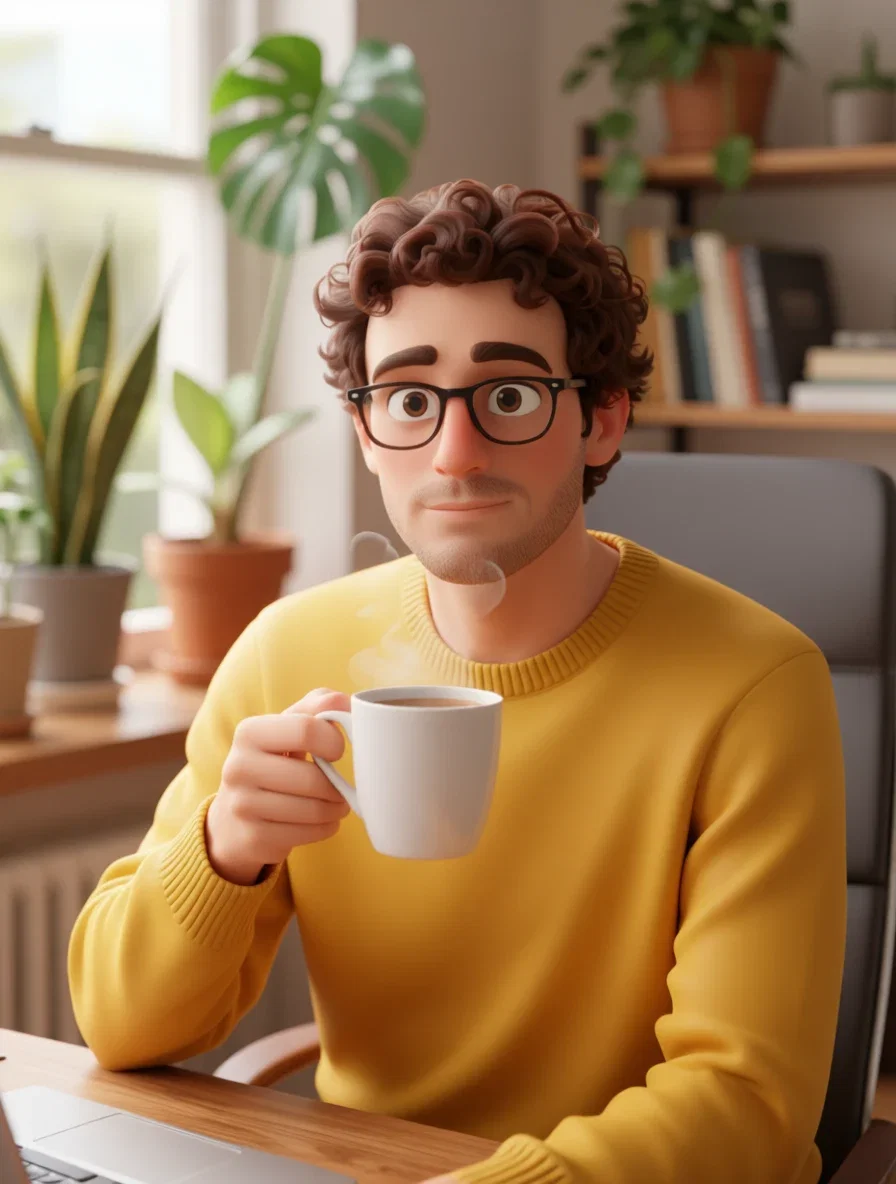
Photo, cartooned
3D-film conversion
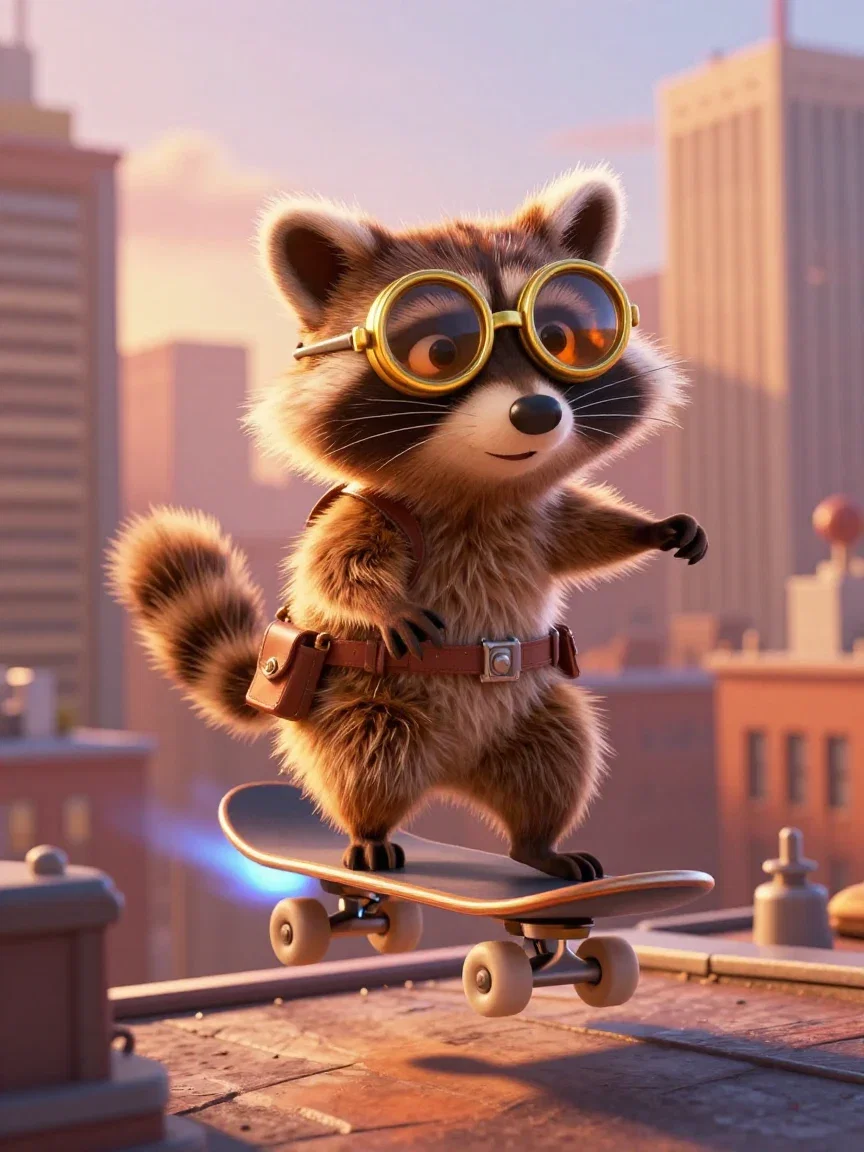
Original character
3D-film mascot
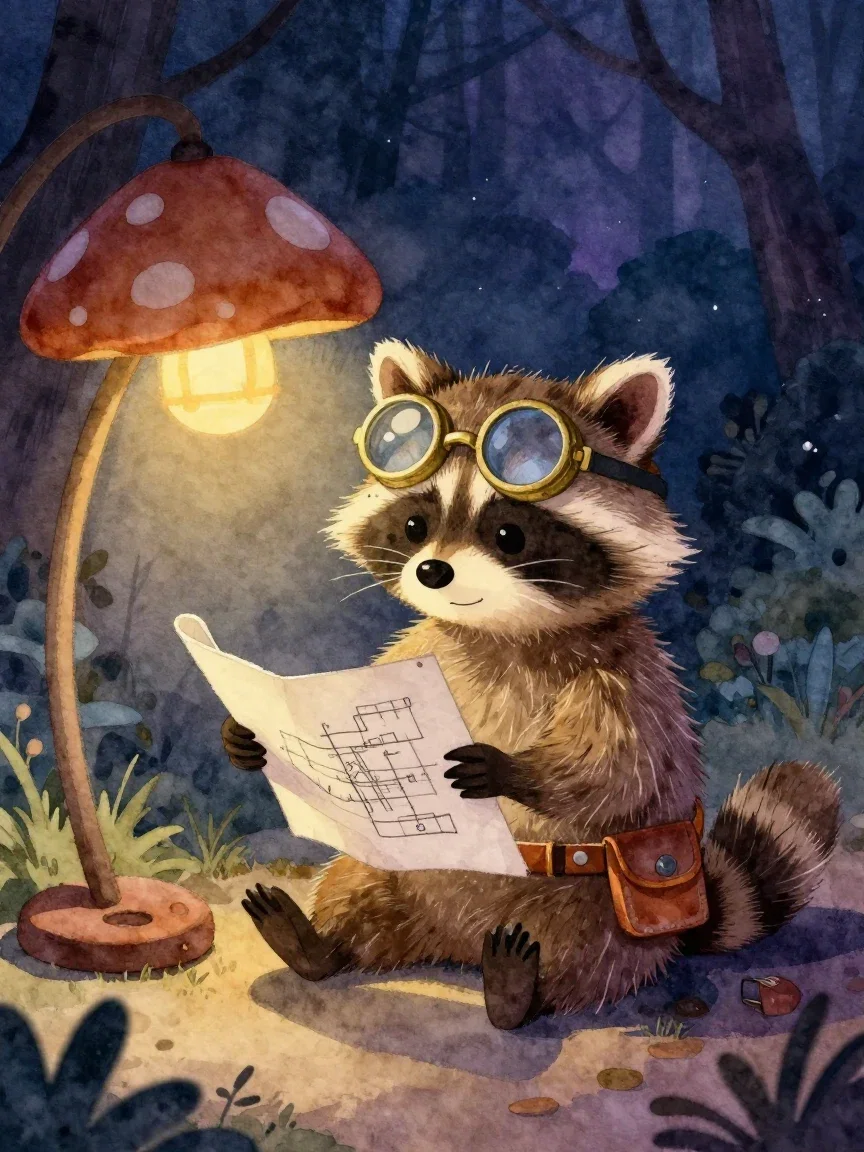
Storybook
Watercolor night
Your photo, drawn
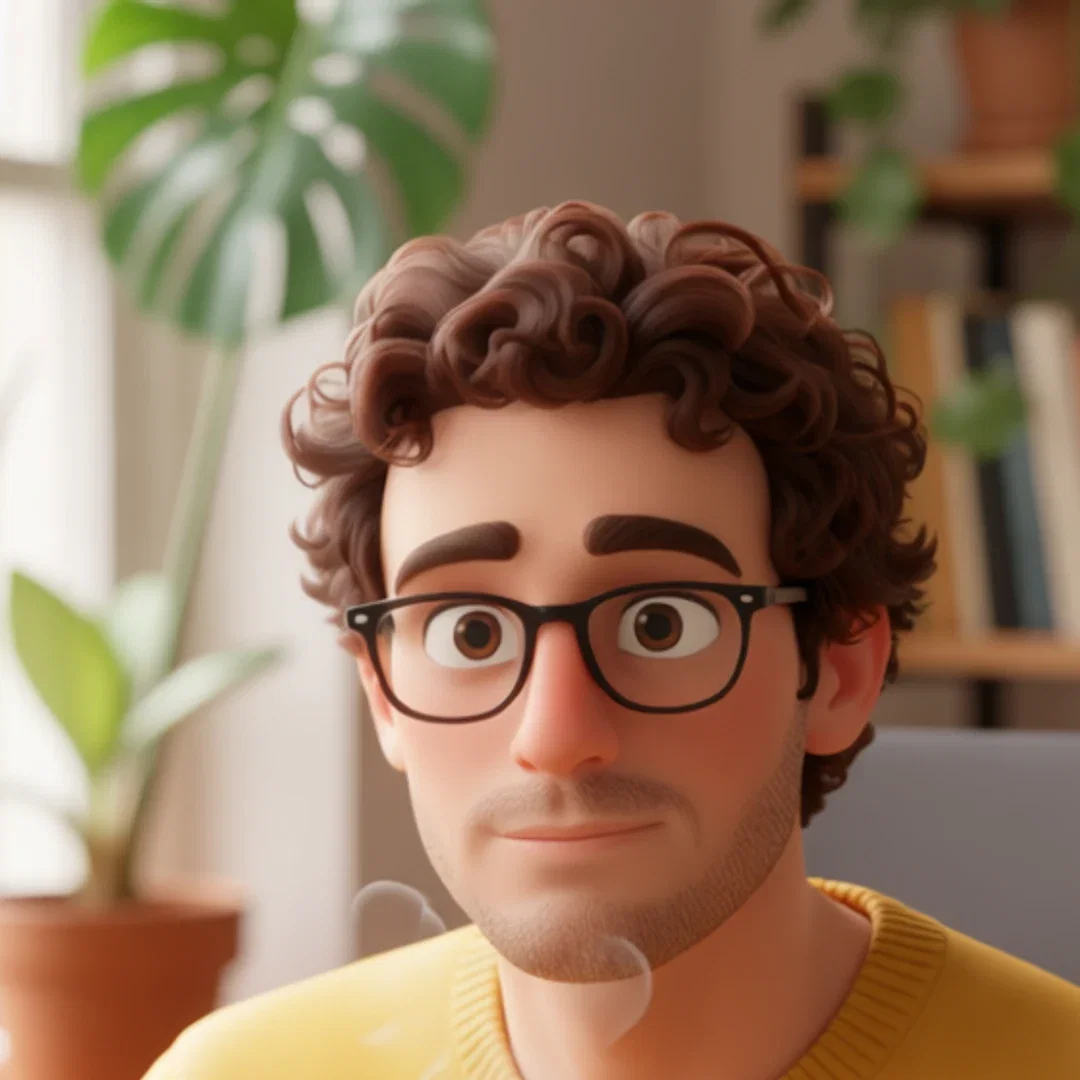
Left: a real portrait — glasses, curly hair, mustard sweater, plant-filled office. Right: the same frame converted to a polished 3D-animation-film style by one instruction edit.
The man is unmistakably himself; the medium is entirely new.
That identity hold is what makes cartoon conversion useful for avatars and profile art.
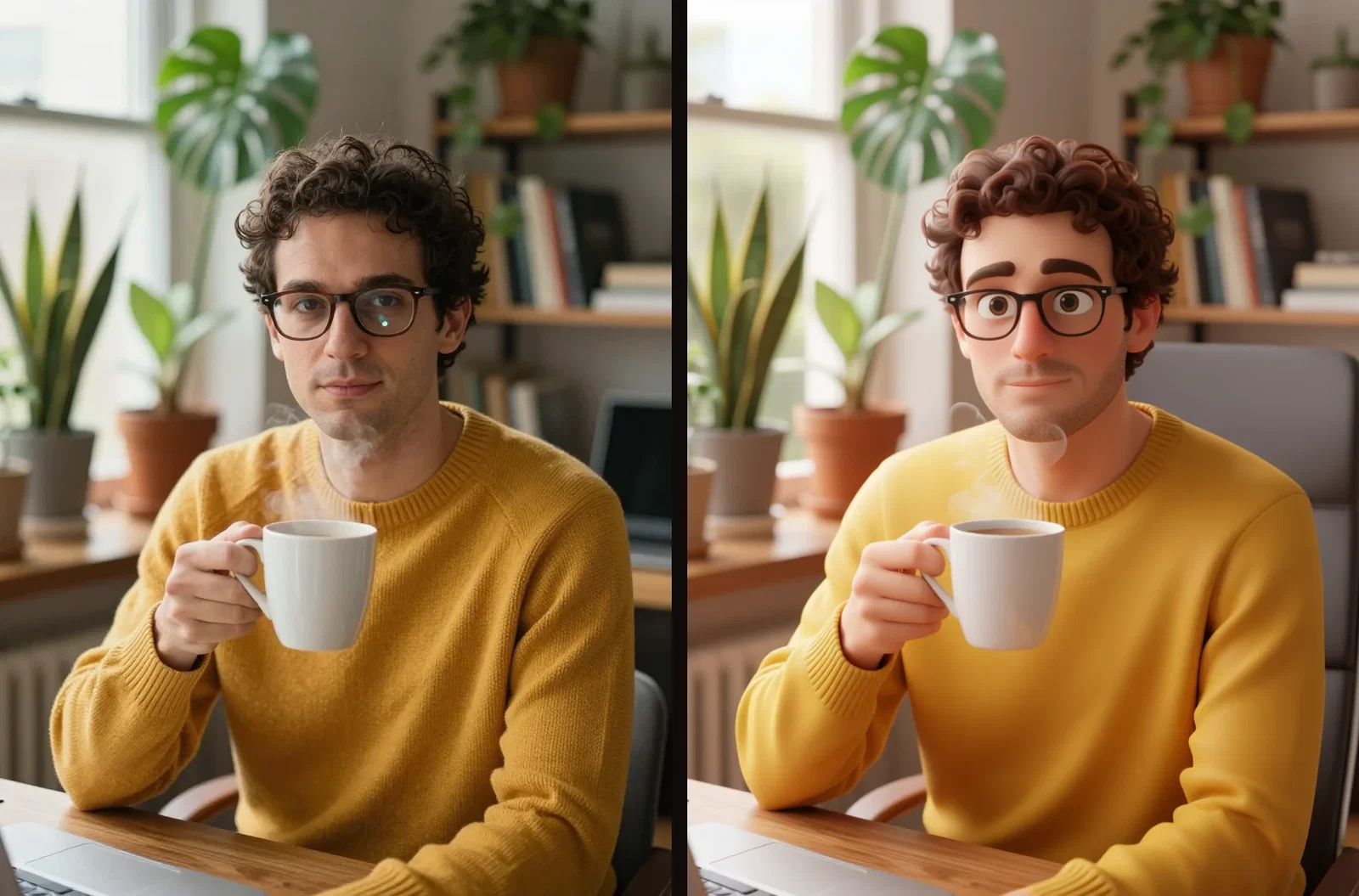
Photo to 3D film
Same man, new medium
Three ways to cartoon here
Powered by the image and edit engines on the FluxoKit canvas.
Convert a photo
One instruction restyles the frame while the person stays recognizable.
Invent a character
Two or three written anchors become a mascot engines can redraw.
Switch traditions
Cel, vintage, watercolor, 3D film — the style is part of the prompt.
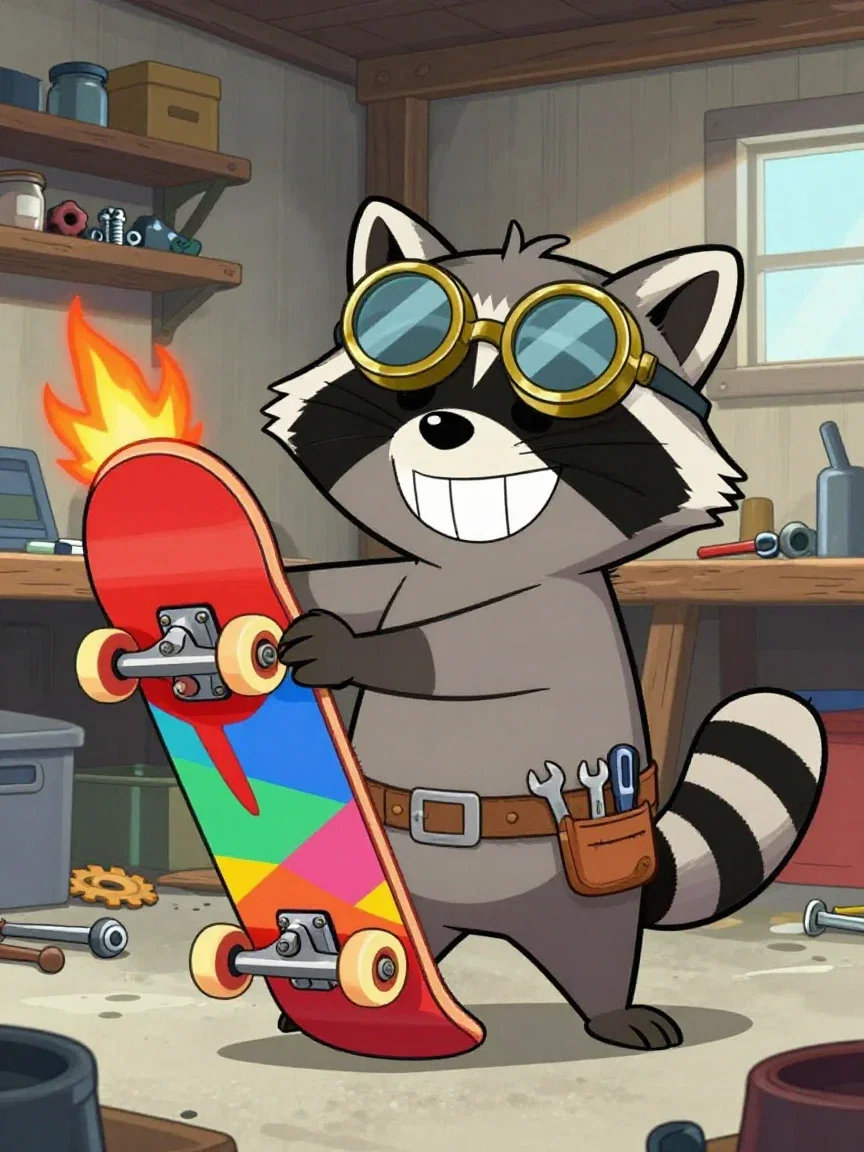
Saturday-morning
Bold cel colors
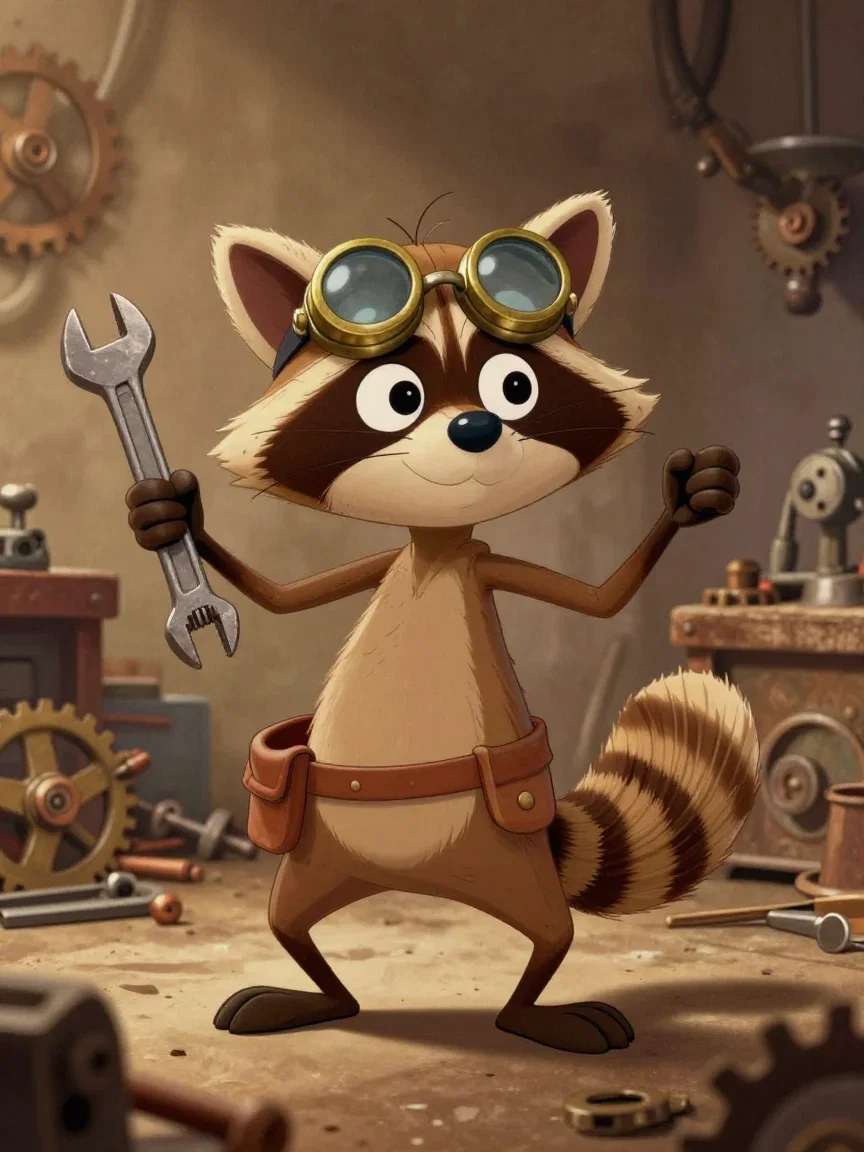
Rubber-hose inspired
Vintage workshop
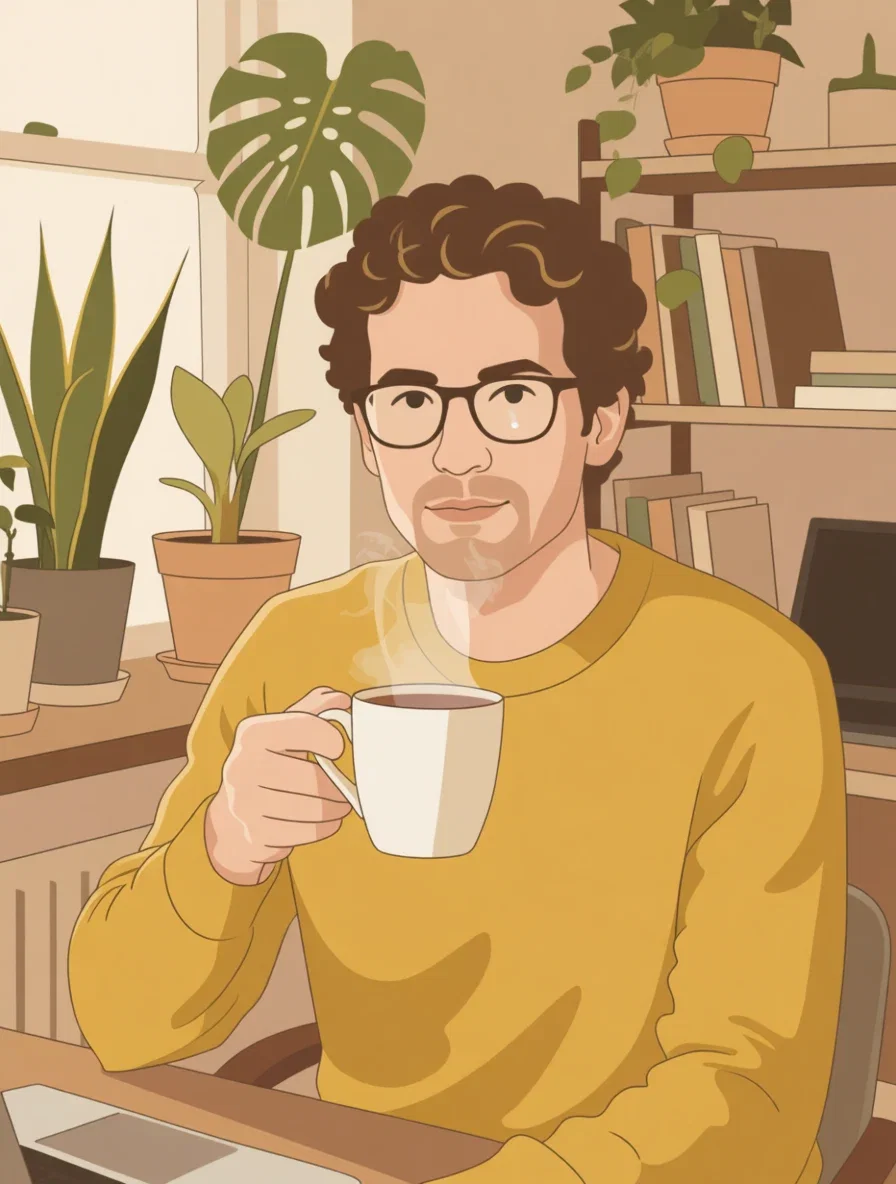
Flat vector
The second conversion
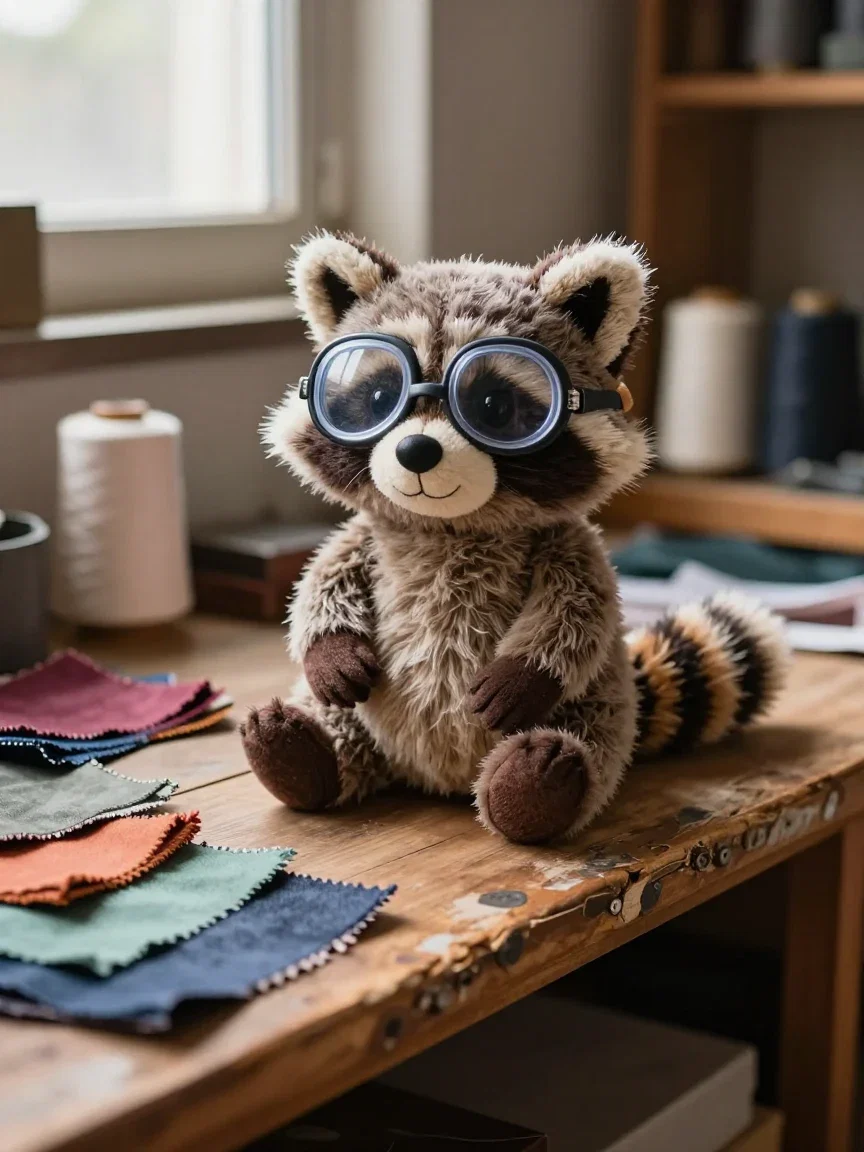
Merch
From frame to shelf
The craft
Character design
Same photo, different tradition
The identical portrait ran a second conversion — this time to clean flat vector art with bold shapes and a limited warm palette.
One source photo, two finished cartoon identities, minutes apart.
Pick the tradition per use: 3D-film for avatars, flat vector for brand surfaces.
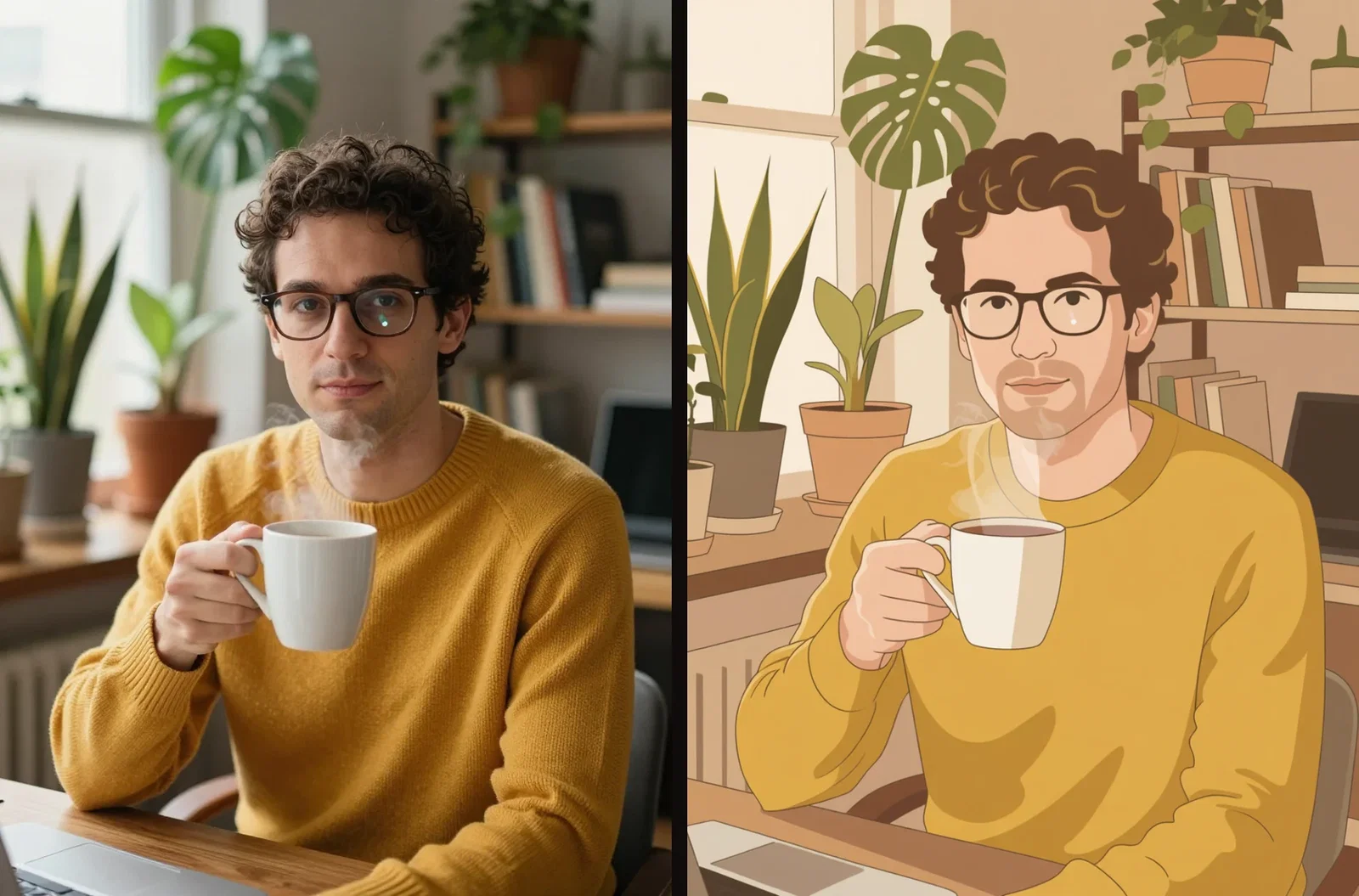
Photo to flat vector
Second conversion
An original mascot, four ways
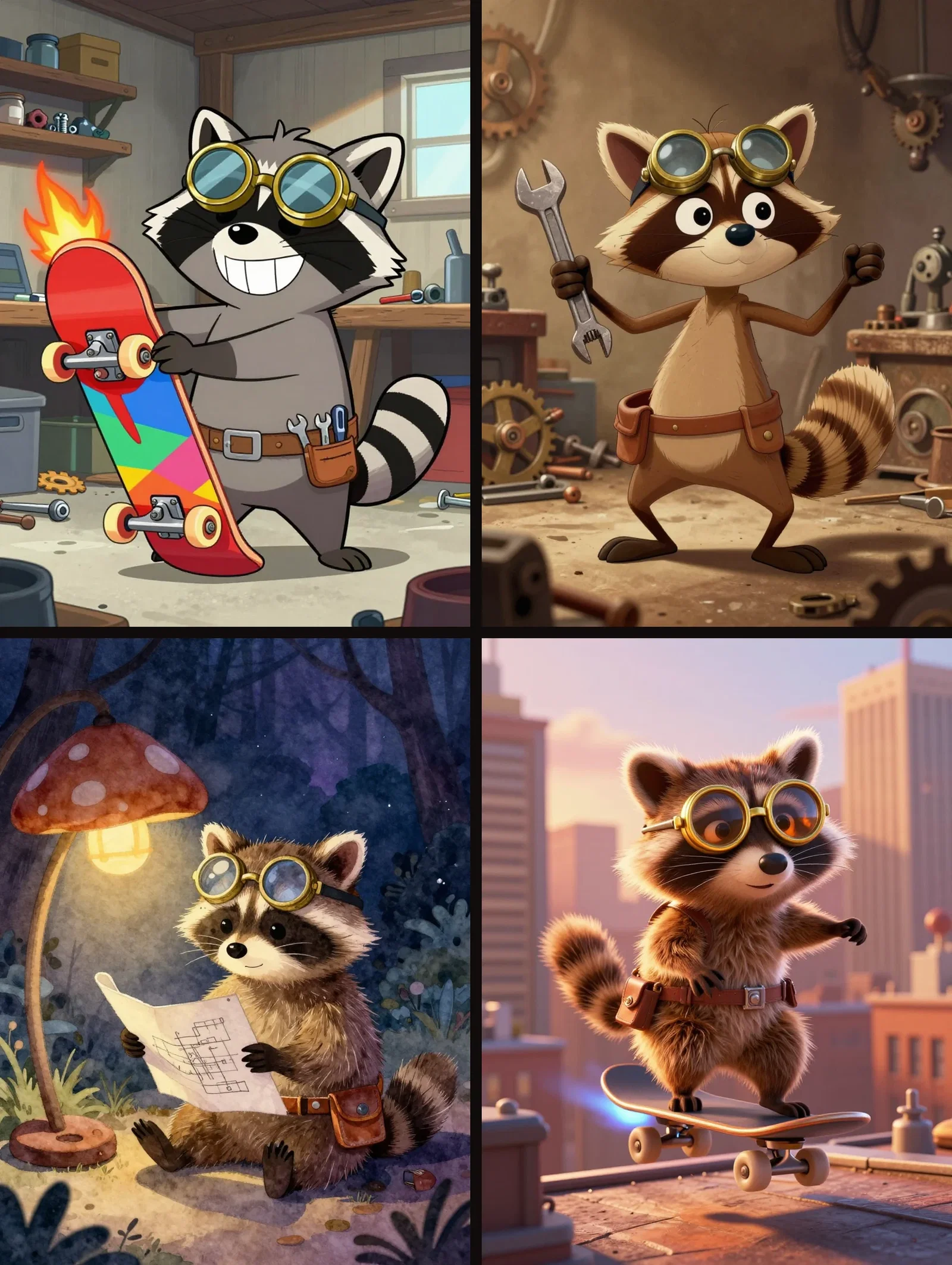
The raccoon inventor was described once — round brass goggles, a tiny tool belt — and rendered in four traditions: Saturday-morning cel, a vintage rubber-hose-inspired look, storybook watercolor, and modern 3D film.
The anchors survive every redraw; the mood changes completely.
That is character design at iteration speed.
One mascot, four traditions
Same goggles, same tool belt
One canvas, every engine
2
photo conversions from one portrait
4
traditions for one mascot
14,500+
real generations delivered
The drawing, up close
Crops from the conversions and the mascot — where each tradition shows its hand.
The conversion
Face detail
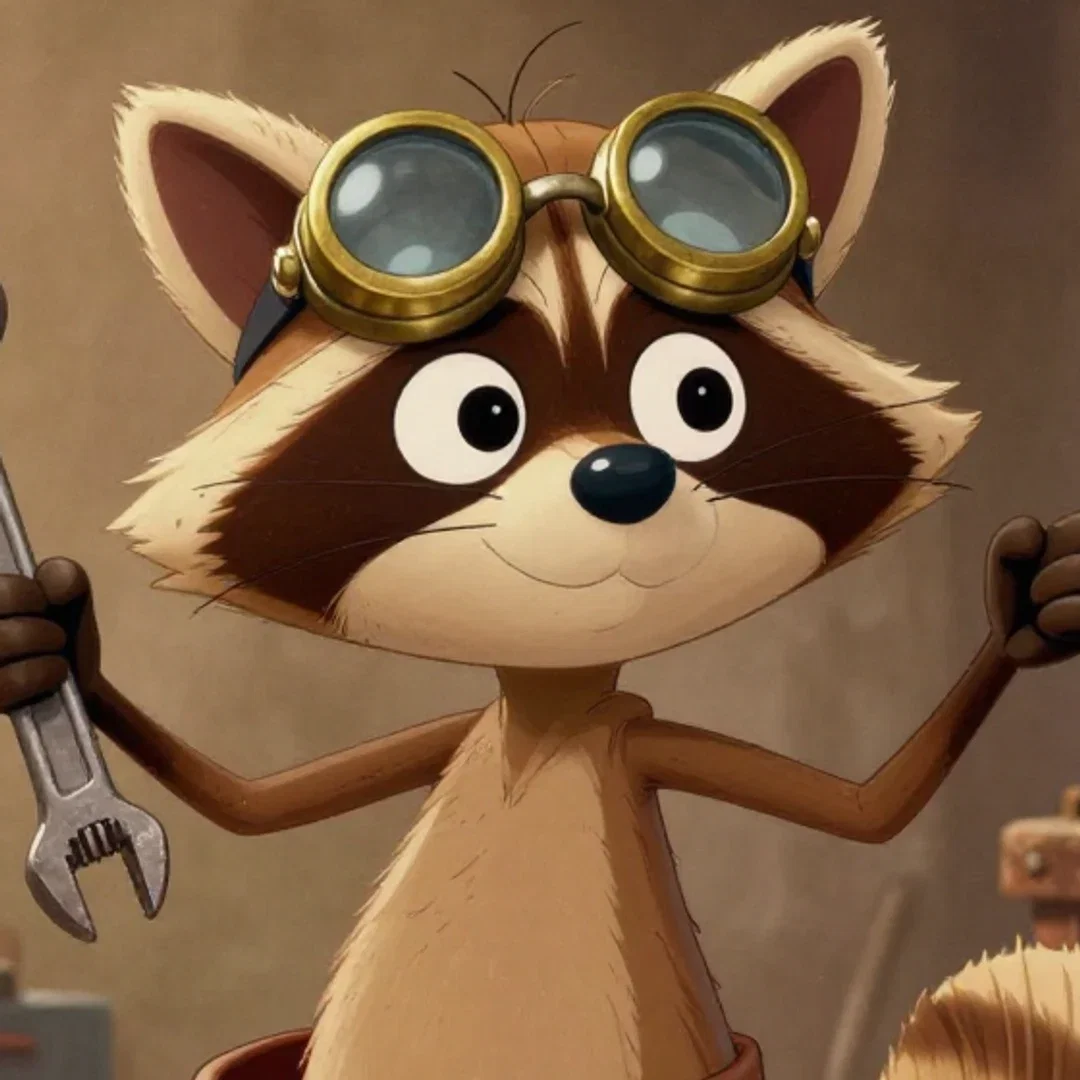
Vintage
Goggle detail
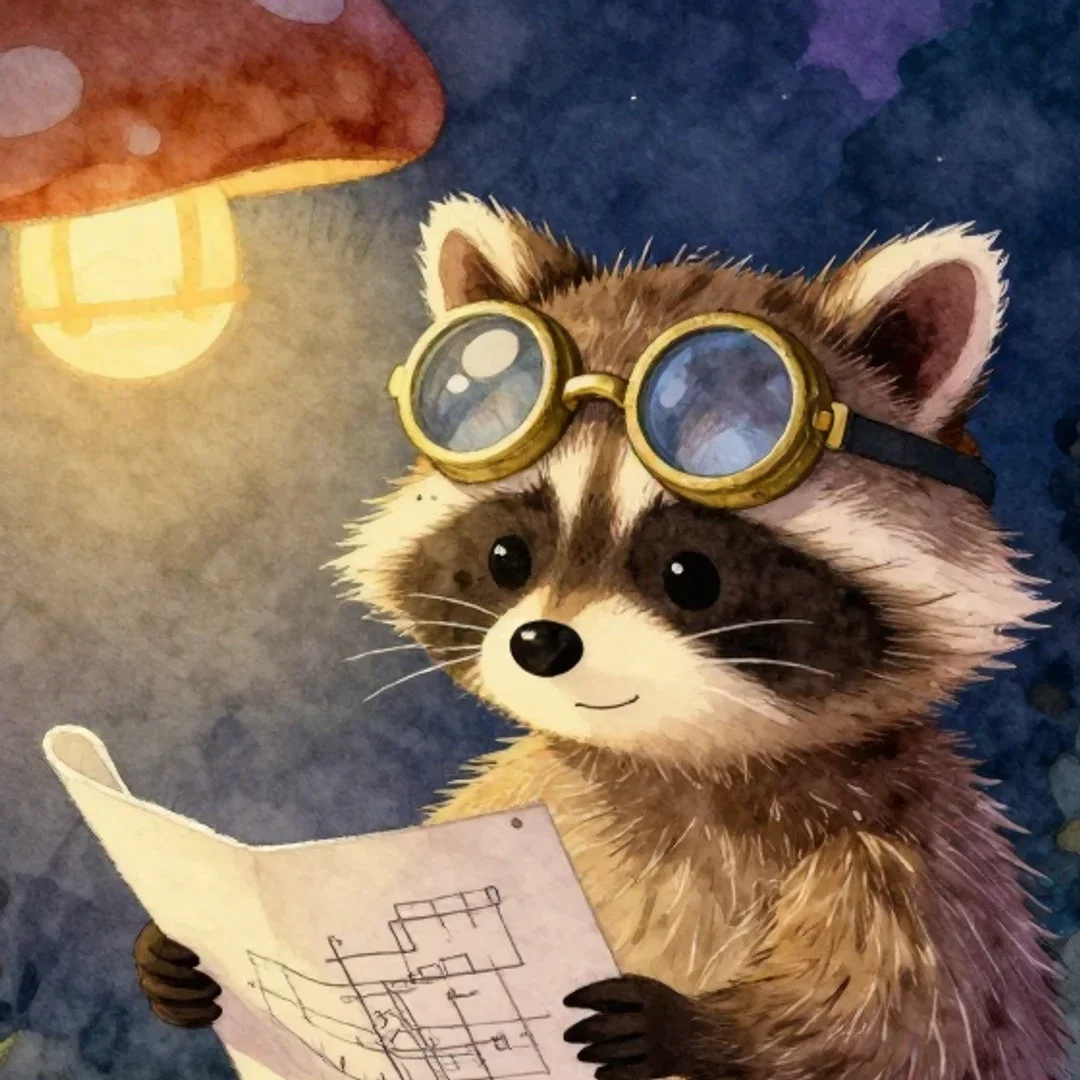
Storybook
Watercolor texture
How to cartoon on FluxoKit
Start from a photo or a sentence
Conversions take an image; originals take described anchors.
Name the tradition
Cel, vector, watercolor, 3D film — engines speak them all.
Iterate and animate
Refine in plain words, then send frames to the video engines.
Cartooning is two crafts: turning the real world into drawings, and inventing characters that never existed. This page did both on the FluxoKit canvas — one real portrait converted into two cartoon styles with identity intact, and one original raccoon inventor rendered across four cartoon traditions.
When people search for ai cartoon generator, half want their photo cartooned and half want a character. This page serves both.
Direct Answer
Use an AI cartoon generator to convert photos into cartoon art or to create original characters from scratch. On FluxoKit, photo conversion is an instruction edit — "make this a 3D animated film frame" — that keeps the person recognizable while restyling everything; original characters come from described anchors rendered in any named tradition. Both run from $14/month on the canvas, one node from the video engines that can animate the results.
Your Photo, Two Cartoons
The pairs show one portrait — glasses, curly hair, mustard sweater, plant-filled office — converted first into a 3D-animation-film frame, then into flat vector art. Same man in both; only the rendering language changed. That identity hold is what makes a cartoon conversion useful for avatars and profile art.
One Mascot, Four Traditions
The grid renders the same described raccoon inventor in Saturday-morning cel, a vintage rubber-hose-inspired look, storybook watercolor, and modern 3D film. Character design here means writing distinctive anchors — the goggles, the tool belt — and letting each tradition redraw them.
How to Cartoon on FluxoKit
- For photos: drop the image, describe the target style, and run the edit.
- For characters: describe two or three distinctive anchors plus the tradition.
- Iterate the winner — pose, scene, and expression in plain words.
- Keep the character consistent by carrying the anchors between prompts.
- Animate: send frames into the video engines on the same canvas.
Related workflows
- AI Anime Generator — the anime side of the same craft.
- AI Image Generator — every style beyond cartoons.
- Qwen Image — the edit engine behind the photo conversions.
Why cartoon on FluxoKit
The engines draw. The pipeline — photo to character to animation — is what FluxoKit adds.
Identity survives conversion
Both pairs keep the man recognizable across media.
Mascots that persist
Goggles and tool belt held through four redraws.
Two crafts, one canvas
Photo conversion and original characters share the same nodes.
Animation next door
Any frame routes into the video engines directly.
Proof on the page
Every frame here is a real generation or edit from this platform.
30-day guarantee
Create real art for 30 days. Refund requests are governed by the first-subscription guarantee and Refund Policy.
42 models available in the canvas
Every model below is live in the FluxoKit studio. Each link opens its technical page with parameters, limits, and real generation examples.
- 01

GPT Image-1
OpenAI · Image generation
- 02
GPT Image-1.5
OpenAI · Image generation
- 03
GPT Image-2
OpenAI · Image generation
- 04
GPT Image 2.5 Sunburst
OpenAI · Image generation
- 05

Grok Image 2
xAI · Image generation
- 06
Grok Imagine Image
xAI · Image generation
- 07

Higgsfield Soul
Higgsfield AI · Image generation
- 08

Seedream 5.0
ByteDance · Image generation
- 09
Seedream 5.0 Pro
ByteDance · Image generation
- 10

FLUX.2 Klein 9B
Black Forest Labs · Image generation
- 11

Nano Banana Pro (Gemini 3.0)
Google AI · Image generation
- 12
Nano Banana Pro 2 (Gemini 3.1)
Google AI · Image generation
- 13

QWEN Image 2.0 Pro
Alibaba Cloud · Image generation
- 14
Z-Image Turbo
Alibaba Cloud · Image generation
- 15
Image Z-Turbo LoRA
AIML API · Image generation
- 16
Kora Pro
Kora · Image generation
- 17
Flux 2 Pro
Black Forest Labs · Image editing
- 18
Flux 2 Flex
Black Forest Labs · Image editing
- 19
Flux Kontext
Black Forest Labs · Image editing
- 20
Seedream 5.0 Edit
ByteDance · Image editing
- 21
Seedream 5.0 Pro Edit
ByteDance · Image editing
- 22
Seedream 5.0 Pro Reference
ByteDance · Image editing
- 23
GPT Image-1 Edit
OpenAI · Image editing
- 24
GPT Image-1.5 Edit
OpenAI · Image editing
- 25
GPT Image-2 Edit
OpenAI · Image editing
- 26
GPT Image 2.5 Sunburst Edit
OpenAI · Image editing
- 27
Grok Image 2 Edit
xAI · Image editing
- 28
Grok Image Edit
xAI · Image editing
- 29
QWEN Image Editor Plus
Alibaba Cloud · Image editing
- 30
QWEN Image Editor Max (New)
Alibaba Cloud · Image editing
- 31
QWEN Image Editor 2.0 Pro
Alibaba Cloud · Image editing
- 32
Nano Banana Pro Edit (Gemini 3.0)
Google AI · Image editing
- 33
Nano Banana Pro 2 Edit (Gemini 3.1)
Google AI · Image editing
- 34
Recraft Crisp Upscale
fal.ai · Image editing
- 35

Topaz Image Upscale
Topaz Labs · Image editing
- 36

MiniMax Image-01 Edit
MiniMax · Image editing
- 37
Flux 2 Pro Edit
Black Forest Labs · Image editing
- 38
Flux 2 Flex Edit
Black Forest Labs · Image editing
- 39
Flux 2 Klein 9B LoRA Edit
Black Forest Labs · Image editing
- 40
HY-WU Edit
HY-WU · Image editing
- 41
Flux Kontext Edit
Black Forest Labs · Image editing
- 42
MiniMax Image-01
MiniMax · Image generation
Frequently asked questions
What is an AI cartoon generator?
An AI cartoon generator does two jobs: it converts real photos into cartoon artwork, and it creates original cartoon characters and scenes from written descriptions. On FluxoKit both run on the same canvas — edit engines handle photo conversion, image engines draw originals.
Can it turn my photo into a cartoon?
Yes — this page did it twice with the same photo. A portrait was converted to a polished 3D-animation-film style and to flat vector art, keeping the same man, glasses, sweater, and office in both. Identity survives; only the art style changes.
Which cartoon styles does it know?
This page's mascot — an original raccoon inventor — was rendered in four traditions: Saturday-morning cel, vintage rubber-hose-inspired, storybook watercolor, and modern 3D film. Any named style becomes part of the prompt.
What can I use cartoon output for?
Avatars and profile art, children's book illustration, brand mascots, storyboards, plush and merch concepts, and social content. Because it lives on the canvas, a cartoon frame can go straight into a video engine to be animated.
Is the AI cartoon generator free?
FluxoKit does not sell a free trial. The engines run inside the platform plan from $14/month with monthly credits, backed by a 30-day first-subscription satisfaction guarantee, subject to the Refund Policy: create real art for a month, and refund requests are governed by the first-subscription guarantee and Refund Policy.
Next step
Access 135 AIs in one canvas, without subscribing to each one.
Monthly credits with no separate subscription per model. New purchases are temporarily unavailable; contact support for billing help.
CARTOONS ON FLUXOKIT
Cartoon your first image
Photos drawn, characters invented, styles on demand — one canvas, one plan.