
AI Headshot Generator
LinkedIn, team pages, press kits — studio-quality headshots with real lighting setups, generated instead of scheduled.
The 17 models on this page are already included, with no separate subscription per tool. 14,500+ real generations already delivered on the platform. Updated

Studio key light
Corporate, gray seamless
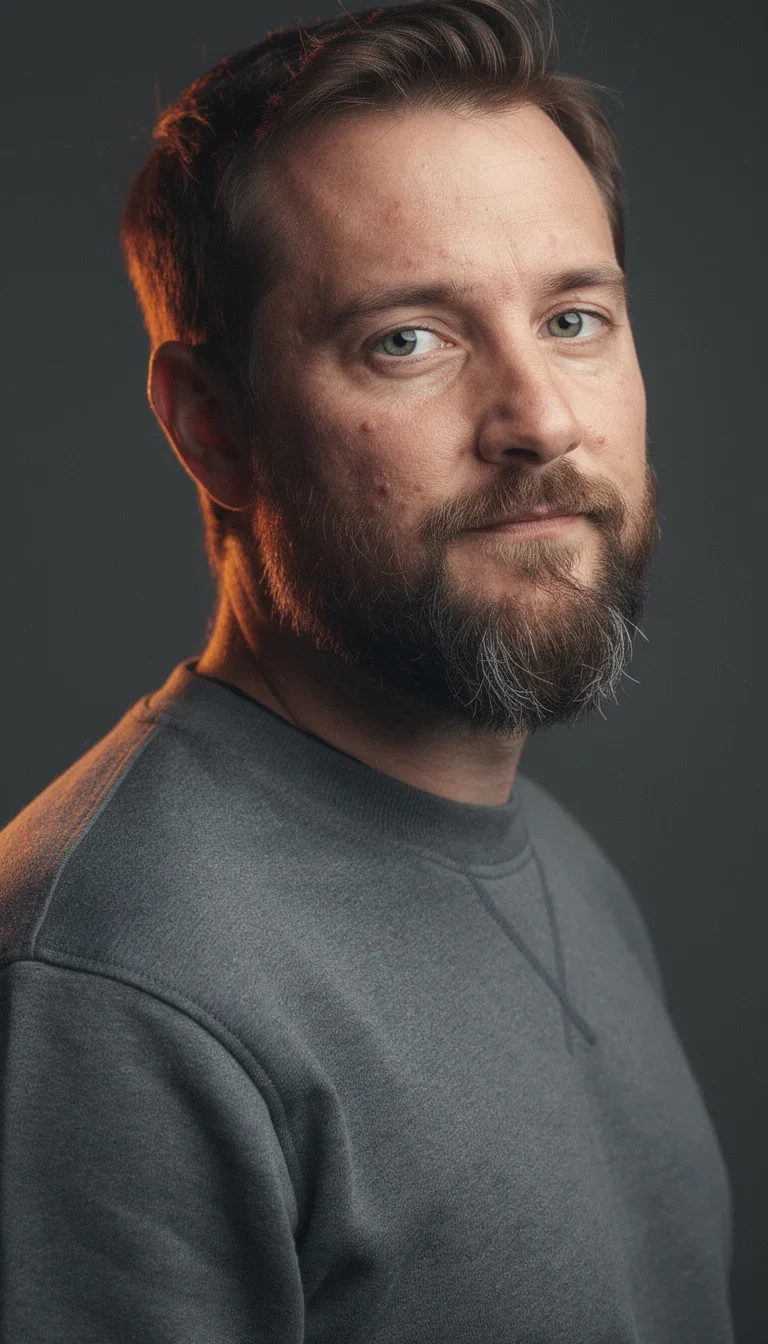
Warm rim light
Slate backdrop, editorial
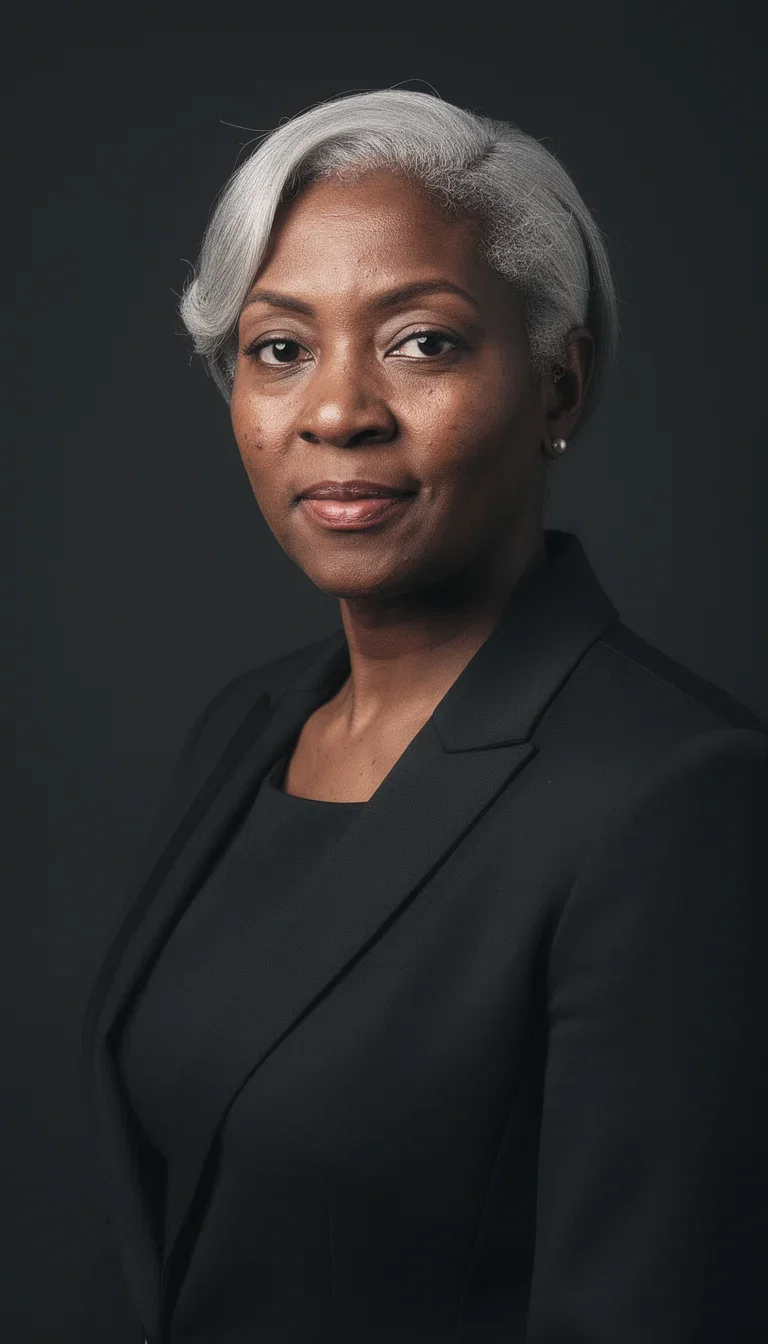
Rembrandt light
Executive, classic portrait
The lighting is the difference
A headshot reads professional because of the light: a soft key with a gentle falloff, a rim that separates shoulders from backdrop, a Rembrandt triangle on the cheek.
Those setups are prompt vocabulary now — every frame on this page names its lighting, and the engine builds it.
No studio rental, no scheduling, no hoping the photographer's style matches the brand.
Warm rim light
Slate backdrop, editorial
Three ways to a headshot
Powered by FLUX, Higgsfield Soul, GPT Image 2, and Nano Banana Pro engines.
Describe the person
Role, wardrobe, expression, and the lighting setup you want.
Anchor on a photo
Reference-based generation keeps a real person's identity.
Match the brand
Backdrop, palette, and grade consistent across the whole team.
Corporate
Studio key
Editorial
Warm rim
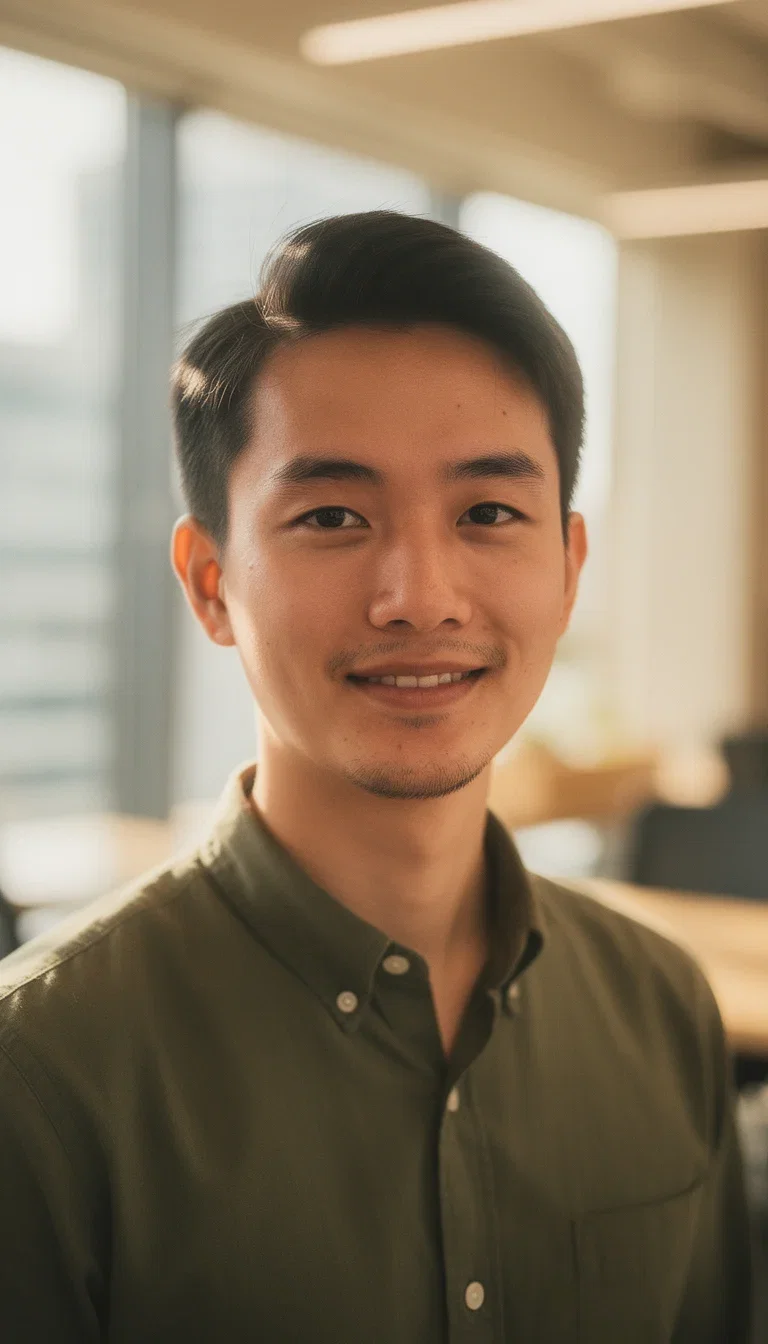
Startup
Office bokeh
Executive
Rembrandt
One brand, a whole team
Team pages fall apart when every member brings a different photographer's look.
Generate the entire team against the same backdrop, light, and grade — consistency by construction.
The grid here is four different people in one visual system. New hire? Same prompt, new face, five minutes.
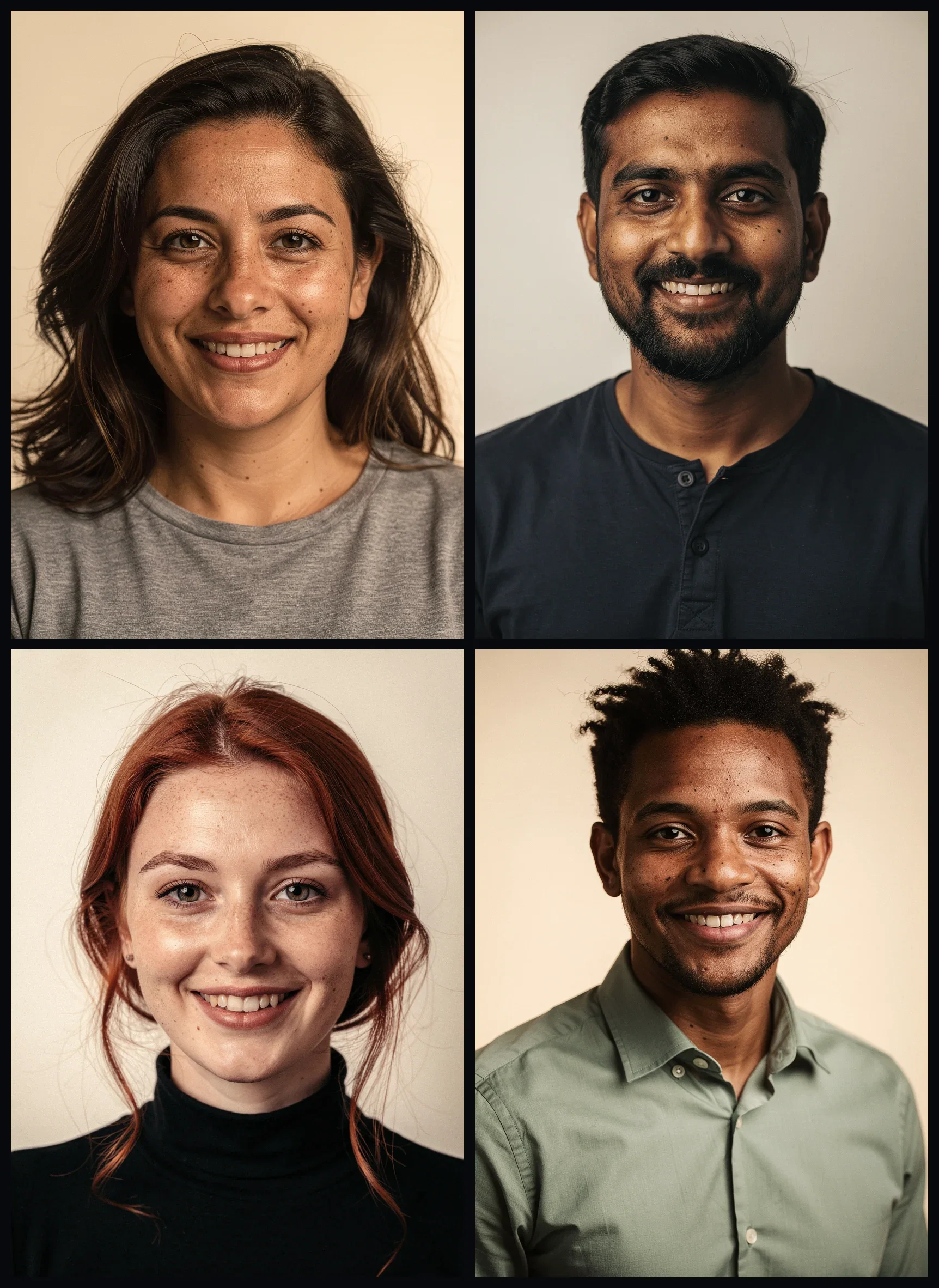
One brand, four people
Same backdrop, light, and grade
From identity photo to identity system
The headshot seeds everything: the speaker card, the about page, the press kit, the avatar.
On the same canvas the winning frame gets upscaled, restyled, or cropped per destination.
Reference-anchored generation keeps the same person recognizable across every variant.
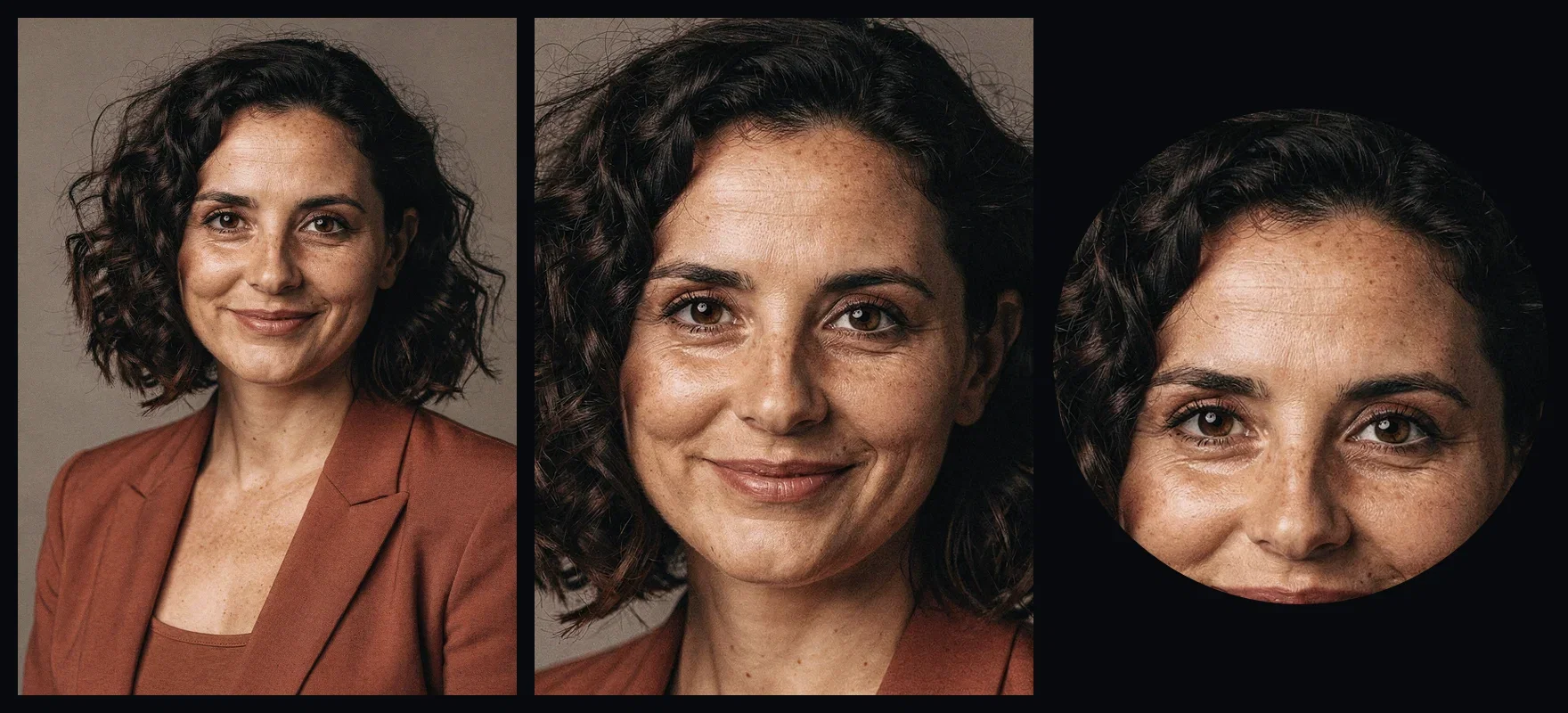
One headshot, three destinations
About page, speaker card, avatar
FluxoKit by the numbers
127+
AI models in one canvas
4
lighting setups on this page
14,500+
real generations delivered
Real headshots, generated on FluxoKit
Four people, four lighting setups — each one named in the prompt and built by the engine.
Natural office light
Founder headshot
Classic portrait light
Executive headshot
Clean studio key
Corporate headshot
How to generate a headshot with AI
Set the brief
Wardrobe, backdrop, expression, and lighting — photographic language gets photographic results.
Generate variations
Run a handful of takes, compare expressions and crops, keep the one that reads right.
Finish per destination
Upscale for print, crop square for avatars, match the team grade for the about page.
An AI headshot generator is only useful when the result looks like a real studio portrait. The right flow starts with the role and channel, then defines outfit, background, lighting, framing, and the model that handles realistic skin. FluxoKit runs the leading portrait engines on one canvas so you can pick by job and compare results.
When professionals search for an AI headshot generator, the real question is rarely "which app exists." It is "which engine will give me a portrait I can use on LinkedIn, a press kit, a sales page, or a team grid without it screaming AI." This page turns that question into a workflow that runs inside FluxoKit.
Direct Answer
Use FluxoKit when a portrait has to look like a real headshot and ship into a brand surface without bouncing between tools. The canvas keeps the reference, the prompt, the variations, and the export in one place. That matters most when the headshot lives on LinkedIn, a press page, a team grid, or a paid creative.
The common mistake is to choose the most familiar generator and force every portrait into one style. The better approach is to choose by intent:
- Higgsfield Soul for realistic skin, editorial light, and modern portraits.
- Nano Banana Pro 2 for photorealism, lighting consistency, and premium hero portraits.
- Flux 2 Pro for technical control over outfit, pose, and composition.
- GPT Image 2 for creative direction and structured brand variations.
How to Use It in FluxoKit
- Decide the destination: LinkedIn, press kit, team grid, course bio, or paid creative.
- Pick the engine by skin realism and outfit control, not by brand familiarity.
- Write the prompt with role, outfit, background, lighting, framing, and constraints.
- Generate two small variations before scaling to the final portrait.
- Export the winner and continue with editing or animation in the same canvas.
Judge the result as a production asset, not a demo. If the headshot ships to LinkedIn, a sales page, a podcast cover, or a team grid, measure skin realism, lighting consistency, brand alignment, cost per variation, and iteration speed.
How to Pick the Right Model
For a personal brand portrait, prioritize realistic skin and editorial light. For a team grid, prioritize lighting consistency so portraits feel like one set. For a press or speaker kit, prioritize composition and a clean background. For a paid creative, pick a model that handles outfit and lighting control without flattening skin.
FluxoKit wins when the choice is not locked to one generator. You can run the same prompt through different models, compare side by side, and continue with editing or short video without restarting the brief.
Use Cases
- LinkedIn portrait that looks like a studio session, with realistic skin and soft light.
- Team grid for a startup site, with consistent framing and lighting across portraits.
- Press and speaker kit with multiple aspect ratios from the same character.
- Course or podcast bio shot that matches the brand palette and background.
- Ad creative portrait that holds up at full resolution on Meta and TikTok.
Writing a Better Prompt
A strong portrait prompt has five blocks: subject, outfit, lighting, background, and framing. Instead of "professional headshot," describe the role, the wardrobe, the lighting setup, the background depth, and the framing.
Example: "studio portrait of a founder in a navy blazer over a white shirt, soft side light, blurred neutral background, eye-level framing, sharp focus on the eyes, natural skin texture, no text in the image." That kind of instruction gives the engine enough to produce something usable.
Where FluxoKit Beats Standalone Tools
Most headshot tools lock you into one style and one credit pack. FluxoKit treats the headshot as one task in a longer workflow: try several portrait engines, refine the winning variation, run small color and background edits, and even animate the portrait for a profile loop if needed.
That continuity is the difference between a single AI portrait and a brand-ready set. You stop rebuilding the brief in each tool and start finishing the asset on one canvas.
Related Next Steps
How to Choose
- Separate personal brand, team grid, press kit, and paid creative tasks.
- Show model selection criteria instead of a static leaderboard.
- Move the reader to editing, photo, or short video when the next task changes.
Why teams shoot headshots on FluxoKit
One canvas replaces the studio session and the retouch queue.
Studio lighting on demand
Key, rim, Rembrandt, and natural setups from prompt vocabulary.
Team-wide consistency
Same backdrop, light, and grade for every member — by construction.
Identity continuity
Reference-anchored generation keeps the person recognizable across variants.
Every destination
LinkedIn, press kits, speaker cards, and avatars from one winning frame.
One plan, monthly credits
The whole team costs credits, not per-seat studio sessions.
First-subscription guarantee
Generate real headshots for a month. Refund requests are governed by the first-subscription guarantee and Refund Policy.
17 models available in the canvas
Every model below is live in the FluxoKit studio. Each link opens its technical page with parameters, limits, and real generation examples.
- 01

GPT Image-1
OpenAI · Image generation
- 02
GPT Image-1.5
OpenAI · Image generation
- 03
GPT Image-2
OpenAI · Image generation
- 04
GPT Image 2.5 Sunburst
OpenAI · Image generation
- 05

Grok Image 2
xAI · Image generation
- 06
Grok Imagine Image
xAI · Image generation
- 07

Higgsfield Soul
Higgsfield AI · Image generation
- 08

Seedream 5.0
ByteDance · Image generation
- 09
Seedream 5.0 Pro
ByteDance · Image generation
- 10

FLUX.2 Klein 9B
Black Forest Labs · Image generation
- 11

Nano Banana Pro (Gemini 3.0)
Google AI · Image generation
- 12
Nano Banana Pro 2 (Gemini 3.1)
Google AI · Image generation
- 13

QWEN Image 2.0 Pro
Alibaba Cloud · Image generation
- 14
Z-Image Turbo
Alibaba Cloud · Image generation
- 15

Image Z-Turbo LoRA
AIML API · Image generation
- 16

Kora Pro
Kora · Image generation
- 17

MiniMax Image-01
MiniMax · Image generation
Frequently asked questions
What is the best AI headshot generator?
There is no single winner. Higgsfield Soul leads on human portraits and realistic skin, Nano Banana Pro 2 is strong for photorealism and lighting consistency, Flux 2 Pro keeps technical control over outfit and pose, and GPT Image 2 helps with creative direction and short on-image text. FluxoKit runs all of them on one canvas so you compare results before committing.
How much does an AI headshot cost on FluxoKit?
You pay per generation inside your FluxoKit plan, not a separate headshot subscription. Cost depends on the engine and how many variations you run, and you do not need to commit to a fixed pack to test different styles.
Can I use my own photo as reference?
Yes. The canvas accepts a reference image for the face and lets the prompt describe the outfit, the background, the lighting, and the framing. You can iterate on the reference and the variations in the same project.
How do I avoid the AI plastic skin look?
Use a model that preserves skin texture (Higgsfield Soul is built for this) and describe natural lighting, real fabric, and a soft background. Keep the prompt focused on one role, one outfit, and one lighting setup at a time.
Can I edit or animate the headshot after generation?
Yes. The same canvas takes the chosen headshot into editing for color, background, or outfit tweaks, and into image to video if you need a short profile clip with subtle motion.
Next step
Access 127 AIs in one canvas, without subscribing to each one.
One plan, monthly credits, studio lighting without the studio. Shoot the whole team today.
Ready when you are
Generate your first headshot in seconds
Studio-quality light without the studio — one canvas, one plan, backed by a 30-day first-subscription satisfaction guarantee, subject to the Refund Policy.