
AI Video Generator
Turn text prompts or photos into finished videos with Sora 2, Veo 3.1, Seedance, and Kling — different video engines in one canvas.
The 22 models on this page are already included, with no separate subscription per tool. 14,500+ real generations already delivered on the platform. Updated
Wan 2.7
Product motion from text
UGC creator ad
Fictional AI ad demo, not a customer testimonial
Kling 3 Pro
Lifelike people from one prompt
Anything you can imagine. As a video.
Generate, compare, vary, and export clips in the same canvas. Completion time depends on the selected model and job; no separate model subscription is needed.
Start from a text prompt, a product photo, or a script. Match each shot to the model’s supported inputs, duration, framing and audio, then compare the actual results.
Output 9:16 for TikTok and Reels, 16:9 for YouTube, or 1:1 for feed — sized for the platform before you ever hit export.
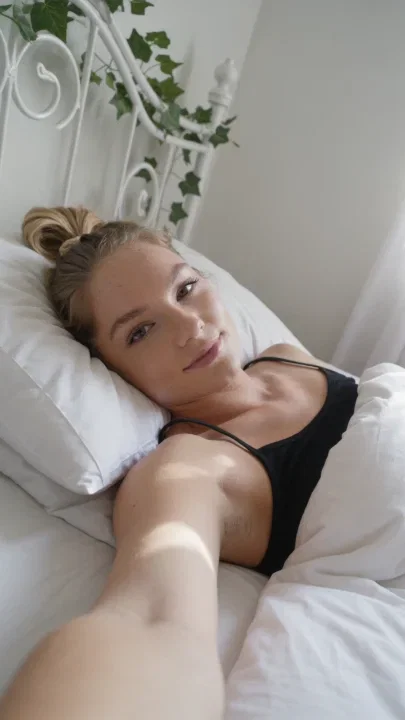
Kling 3 Pro
Lifelike people from one prompt
Create AI videos from anything
Powered by Sora 2, Veo 3.1, Seedance 2.0, Kling, Wan, Hailuo, and PixVerse.
Text
Type the scene — subject, motion, camera — and the engine returns the clip.
Image
Animate a product photo, a portrait, or a generated hero frame into motion.
Script
Draft hooks and beats with a chat model, then turn each beat into a shot.

UGC-style ad
Fictional AI ad demo, not a customer testimonial
Kling 3
Text to video

Runway Gen-4.5
Recorded example; model not currently available

PixVerse v6
Text to video
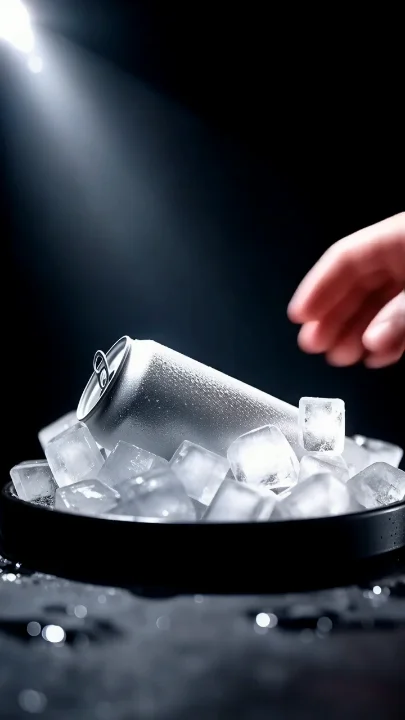
Wan 2.7
Text to video
Upload a photo. Get a short-form clip.
Use a supported image as a start frame: an authorized product shot, portrait, or generated frame. Check the selected model’s file and content requirements.
Image-to-video engines use the image as a reference for motion and camera direction. Review faces, logos and product details throughout the clip; a source frame does not guarantee that they stay unchanged.
One photo can become a full shot sequence: angles, close-ups, and motion variations without a reshoot.

One photo → full sequence
Product-motion sequence
Style, motion, and consistency — across models
Video models can interpret the same prompt differently. Compare available engines side by side, then choose the result that fits your motion and lighting brief.
Use chat models on the same canvas to sharpen your hook and shot list before generating a video.
When the winner is picked, generate variations for creative testing without rebuilding the prompt.
Runway Gen-4.5
Recorded example; model not currently available
FluxoKit by the numbers
127+
AI models in one canvas
22
video engines on this page
14,500+
real generations delivered
Video examples: creator ads and product motion
Watch fictional AI creator ads and a product-motion sequence. These selected examples show individual outputs, not guaranteed results.
UGC-style ad
Fictional AI ad demo, not a customer testimonial
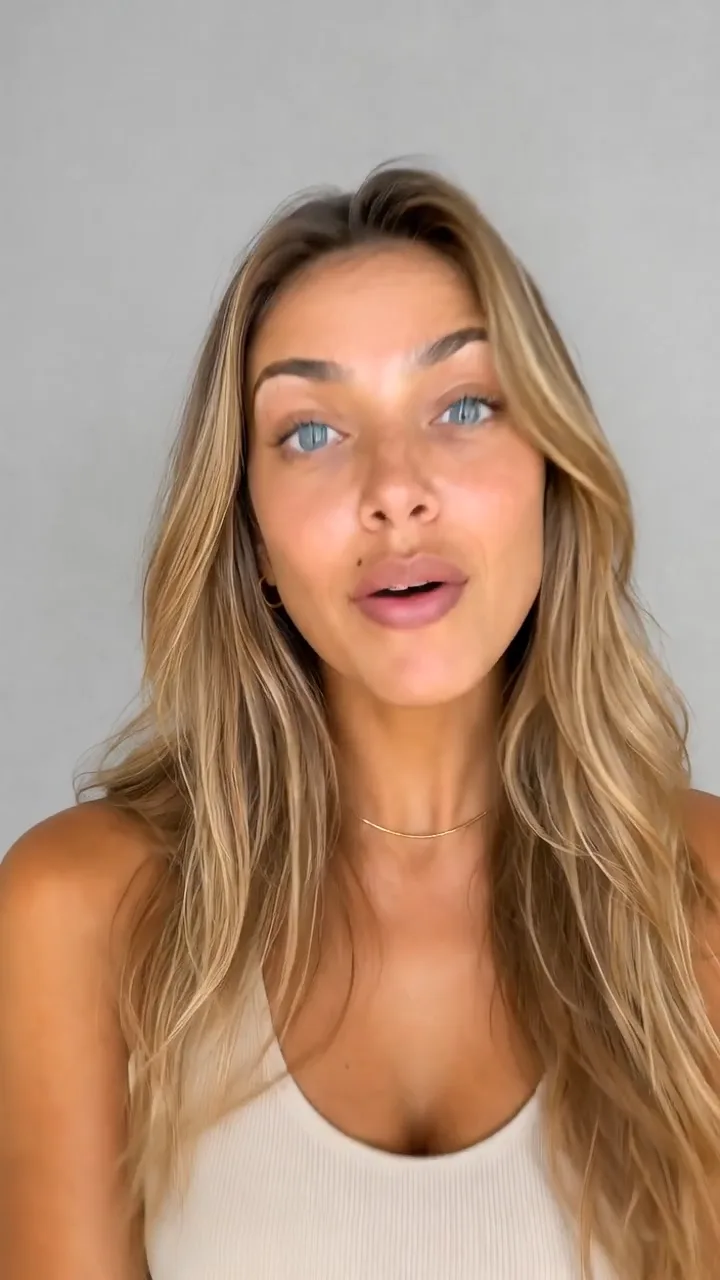
UGC creator ad
Fictional AI ad demo, not a customer testimonial
Product demo
One photo into a full shot sequence, 24s
How to make an AI video
Describe the shot
Open the canvas and type your scene, or upload a photo as the first frame. A chat model on the same canvas helps you sharpen the hook and the beats.
Pick the engine
Run the brief on Sora 2, Veo 3.1, Seedance 2.0, or Kling — or two of them side by side — and compare which clip nails the motion, the light, and the format.
Export and publish
Choose 9:16 for TikTok and Reels, 16:9 for YouTube, or 1:1 for feed. Export the winner and generate variations for creative testing without rebuilding the prompt.
Choose an AI video generator by the shot you need to finish: its source material, motion, framing, duration and audio. FluxoKit brings available engines into one canvas so you can compare their results. The model guides below describe supported controls; the selected clips illustrate individual outputs, not guaranteed performance.
When marketers, agencies, and creators search for an AI video generator, the real question is which engine fits the shot and how to ship the clip without stitching separate platforms together. Whether the clip starts from text, from a single image, or from a product photo, this page turns that search into a workflow: pick the engine, write the prompt, and export a video ready for YouTube, Meta, TikTok, or your landing page.
Direct Answer
Use FluxoKit when you need to move from a script to a finished clip without juggling separate providers. The canvas keeps the engine, the prompt, the variations, and the export in one place. That matters when the clip has to ship as a Meta ad, a Reel, a TikTok creative, a VSL opener, or a product loop for ecommerce.
Start by matching the input contract to the brief:
- Text-to-video: describe a new scene when you do not need to preserve an existing image.
- Image-to-video: supply an authorized starting frame when composition or product appearance matters.
- Reference or endpoint workflows: use the supported reference inputs when multiple views or a defined ending frame are part of the task.
- Audio-enabled workflows: check the specific model controls and review speech and sound separately from the picture.
For a useful comparison, keep the brief, framing and intended use consistent. Judge motion, source fidelity, spoken words and configured credit cost separately.
The Runway clip shown here is a recorded comparison example, not a currently available FluxoKit model. Choose from the linked models in this page's model list.
How to Use It in FluxoKit
- Open the canvas at /workflow and pick the engine by final shot.
- Describe the scene with subject, motion, camera angle, atmosphere, and pacing.
- Set duration and aspect ratio (16:9, 9:16, 1:1).
- Generate one or two short variations before committing to the final clip.
- Export the winner and continue with editing, copy, or a second engine.
When the subject or product must resemble an existing image, provide a base frame through image to video. Check the result frame by frame for altered logos, features or identity; the reference reduces ambiguity but is not a fidelity guarantee.
How to Pick the Right Model
For ads and social, prioritize speed and creator look. For premium hero shots, prioritize camera control and lighting. For narrative or VSL openers, prioritize coherence and longer beats. FluxoKit wins when the decision is not locked to one engine, because you can run two models in parallel and compare before you spend on the final variation.
What to Expect Before You Generate
AI video is fast, but it is not magic. Know these limits before you spend credits:
- Clips are short by design. Supported duration depends on the selected engine and workflow; check its current parameter table. Longer videos are assembled from several clips, which is why the canvas keeps every generation in one place.
- Every generation costs credits. The price depends on the engine and the inputs and settings you choose. The linked model guides explain the integration and its usage controls. In a workflow video node, check the Estimated cost below the run controls when available; an estimate is not a guaranteed fixed price per clip.
- Expect a few takes. Hands, on-screen text, logos, and very fast motion can still deform. Run two or three short variations, keep the best one, then extend it.
- References do not guarantee identity. Start from an authorized image when source fidelity matters, then reject clips that change important facial or product details.
- Usage follows each provider’s content policy. Prompts that break a provider’s rules are rejected by that engine, and FluxoKit does not override those filters.
Use Cases
- Meta, TikTok, Reels ads with Seedance UGC or Wan hyperreal variations.
- VSL and direct response combining reviewed opening shots, product demonstrations and authorized narration. Do not present an AI-generated speaker as a real customer testimonial.
- YouTube videos and Shorts with Sora sequencing for narrated segments plus Kling for dramatic beats.
- Ecommerce and product motion using Veo or Wan for clean catalog clips.
- Real estate and architecture for clearly labeled conceptual motion, not an unverified representation of an actual property.
Writing a Better Prompt
A useful video prompt covers goal, subject, action, camera, atmosphere, format, and constraints. The following is an illustrative instruction, not a reported test result. Replace "make a nice video" with the shot itself. Example: "Vertical 9:16 six-second Meta ad. Skincare bottle on a light stone counter, slow push-in, a hand applies one drop, natural premium light, clean background, no burned text, no deformed packaging."
Where FluxoKit Beats Standalone Tools
Hitting one provider means one motor, one billing line, and one prompt syntax. FluxoKit keeps script, base image, video engine, variations, and export in the same canvas, so you can swap engines without rebuilding the brief.
Related Next Steps
Why creators pick FluxoKit
One canvas replaces the stack of single-purpose subscriptions around every video.
Multiple video engines
Sora 2, Veo 3.1, Seedance 2.0, Kling, Wan, Hailuo, and PixVerse in one account — no per-model signups.
Compare before you commit
Run the same prompt across engines side by side and keep the clip that converts.
The whole ad, not just the clip
Hooks, hero images, captions, and edits live on the same canvas as the video engines.
Built for every format
Vertical, widescreen, and square outputs sized for TikTok, Reels, YouTube, and Meta ads.
One plan, monthly credits
Credits work across every model. No separate model subscriptions to manage for one campaign.
First-subscription guarantee
Generate real clips for a month. Refund requests are governed by the first-subscription guarantee and Refund Policy.
22 models available in the canvas
Every model below is live in the FluxoKit studio. Each link opens its technical page with parameters, limits, and real generation examples.
- 01

Grok Imagine Video (Text to Video)
xAI · Video generation
- 02
Grok Imagine Video 1.5 (Reference)
xAI · Video generation
- 03

Veo 3.1 Text to Video
Google AI · Video generation
- 04
Gemini Omni Flash T2V
Google AI · Video generation
- 05
Gemini Omni 1.1 Flash Text to Video
Google AI · Video generation
- 06

Wan 3.0 Text to Video
Alibaba Cloud · Video generation
- 07
Wan 2.5 Text to Video
Alibaba Cloud · Video generation
- 08
Wan 2.6 Text to Video
Alibaba Cloud · Video generation
- 09
Wan 2.7 Text to Video
Alibaba Cloud · Video generation
- 10
HappyHorse 1.1 Text to Video
Alibaba Cloud · Video generation
- 11
HappyHorse Text to Video
Alibaba Cloud · Video generation
- 12

Sora 2
OpenAI · Video generation
- 13
Sora 2 Pro
OpenAI · Video generation
- 14

FLUX 3 Text to Video
Black Forest Labs · Video generation
- 15

MiniMax H3 T2V
MiniMax · Video generation
- 16
MiniMax Hailuo T2V
MiniMax · Video generation
- 17
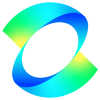
Kling 2.6 Pro T2V
Kling · Video generation
- 18

Kling 3 T2V
fal.ai · Video generation
- 19

Seedance 2.0 T2V
ByteDance · Video generation
- 20
Seedance 2.0 Fast T2V
ByteDance · Video generation
- 21
Seedance v1.5 Pro T2V
fal.ai · Video generation
- 22
Pixverse v6 T2V
fal.ai · Video generation
Frequently asked questions
Which AI video generator should I use in 2026?
Start with the required inputs, duration, aspect ratio and audio. Check the linked model guides for supported controls, then compare available engines on the same shot brief. Inspect the complete result; a model name or selected example does not establish a universal quality or speed ranking.
Can I turn an image into a video with AI?
Yes. Image to video engines like Sora 2 I2V, Veo 3.1 I2V, Kling I2V, Seedance I2V, and Wan I2V animate a still frame. Upload the image, describe the motion, and FluxoKit returns the clip. A source image gives the model a visual reference, but does not guarantee unchanged faces, labels or product geometry. Compare the whole output against the source.
How much does AI video cost on FluxoKit?
Your plan includes monthly credits. Successful generations consume credits whether or not you keep or export the result. Credit use depends on the model, duration, inputs, and settings; check the linked model guide and the Estimated cost when available before running. Your first paid subscription includes a 30-day satisfaction guarantee, subject to the Refund Policy.
Can I make UGC ads with AI video?
Yes. The page includes recorded creator-style examples. Prepare an authorized script and source material, choose a workflow with the required audio and framing controls, and review the spoken words, captions and product claims before publishing. An AI creator is not evidence of a real customer testimonial.
What is the best AI video generator for YouTube videos?
Choose a model that supports the required framing, clip length and audio for the segment. Assemble longer videos from reviewed clips. For Shorts, check the vertical crop and caption-safe area on a phone. Compare outputs for the actual brief rather than treating one engine as best for every channel.
Can I generate an AI video from text only?
Yes. Type the scene as a prompt and engines like Sora 2, Veo 3.1, Seedance 2.0, and Kling return the clip with no footage, camera, or editing timeline required. When a specific product or face matters, start from an authorized reference photo and verify that important details survive the generated motion.
Do I need a separate account for each video model?
No separate provider account is required for the models available in FluxoKit. Use the linked model guides on this page to check supported inputs and settings before choosing a model.
Next step
Access 127 AIs in one canvas, without subscribing to each one.
One plan, monthly credits, and the available video models on this page. Choose your engine and create your first clip.
Ready when you are
Create your first AI video in minutes
Available video engines, one canvas, one plan — backed by a 30-day first-subscription satisfaction guarantee, subject to the Refund Policy.