
AI Video Editor
Edit video by describing the change: swap the actor, restyle the scene, upscale to 4K, or extend the clip — no timeline, no keyframes.
The 25 models on this page are already included, with no separate subscription per tool. 14,500+ real generations already delivered on the platform. Updated
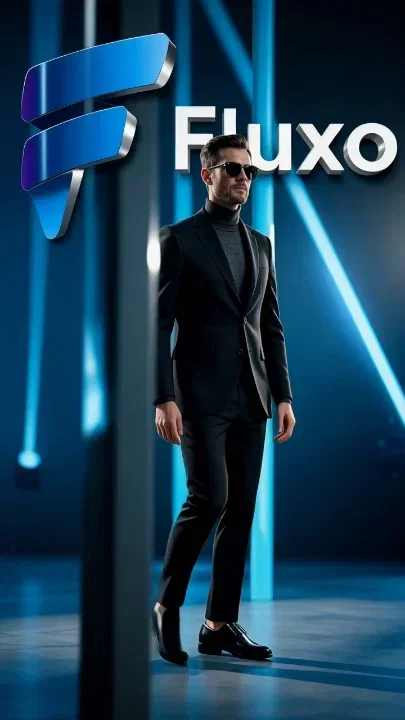
Wan 2.7 edit
Brand scene re-lit and re-styled
Aleph restyle
Look transferred to existing footage
Sora 2 edit
Scene remixed by prompt
Edits that would take a studio
Character swap keeps the scene and replaces the actor. Restyle transfers a whole look onto existing footage. Extend continues a clip past its final frame.
These are generation-level edits — the model re-synthesizes the frames, so there are no masks, no rotoscoping, and no timeline.
Describe the change in a sentence and compare how two engines execute it.

Sora 2 edit
Scene remixed by prompt
Edit video with a sentence
Powered by Sora 2, Wan 2.7, Grok, Runway Aleph, PixVerse, and Topaz editing engines.
Your footage
Upload an existing clip — an ad, a walkthrough, a UGC read — as the base.
A generated clip
Edit something you created seconds earlier on the same canvas.
The change, in words
Swap the actor, change the light, extend the ending, upscale to 4K.
Wan 2.7
Restyle

PixVerse
Extend
Aleph
Restyle
Sora 2 edit
Scene remixed by prompt

Topaz upscale
Footage sharpened to 4K
Old footage, new resolution
Topaz upscaling sharpens soft or legacy clips to modern delivery resolution while keeping edges and textures believable.
Product walkthroughs, listing videos, and archive content ship at 4K without a reshoot.
Run the upscale as one step in the same canvas that generated or edited the clip.
Topaz upscale
Footage sharpened to 4K
Prompt-native editing, engine by engine
Sora 2 remixes scenes with narrative coherence, Wan 2.7 re-lights and re-styles brand footage, Grok changes subject and mood in place.
Each engine has a different editing personality — FluxoKit puts them on one canvas so the clip decides, not the subscription.
Chain the edit into captions, a hook, or a vertical crop without exporting in between.

Grok edit
Subject and mood changed by prompt
FluxoKit by the numbers
127+
AI models in one canvas
25
editing engines on this page
14,500+
real generations delivered
Real edits, made on FluxoKit
Every clip below is an AI-native edit — swapped, restyled, extended, or upscaled on the canvas. No timeline software involved.
Clip extended
PixVerse extend, 10s vertical
Wan 2.7 edit
Brand scene re-lit and re-styled
Aleph restyle
Look transferred to existing footage
How to edit a video with AI
Load the clip
Upload footage or pick a clip you generated on the canvas. The edit starts from real frames, not a blank prompt.
Describe the change
Swap the character, transfer a style, re-light the scene, extend the ending, or upscale — one instruction per pass.
Compare and export
Run the edit on two engines when the change is subjective, keep the better read, and export in the format the platform needs.
An AI video editor is the layer that handles a specific transformation, repurpose long-form into shorts, edit by text instead of frames, generate effects, or apply a social template, so you stop cutting frame by frame for every change. The best tool depends entirely on the job: OpusClip for clipping, Descript for transcript editing, Runway and Sora for generation, CapCut for social templates, Adobe Premiere for full montage. FluxoKit fits the generation and transformation layer, running multiple AI editing engines, upscale, extend, restyle, background swap, and ad-creative variants, on one canvas with per-edit pricing.
When creators search for an AI video editor, the real question is rarely "which app exists." It is "which tool fits this exact edit, and how do I keep the result usable in an ad, a course, or a sales page." This page maps each workflow to the leader that wins it, then shows where FluxoKit slots in.
Direct Answer
There is no single best AI video editor. The right tool is decided by the job: OpusClip and Reap for turning long videos into shorts, Descript for editing video by editing a transcript, Runway and Sora for AI generation and effects, CapCut and Canva for template-driven social edits, and Adobe Premiere or DaVinci for timeline montage. FluxoKit covers the AI generation and transformation pass, upscale, extend, restyle, background swap, and ad-creative variants across multiple engines, on one canvas billed per edit instead of stacked subscriptions.
Best by Use Case
Pick by the workflow you actually need, not by the most advertised brand.
- Long-form to shorts (OpusClip, Reap) win automated repurposing. Feed a podcast, webinar, or VSL and they cut the highlights, add captions, and reframe to 9:16. Best when volume of clips matters more than per-clip control.
- Text-based editing (Descript) wins transcript-driven edits. You delete words in a document and the video cuts with them, plus filler-word removal and voice cloning. Best for talking-head, course, and podcast content.
- AI generation and effects (Runway, Sora, Veo) win generative video: text-to-video, video-to-video restyle, inpainting, and effects that no timeline can cut by hand. Best when the asset has to be created or transformed, not just trimmed.
- Template and social editing (CapCut, Canva) win fast, manual social cuts with trends, transitions, stickers, and stock. Best for hands-on editors shipping organic social on a tight clock.
- Timeline montage (Adobe Premiere, DaVinci Resolve) win granular frame-level control, color grading, and multi-track projects. Best for the final professional cut.
- InVideo wins script-to-video and template-driven explainer assembly for marketing teams that want a guided workflow.
FluxoKit's fit: it is not a timeline editor or a clip repurposer. It is the multi-engine AI transformation canvas. Topaz Video Upscale for technical quality, Sora and Wan Video Editing for generative edits, Gen4 Aleph for video-to-video restyle, and Grok Imagine or PixVerse Extend for length, all on one canvas. You run the AI pass here, then hand off to a timeline tool or ship the ad variant directly. No stacked subscriptions, no copying clips between six platforms.
Workflow
Choose your AI editing path in five steps:
- Name the job. Repurpose, restyle, upscale, extend, replace an element, or template a social cut. The job picks the tool, not the brand.
- If the job is generation or transformation, open FluxoKit at /workflow and upload the clip (MP4, MOV, WebM). No local render, no GPU on your machine.
- Pick the engine in the panel: upscale, generative edit, restyle, or extension.
- Describe the change in plain English. "Replace the background with a soft gray studio with a subtle gradient" beats "change the background." Adjust intensity, fidelity, masked region, or extension duration.
- Generate, compare two variations, and export the winner. Move to a timeline tool for montage only if the project still needs it.
Pricing and Stacking
Six tools mean six logins, six cards in US dollars, credits expiring in different places, and six prompt syntaxes. That breaks any operation shipping multiple creatives per week.
FluxoKit charges per edit inside one plan, not a separate subscription per platform. A simple upscale uses fewer credits than a generative restyle, and a longer extension uses more credits than a short one. There is no per-model subscription: the same plan can cover Topaz, a Sora-style editor, and an extender. The plan carries a 30-day first-subscription satisfaction guarantee, subject to the Refund Policy, so you can test the workflow on your own footage. Compare the published plan and credit requirements with the individual tools you would otherwise license before deciding which setup fits your workload.
Where FluxoKit Fits
FluxoKit fits the moment a clip has to be transformed, not just trimmed. The job is concrete:
- Performance ads with variants generated from one master clip in a single morning, background swaps and restyles tested side by side.
- Ecommerce and dropshipping with raw product video upscaled, cleaned, and reframed for catalog and feed.
- Course and info products with restored VSLs, vertical cuts from horizontal classes, and extended promo segments.
- Real estate and architecture with upscaled tours, refined skies, and brighter interiors without reshooting.
- Creator UGC reuse with raw footage refined for color, background, and stability without opening a timeline.
The canvas keeps the clip, the prompt, the engine choice, the variations, and the export in one project. The result ships straight to Meta Ads, Reels, TikTok, Shorts, or a sales page while product and brand stay preserved.
Frequently Asked Questions
What is the best AI video editor? There is no single winner. OpusClip and Reap win long-form to shorts, Descript wins text-based editing, Runway and Sora win AI generation and effects, CapCut and Canva win template and social editing, and Adobe Premiere wins timeline montage. FluxoKit covers the multi-engine generation and transformation layer on one canvas.
What is the best free AI video editor? Free tiers usually cap exports, watermark output, or limit AI generations. FluxoKit does not sell a free trial. You pay per edit in one plan with a 30-day first-subscription satisfaction guarantee, subject to the Refund Policy instead of a free promise.
Can I extend a short clip to make it longer? Yes. Grok Imagine Extend and PixVerse Extend lengthen a clip while keeping the scene coherent, priced per edit.
Can I replace elements inside an existing video? Yes. Sora Video Editing, Wan Video Editing, and Gen4 Aleph swap backgrounds, change products, or adjust elements while keeping the rest stable.
Is an online AI video editor enough, or do I still need Premiere? Use an online AI editor for the targeted adjustment and a timeline like Premiere for complex montage. Run the AI pass in FluxoKit, then move to Premiere for the final cut.
How to Choose
- Map each workflow to its leader: long-form to shorts goes to OpusClip or Reap, text-based editing to Descript, AI generation and effects to Runway or Sora, template and social editing to CapCut or Canva, and timeline montage to Adobe Premiere or DaVinci.
- Position FluxoKit as the multi-engine AI transformation canvas, upscale, extend, restyle, background swap, and ad-creative variants, priced per edit in one plan, not a competitor to timeline editors or clip repurposers.
- Frame cost by stacking: one per-edit plan can replace several single-purpose AI editor subscriptions. Your first paid subscription includes a 30-day satisfaction guarantee, subject to the Refund Policy.
- Move the reader to image upscaling, image to video, or a Runway comparison when the next intent changes.
Why creators edit on FluxoKit
One canvas replaces the stack of single-purpose subscriptions around every edit.
Generation-level edits
Swap, restyle, extend, and upscale re-synthesize the frames — no masks, keyframes, or plugins.
Six editing engines
Sora 2, Wan 2.7, Grok, Runway Aleph, PixVerse, and Topaz in one account.
Create and edit in one place
The clip you generate is one click from the edit pass — no export/import loop.
Built for every format
Vertical, widescreen, and square outputs sized for TikTok, Reels, YouTube, and Meta ads.
One plan, monthly credits
Credits work across every model. No juggling eight billing lines to finish one video.
First-subscription guarantee
Edit real footage for a month. Refund requests are governed by the first-subscription guarantee and Refund Policy.
25 models available in the canvas
Every model below is live in the FluxoKit studio. Each link opens its technical page with parameters, limits, and real generation examples.
- 01

FLUX 3 Reference to Video
Black Forest Labs · Video editing
- 02

Wan 3.0 Reference to Video
Alibaba Cloud · Video editing
- 03
Wan 3.0 Video Editing
Alibaba Cloud · Video editing
- 04
Wan 3.0 Video Extension
Alibaba Cloud · Video editing
- 05

Grok Imagine Video (Edit)
xAI · Video editing
- 06
Wan 2.7 Video Edit
Alibaba Cloud · Video editing
- 07
HappyHorse Video Edit
Alibaba Cloud · Video editing
- 08
HappyHorse 1.1 Reference to Video
Alibaba Cloud · Video editing
- 09
HappyHorse Reference to Video
Alibaba Cloud · Video editing
- 10

Sora Video Editing
OpenAI · Video editing
- 11

Gemini Omni Flash Reference
Google AI · Video editing
- 12
Gemini Omni Flash Video Edit
Google AI · Video editing
- 13
Gemini Omni 1.1 Flash References
Google AI · Video editing
- 14
Gemini Omni 1.1 Flash Edit
Google AI · Video editing
- 15
Gemini Omni 1.1 Flash Extend
Google AI · Video editing
- 16

MiniMax H3 Reference
MiniMax · Video editing
- 17

Seedance 2.0 Reference
ByteDance · Video editing
- 18
Seedance 2.0 Fast Reference
ByteDance · Video editing
- 19

PixVerse V6 Extend
PixVerse · Video editing
- 20
Trim Video
fal.ai · Video editing
- 21
FAL Lip Sync 1.9
fal.ai · Video editing
- 22
FAL Lip Sync 2.0
fal.ai · Video editing
- 23
FAL Lip Sync 3.0
fal.ai · Video editing
- 24

ElevenLabs Dubbing PT-BR Video
ElevenLabs · Video editing
- 25

Topaz Video Upscale
Topaz · Video editing
Frequently asked questions
What is the best AI video editor?
There is no single winner. OpusClip and Reap win long-form to shorts repurposing, Descript wins text-based editing where you cut a transcript, Runway and Sora win AI generation and effects, CapCut and Canva win template and social editing, and Adobe Premiere wins timeline-level montage. FluxoKit fits the generation and transformation layer: multi-engine upscale, extend, restyle, background swap, and ad-creative variants on one canvas.
What is the best free AI video editor?
Several editors advertise free tiers, but they cap exports, watermark output, or limit AI generations. FluxoKit does not sell a free trial. You pay per edit inside one plan, so a simple upscale costs cents while a generative restyle costs more. Your first paid subscription includes a 30-day satisfaction guarantee, subject to the Refund Policy.
Can I extend a short clip to make it longer?
Yes. Extension models like Grok Imagine Extend and PixVerse Extend lengthen a clip while keeping the original scene coherent. Useful for an intro, a transition between takes, or a narrative that needs more breathing room, all priced per edit on the FluxoKit canvas.
Can I replace elements inside an existing video?
Yes. Sora Video Editing, Wan Video Editing, and Gen4 Aleph perform generative edits: swap a background, change a product, or adjust an element while keeping the rest stable. Useful for variant ad creative built from one master clip.
Is an online AI video editor enough, or do I still need Premiere?
Use an online AI editor for the targeted adjustment (upscale, background swap, extension, restyle, element replacement) and a timeline like Premiere or DaVinci for complex montage. Many teams run the AI pass in FluxoKit, then move into Premiere for the final cut.
Next step
Access 127 AIs in one canvas, without subscribing to each one.
One plan, monthly credits, and every AI editing engine on this page. Make your first edit today.
Ready when you are
Make your first AI edit in minutes
Every editing engine, one canvas, one plan — backed by a 30-day first-subscription satisfaction guarantee, subject to the Refund Policy.