
AI Video Upscaler
Real detail back at 4x, holding steady across every frame — the Topaz video engine beside the generators.
The 31 models on this page are already included, with no separate subscription per tool. 14,500+ real generations already delivered on the platform. Updated
The 4x result
From a 320px source
The source, honestly
320px, starved bitrate
The finishing suite
Where delivery happens
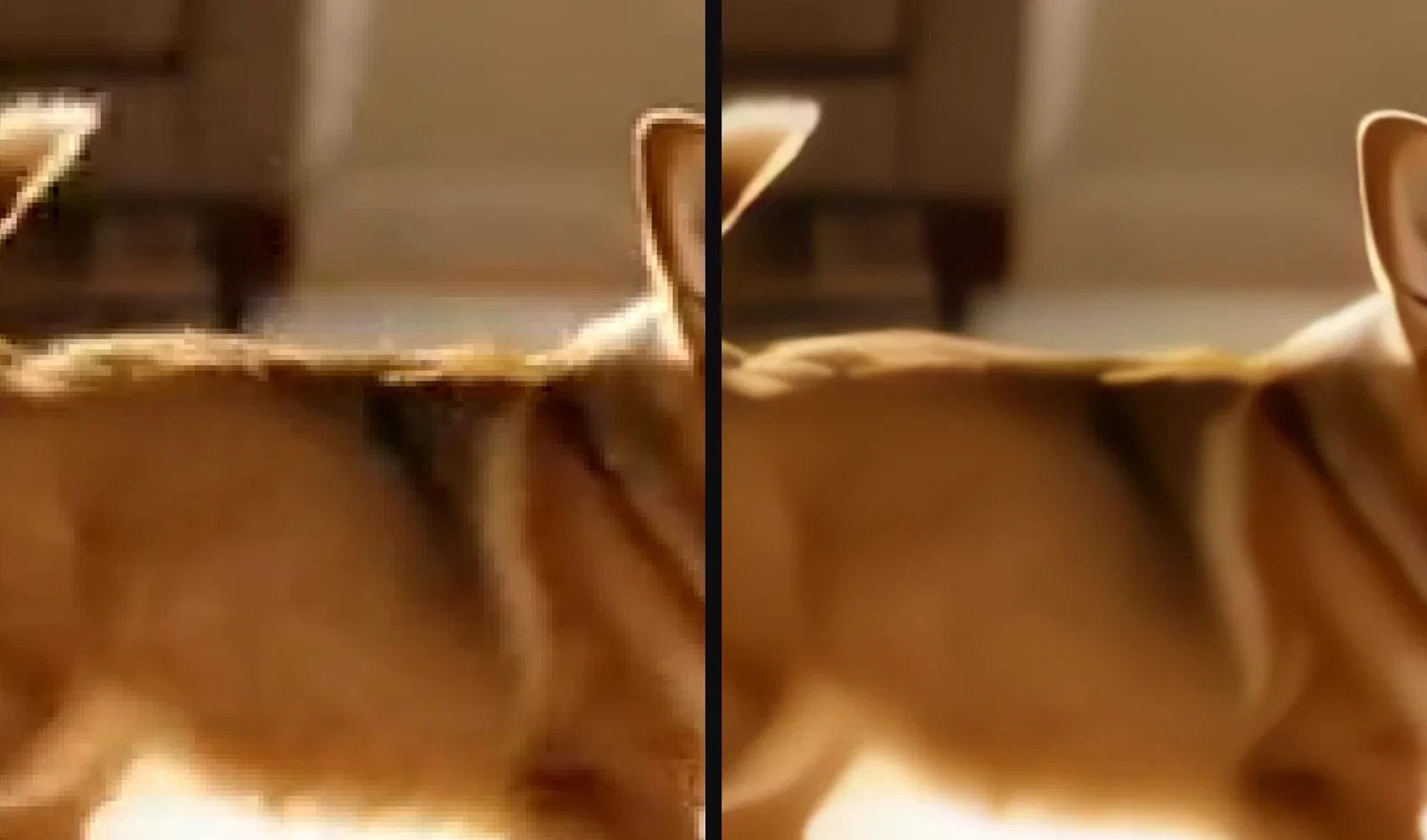
Same frame. Both ways.
Left: a frame from the 320-pixel source enlarged the ordinary way — the blocks just get bigger.
Right: the same frame from the 4x reconstruction — ears, coat, and edges rebuilt.
Both crops come from one crushed, bitrate-starved file run through this platform's own Topaz video node.
Same frame, both ways
Enlarged vs reconstructed
Three ways to use video upscaling
Powered by Topaz video reconstruction on the FluxoKit canvas.
Rescue old footage
Phone clips, camcorder archives, compressed downloads — rebuilt at 4x.
Master generated video
Any engine's clip becomes delivery-resolution in one node.
Prep for big screens
Projectors and TVs punish soft files; reconstruction fixes that.

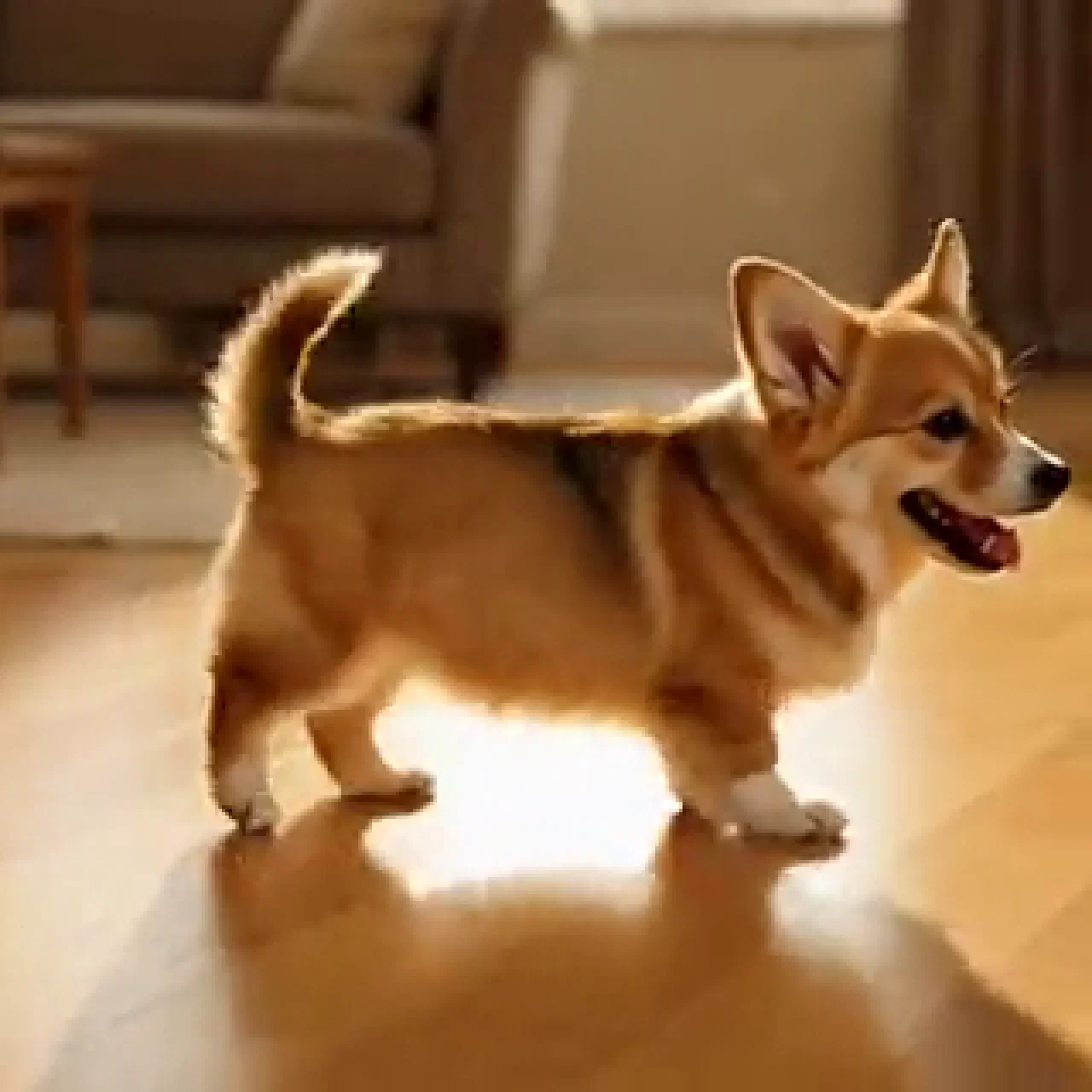
The 4x result
From a 320px source
The source, honestly
320px, starved bitrate
Plain enlargement
The blur gets bigger
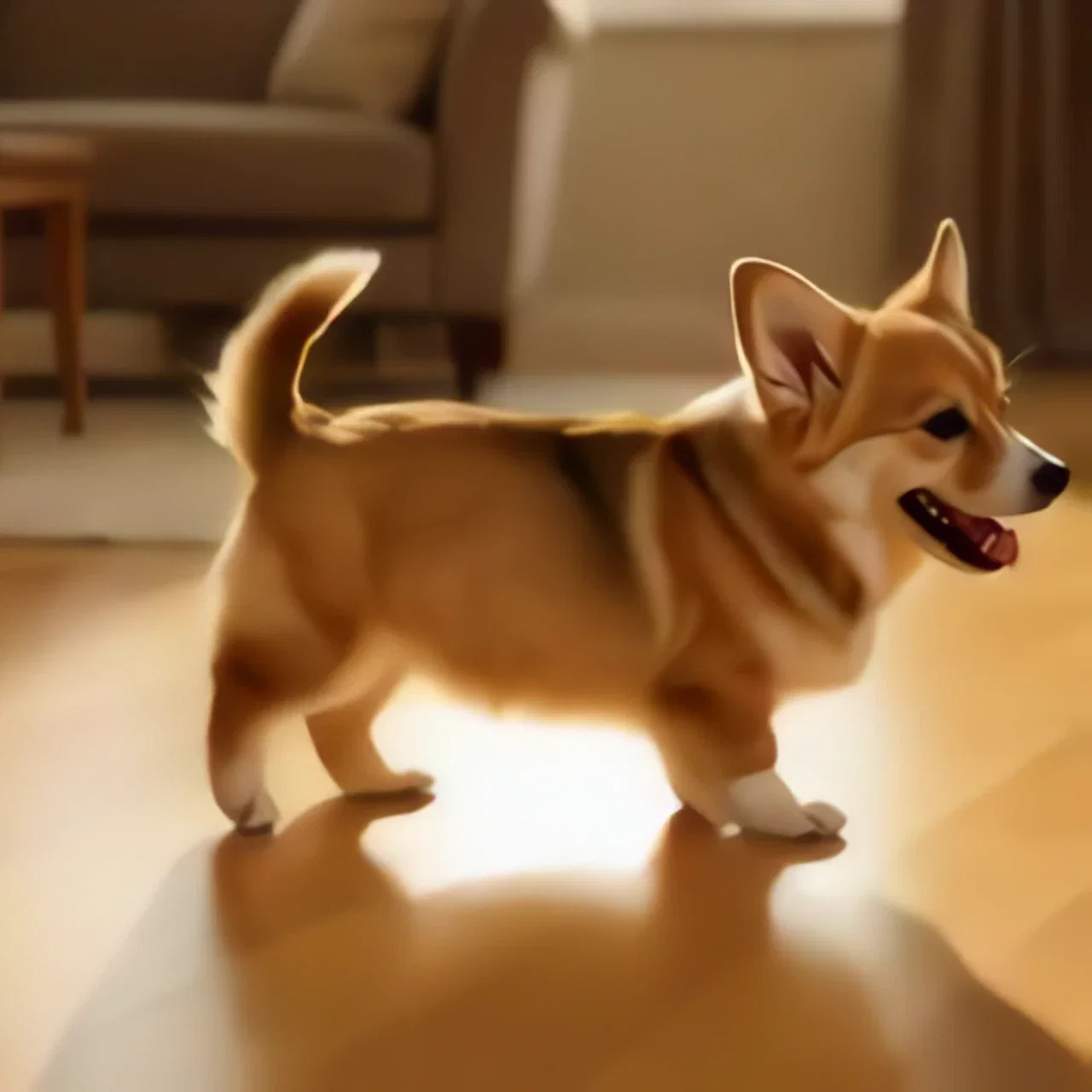
Reconstructed
The same frame at 4x
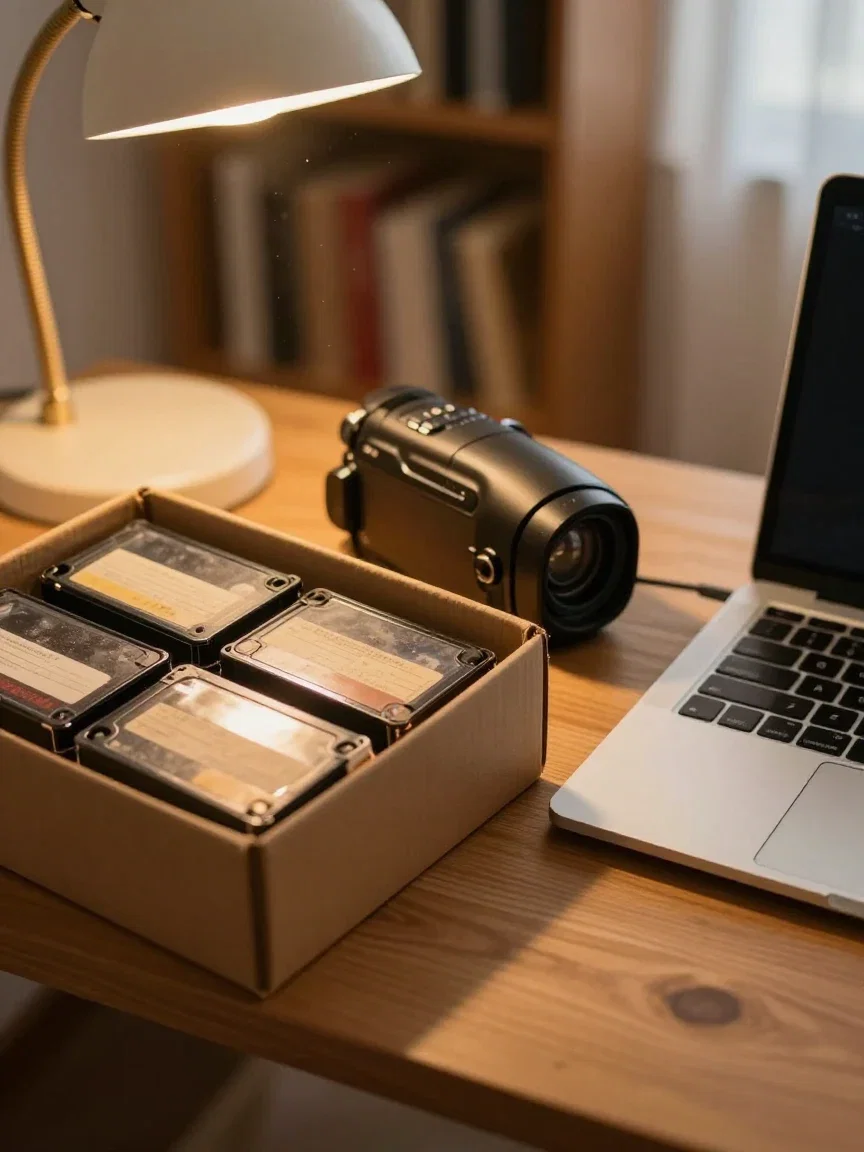
The archive
Footage worth saving
The whole frame agrees
Zoomed out, the difference holds: the plain enlargement stays soft everywhere, the rebuild is delivery-grade.
And because this is video, that reconstruction repeats consistently across every frame of motion.
The result clip in the hero is the actual output file.
Reconstructed
The same frame at 4x
Generate small, deliver big
The source clip was itself generated on this canvas — the everyday pipeline is create at working resolution, then reconstruct the keeper for delivery.
Old phone footage, compressed exports, and screen captures ride the same node.
One canvas covers the making and the mastering.
The finishing suite
Where delivery happens
One canvas, every engine
4x
the jump this page's demo made
320px
the width of the crushed source
14,500+
real generations delivered
Recovered detail, up close
Crops straight from the rebuilt frame — detail the tiny source did not appear to contain.
The 4x result
From a 320px source
The source, honestly
320px, starved bitrate

Recovered
Ears and eyes
How to upscale video on FluxoKit
Drop the clip
Uploaded or generated — it lands on the canvas as the source.
Pick the factor
Run the Topaz video node and compare the same frame at 100%.
Deliver big
Export for the screen the footage was always meant for.
Upscaling video is harder than upscaling photos: the detail must come back and hold still across every frame. This page ran the honest version of that test on the FluxoKit canvas — a clip crushed to 320 pixels wide and a starved bitrate, then reconstructed at 4x by the platform's own Topaz video node. The comparison below is the same frame, the same crop, both ways.
When people search for ai video upscaler, they want the same-frame receipt. This page zooms in.
Direct Answer
Use an AI video upscaler when the motion is right but the resolution is not: old phone footage, compressed exports, screen captures, and generated clips headed to bigger screens. On FluxoKit, drop the clip on the canvas, run the Topaz video node at the factor you need, and export the rebuilt file. From $14/month, on the same canvas as the engines that generate the footage in the first place.
Same Frame, Both Ways
The comparison pair takes one frame from the crushed 320px source and the same frame from the 4x reconstruction, cropped identically. Left, the plain enlargement — blocks and smear. Right, the rebuild — fur texture, floor grain, and edges the small file did not appear to contain.
Generated, Then Delivered
The source clip was itself generated on this canvas, which is the everyday pipeline: create at working resolution with any video engine, pick the keeper, and reconstruct it at delivery resolution. One canvas covers both halves.
How to Upscale Video on FluxoKit
- Drop the clip — uploaded or generated — on the canvas.
- Run the Topaz video node and pick the upscale factor.
- Compare the same frame at 100% before and after.
- Export for the screen it is headed to.
- Batch the archive the same way.
Related workflows
- Topaz Upscale — the image side, with its own 4x receipt.
- AI Video Generator — the engines that make the footage.
- AI GIF Generator — where this page's source clip came from.
Why upscale video on FluxoKit
The engine is Topaz. The pipeline — generate, reconstruct, deliver — is what FluxoKit adds.
Reconstruction, not stretching
The same-frame pair is the argument — edges return, blocks vanish.
Stable across motion
Video demands consistency frame to frame; the result clip shows it.
Beside the generators
Generate with any engine and master the keeper without leaving the canvas.
Images too
The same reconstruction approach covers photos on the Topaz image node.
Proof on the page
The hero clip is the actual 4x output of the crushed source beside it.
30-day guarantee
Upscale real footage for 30 days. Refund requests are governed by the first-subscription guarantee and Refund Policy.
31 models available in the canvas
Every model below is live in the FluxoKit studio. Each link opens its technical page with parameters, limits, and real generation examples.
- 01

FLUX 3 Reference to Video
Black Forest Labs · Video editing
- 02

Wan 3.0 Reference to Video
Alibaba Cloud · Video editing
- 03
Wan 3.0 Video Editing
Alibaba Cloud · Video editing
- 04
Wan 3.0 Video Extension
Alibaba Cloud · Video editing
- 05

Grok Imagine Video (Edit)
xAI · Video editing
- 06
Wan 2.7 Video Edit
Alibaba Cloud · Video editing
- 07
HappyHorse Video Edit
Alibaba Cloud · Video editing
- 08
HappyHorse 1.1 Reference to Video
Alibaba Cloud · Video editing
- 09
HappyHorse Reference to Video
Alibaba Cloud · Video editing
- 10

Sora Video Editing
OpenAI · Video editing
- 11

Gemini Omni Flash Reference
Google AI · Video editing
- 12
Gemini Omni Flash Video Edit
Google AI · Video editing
- 13
Gemini Omni 1.1 Flash References
Google AI · Video editing
- 14
Gemini Omni 1.1 Flash Edit
Google AI · Video editing
- 15
Gemini Omni 1.1 Flash Extend
Google AI · Video editing
- 16

MiniMax H3 Reference
MiniMax · Video editing
- 17

Seedance 2.0 Reference
ByteDance · Video editing
- 18

Seedance 2.5 Reference to Video
Higgsfield AI · Video editing
- 19
Seedance 2.5 Video Edit
Higgsfield AI · Video editing
- 20
Seedance 2.5 Video Extend
Higgsfield AI · Video editing
- 21
Genjutsu Motion Transfer
Higgsfield AI · Video editing
- 22
Genjutsu Object Swap
Higgsfield AI · Video editing
- 23
Genjutsu Restyle
Higgsfield AI · Video editing
- 24
Seedance 2.0 Fast Reference
ByteDance · Video editing
- 25

PixVerse V6 Extend
PixVerse · Video editing
- 26
Trim Video
fal.ai · Video editing
- 27
FAL Lip Sync 1.9
fal.ai · Video editing
- 28
FAL Lip Sync 2.0
fal.ai · Video editing
- 29
FAL Lip Sync 3.0
fal.ai · Video editing
- 30

ElevenLabs Dubbing PT-BR Video
ElevenLabs · Video editing
- 31

Topaz Video Upscale
Topaz · Video editing
Frequently asked questions
What is an AI video upscaler?
An AI video upscaler raises a video's resolution by reconstructing detail rather than stretching pixels — fur, texture, and edges return sharp across every frame. On FluxoKit it runs on the Topaz video engine as a canvas node: drop the clip, pick the factor, get the rebuilt file.
How real is the demo on this page?
Fully: a generated clip was deliberately crushed to 320 pixels wide at a starved bitrate, staged, and run through the platform's own Topaz video node at 4x. The comparison shows the same frame, same crop, both ways.
What footage benefits most?
Old phone and camcorder videos, compressed downloads, screen recordings, and AI-generated clips headed for delivery at higher resolutions. Anything where the motion is right but the pixels are not.
Does it work with generated video?
That is the natural pipeline here: generate with any video engine on the canvas, then upscale the keeper for delivery. Generate at working resolution, reconstruct at delivery resolution.
Is the AI video upscaler free?
FluxoKit does not sell a free trial. Topaz video upscaling runs inside the platform plan from $14/month with monthly credits, backed by a 30-day first-subscription satisfaction guarantee, subject to the Refund Policy: upscale real footage for a month, and refund requests are governed by the first-subscription guarantee and Refund Policy.
Next step
Access 135 AIs in one canvas, without subscribing to each one.
Monthly credits with no separate subscription per model. New purchases are temporarily unavailable; contact support for billing help.
VIDEO UPSCALING ON FLUXOKIT
Upscale your first clip
Real detail back, steady in motion — one canvas, one plan.