
AI GIF Generator
A sentence becomes a clip, the clip becomes a loop — and the GIFs on this page are the actual files, playing now.
The 23 models on this page are already included, with no separate subscription per tool. 14,500+ real generations already delivered on the platform. Updated
The source clip
Cinemagraph prompt
The second clip
One sentence of motion
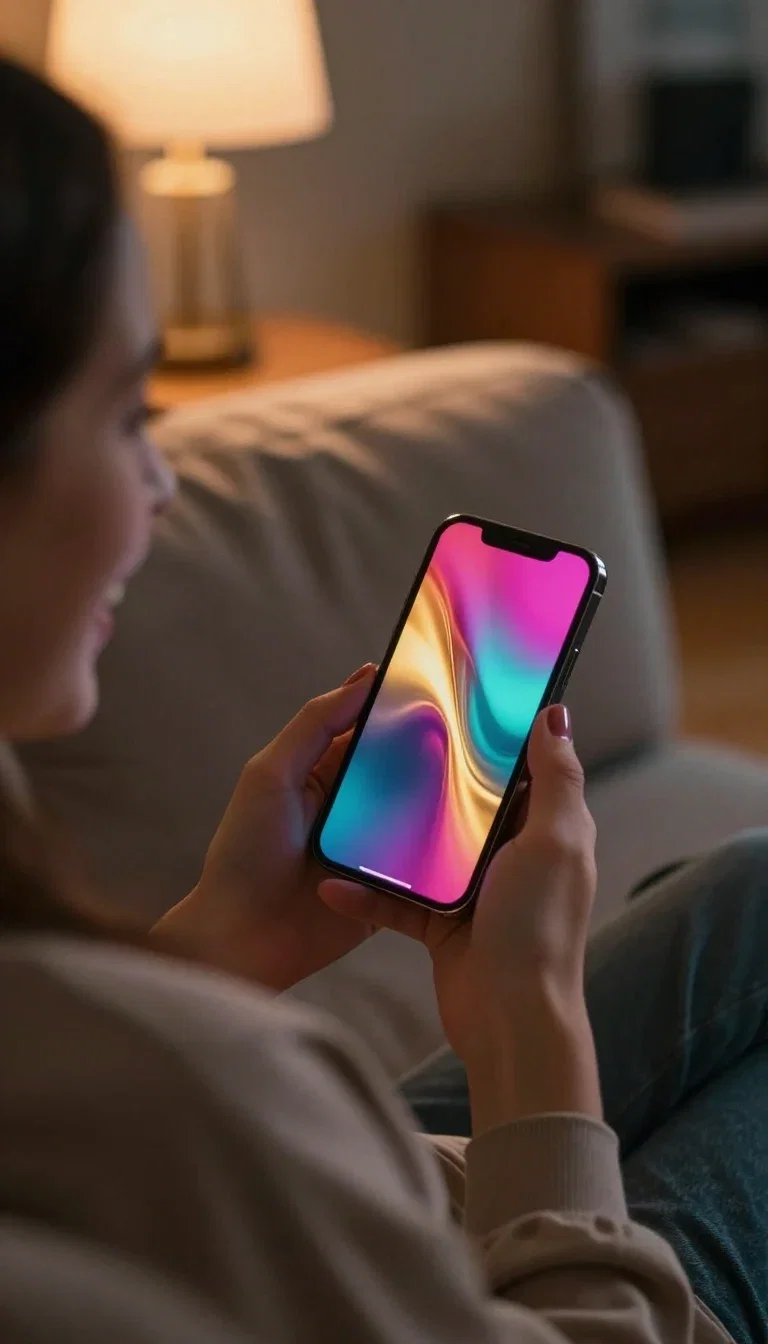
Where GIFs live
The reaction
This GIF is the deliverable
The prompt was one sentence: steam rising from a cup on a rainy windowsill, everything else still.
A video engine generated the clip; the export made it a GIF; and the file looping beside this text is that exact output.
Cinemagraph prompts — one moving element, a still world — are the most reliable loop recipe.

The finished GIF
Looping right now
Three ways to make a GIF
Powered by the video engines on the FluxoKit canvas, with GIF export at the end of the pipeline.
Prompt a cinemagraph
One element moves, the world holds still — the classiest loop there is.
Prompt a moment
Contained action with a punchline reads in two seconds flat.
Convert any clip
Every video engine's output can leave the canvas as a GIF.

The source clip
Cinemagraph prompt

The second clip
One sentence of motion
The finished GIF
Looping right now

The second GIF
Also looping
Where GIFs live
The reaction
Motion with a punchline
The second loop: a corgi chasing its tail on a sunlit floor. Shareable was the brief.
Contained, joyful motion that returns near its start — that is what makes a loop rewatchable instead of just short.
This file, too, is the real export playing in place.
The second GIF
Also looping
Inside the loop
The filmstrip lays out six frames of the corgi clip — the actual motion the GIF compresses into its endless replay.
Generate the clip, check the frames, export at the frame rate and width the destination needs.
Chats want small and instant; product pages can afford more.
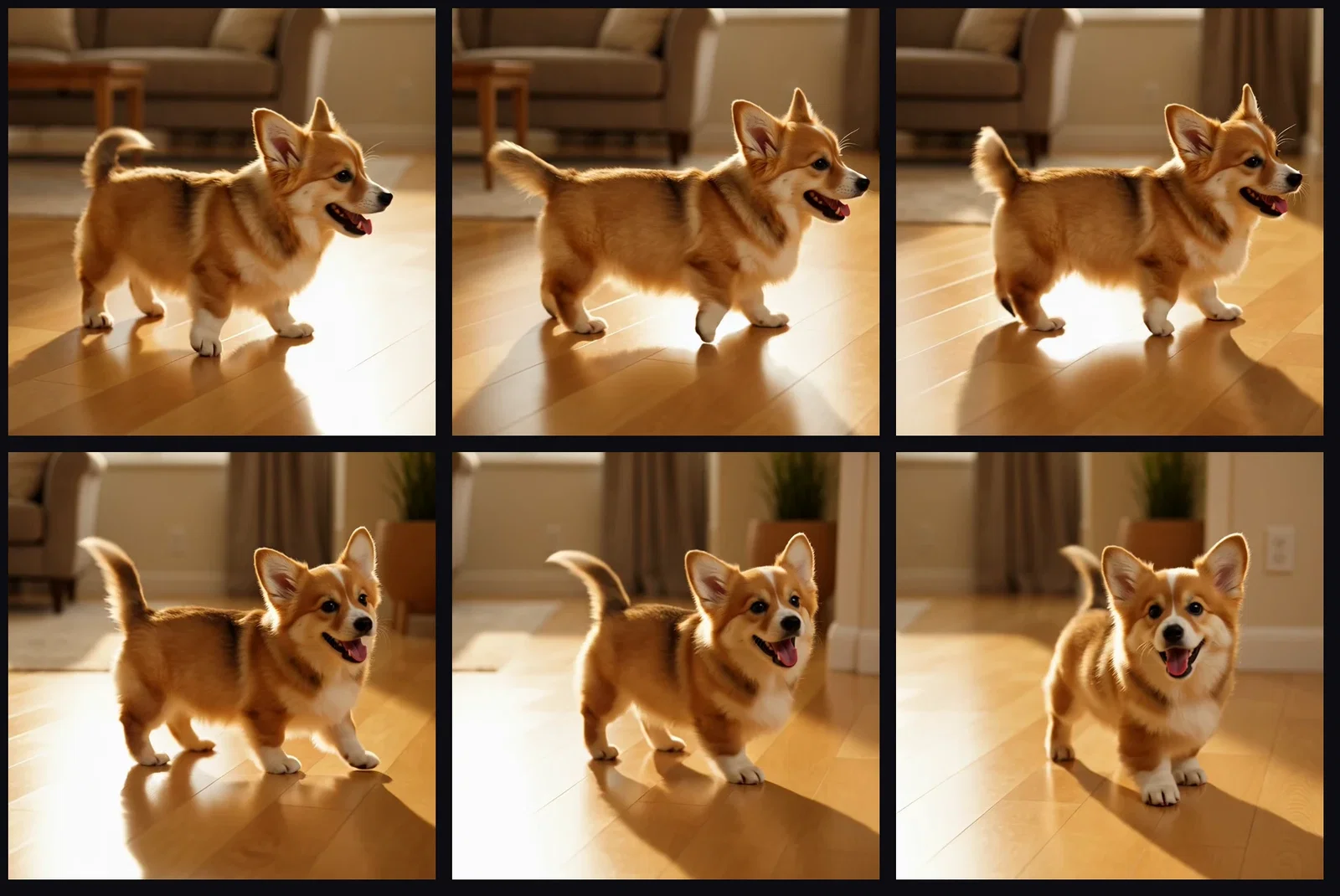
Inside the loop
Six frames of the clip
One canvas, every engine
2
real GIFs generated for this page
135+
AI models in one canvas
14,500+
real generations delivered
Loop thinking
What makes motion GIF-worthy — contained, readable, returning.
The source clip
Cinemagraph prompt
The second clip
One sentence of motion

Loop material
Contained motion
How to make a GIF on FluxoKit
Describe the loop
Contained motion, ideally returning near where it starts.
Generate the clip
Any video engine on the canvas produces the source motion.
Export the GIF
Pick frame rate and width for the destination and ship it.
The GIF is the internet's most honest format: it plays everywhere, instantly, with no play button — which means it has nowhere to hide. This page generated its loops for real: two one-sentence prompts became video on the FluxoKit canvas, and the GIFs embedded below are the converted output, looping as you read.
When people search for ai gif generator, they want the loop itself, not a mockup of one. This page ships the actual files.
Direct Answer
Use an AI GIF generator when you need motion that plays anywhere: reactions, email headers, social replies, product loops. On FluxoKit the pipeline is generate-then-export — a video engine turns your sentence into a clip, and the clip becomes a GIF. Cinemagraph-style prompts (one element moving, everything else still) make the most satisfying loops. From $14/month, with every video engine on the canvas feeding the same export.
Two Sentences, Two Loops
The coffee GIF came from "steam gently rising from a cup on a rainy windowsill, everything else still." The corgi came from "a puppy chasing its tail on a sunlit floor." Both were video generations first — the filmstrip shows the corgi clip frame by frame — and GIF files second.
Why Loops Beat Clips
A GIF autoplays in chats, emails, and docs where video needs a click. It costs the viewer nothing to watch and you nothing to host players for. The craft is in the motion: contained, readable, and returning near its start.
How to Make a GIF on FluxoKit
- Describe the loop — contained motion works best.
- Generate the clip with any video engine on the canvas.
- Export as GIF: pick the frame rate and width for the destination.
- Keep it light — shorter loops and smaller widths travel further.
- Ship it where video cannot go.
Related workflows
- AI Video Generator — the engines behind the loops.
- Grok Imagine — the engine that generated both clips here.
- AI Meme Generator — the GIF's louder sibling.
Why make GIFs on FluxoKit
The engines make the motion. The pipeline — sentence to clip to loop — is what FluxoKit adds.
The proof loops above
Both GIFs on this page are real exports of real generations.
Plays everywhere
GIFs autoplay in chats, emails, and docs where video needs a click.
Any engine feeds it
Every video model on the canvas can end its run as a loop.
Cinemagraph-ready
Still-world prompts give the elegant single-motion loop.
Sized for the channel
Export tight for chat, richer for product pages.
30-day guarantee
Make real loops for 30 days. Refund requests are governed by the first-subscription guarantee and Refund Policy.
23 models available in the canvas
Every model below is live in the FluxoKit studio. Each link opens its technical page with parameters, limits, and real generation examples.
- 01

Grok Imagine Video (Text to Video)
xAI · Video generation
- 02
Grok Imagine Video 1.5 (Reference)
xAI · Video generation
- 03

Veo 3.1 Text to Video
Google AI · Video generation
- 04
Gemini Omni Flash T2V
Google AI · Video generation
- 05
Gemini Omni 1.1 Flash Text to Video
Google AI · Video generation
- 06

Wan 3.0 Text to Video
Alibaba Cloud · Video generation
- 07
Wan 2.5 Text to Video
Alibaba Cloud · Video generation
- 08
Wan 2.6 Text to Video
Alibaba Cloud · Video generation
- 09
Wan 2.7 Text to Video
Alibaba Cloud · Video generation
- 10
HappyHorse 1.1 Text to Video
Alibaba Cloud · Video generation
- 11
HappyHorse Text to Video
Alibaba Cloud · Video generation
- 12

Sora 2
OpenAI · Video generation
- 13
Sora 2 Pro
OpenAI · Video generation
- 14

FLUX 3 Text to Video
Black Forest Labs · Video generation
- 15

MiniMax H3 T2V
MiniMax · Video generation
- 16
MiniMax Hailuo T2V
MiniMax · Video generation
- 17
Kling 2.6 Pro T2V
Kling · Video generation
- 18

Kling 3 T2V
fal.ai · Video generation
- 19

Seedance 2.0 T2V
ByteDance · Video generation
- 20

Seedance 2.5 Text to Video
Higgsfield AI · Video generation
- 21
Seedance 2.0 Fast T2V
ByteDance · Video generation
- 22
Seedance v1.5 Pro T2V
fal.ai · Video generation
- 23
Pixverse v6 T2V
fal.ai · Video generation
Frequently asked questions
What is an AI GIF generator?
An AI GIF generator turns a written idea into a short looping animation: a video engine generates the motion, and the clip is exported as a GIF. On FluxoKit that is one pipeline — describe the loop, generate the clip, export the GIF — and the loops on this page are the actual output, playing as GIFs.
Are the GIFs on this page real?
Yes — both loops were generated as video from one-sentence prompts and converted to the GIF files embedded here: a cinemagraph-style steaming coffee cup and a corgi chasing its tail. What you see looping is the deliverable itself.
What makes a good AI GIF prompt?
Loops love contained motion: steam rising, tails chasing, rain falling — movement that reads even in two seconds and lands near where it started. Cinemagraph prompts, where one element moves and the rest holds still, are the most reliable loop recipe.
Where can I use generated GIFs?
Chats and reactions, marketing emails where autoplay video is blocked, social replies, documentation, and product pages. GIF is the format that plays everywhere without a play button.
Is the AI GIF generator free?
FluxoKit does not sell a free trial. The video engines run inside the platform plan from $14/month with monthly credits, backed by a 30-day first-subscription satisfaction guarantee, subject to the Refund Policy: make real loops for a month, and refund requests are governed by the first-subscription guarantee and Refund Policy.
Next step
Access 135 AIs in one canvas, without subscribing to each one.
Monthly credits with no separate subscription per model. New purchases are temporarily unavailable; contact support for billing help.
LOOPS ON FLUXOKIT
Generate your first GIF
A sentence in, a loop out — playing everywhere, one canvas, one plan.