
AI Poster Generator
Key art, gig posters, gallery prints — worlds composed for your title, finished with real type.
The 17 models on this page are already included, with no separate subscription per tool. 14,500+ real generations already delivered on the platform. Updated
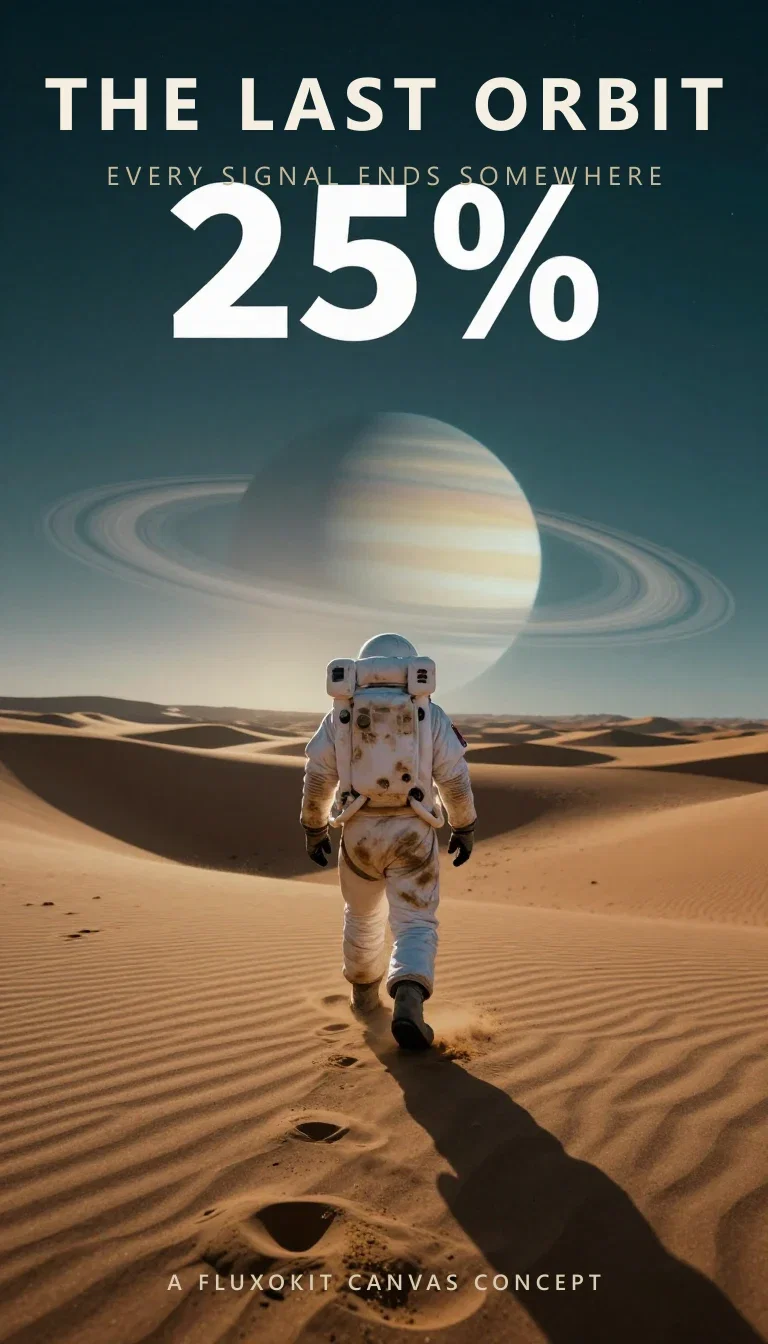
Cinematic key art
Finished one-sheet
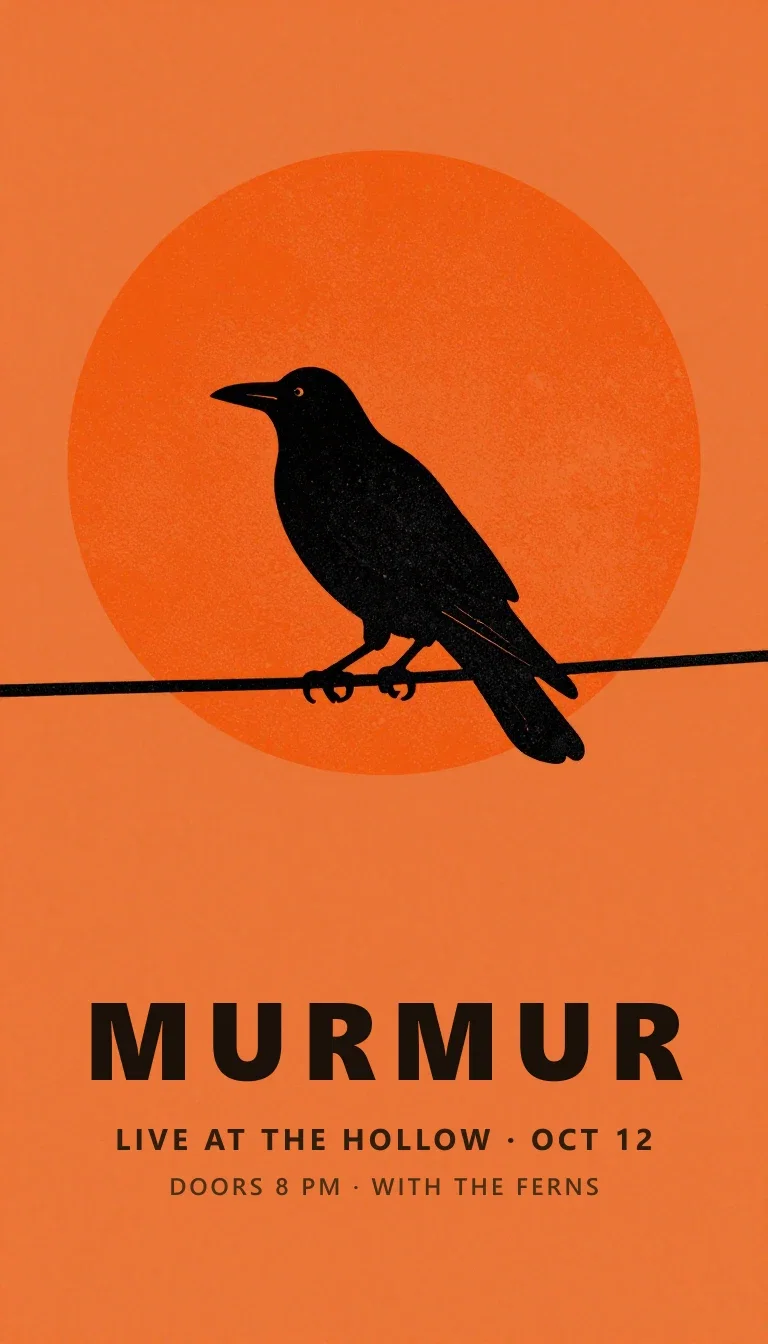
Gig poster
Screen-print style
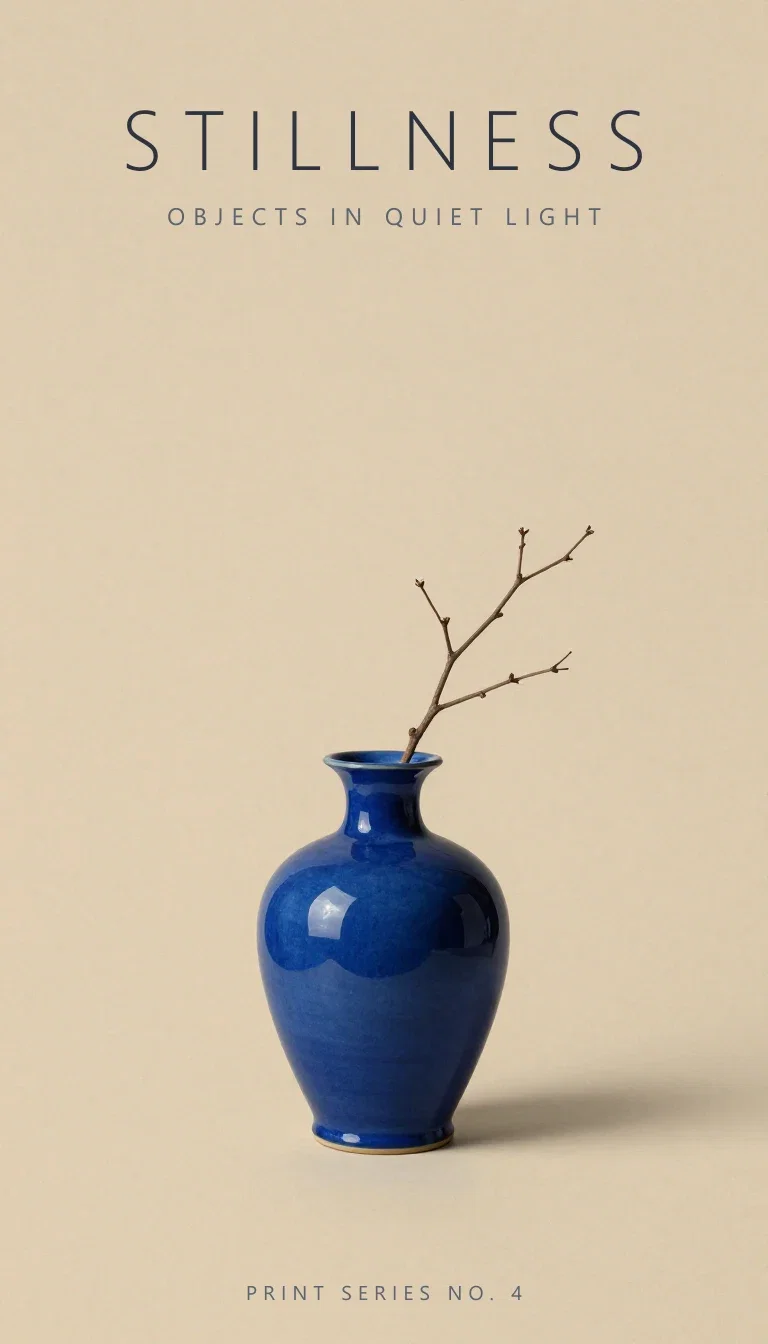
Gallery print
Minimal series
The art reserves the space
Left: the generated sci-fi artwork — explorer, dunes, ringed planet — prompted with a darker sky band up top.
Right: the finished one-sheet, title and tagline set into exactly that band.
Composition designed for type is what separates a poster from a picture.
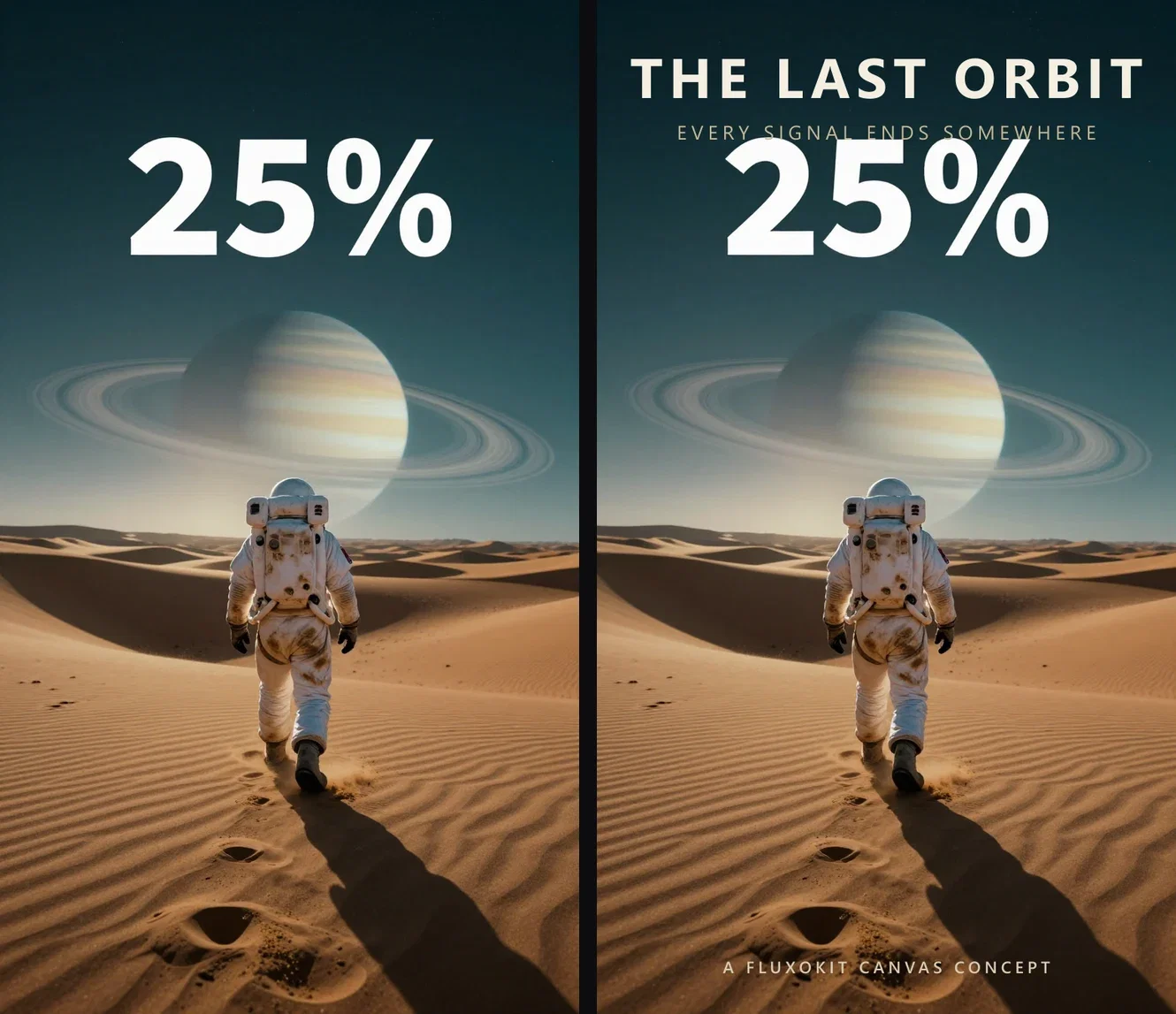
Art in, one-sheet out
The reserved sky band
Three ways to build a poster
Powered by the image engines on the FluxoKit canvas — art, type space, and print prep.
Compose the world
Genre and scene in one description, with the title space reserved.
Set the type
Real lettering lands in the space the art left for it.
Scale to print
The Topaz node takes the finished piece to poster dimensions.
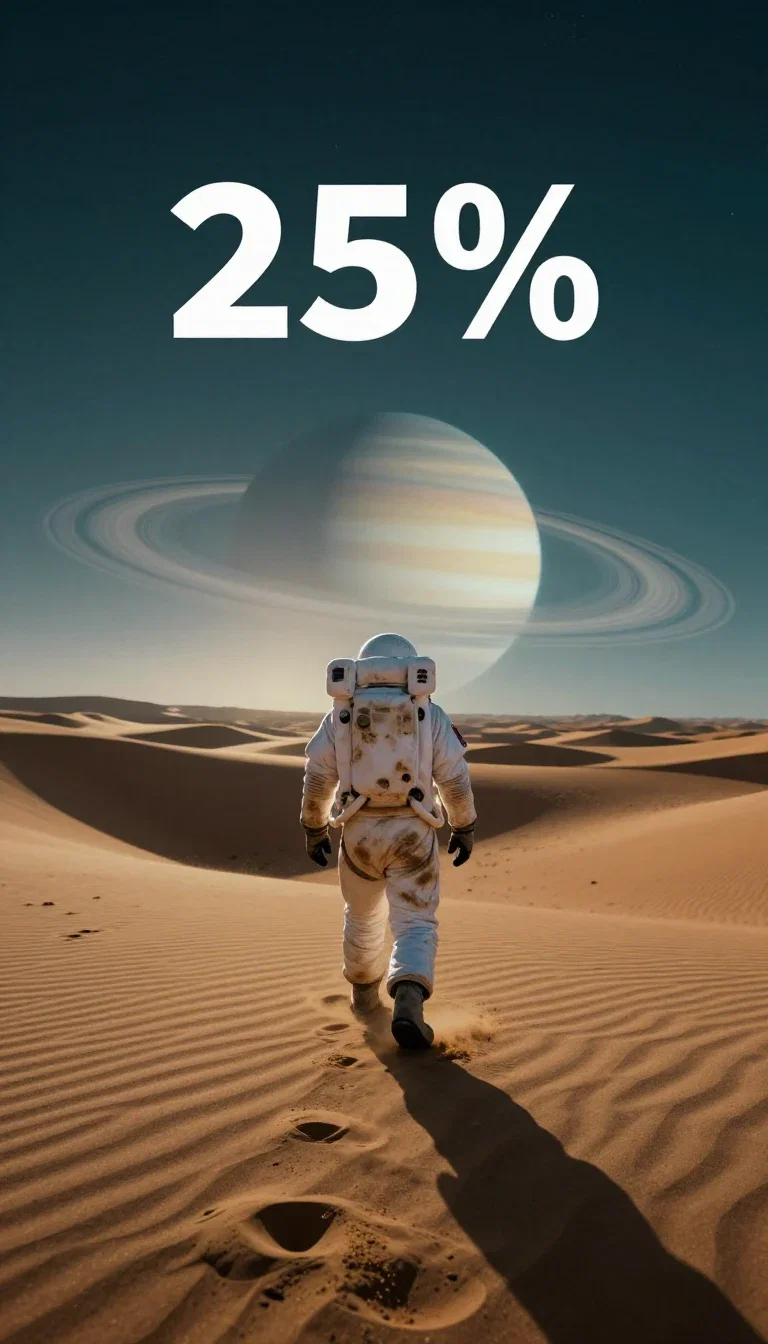
The raw art
Before the type
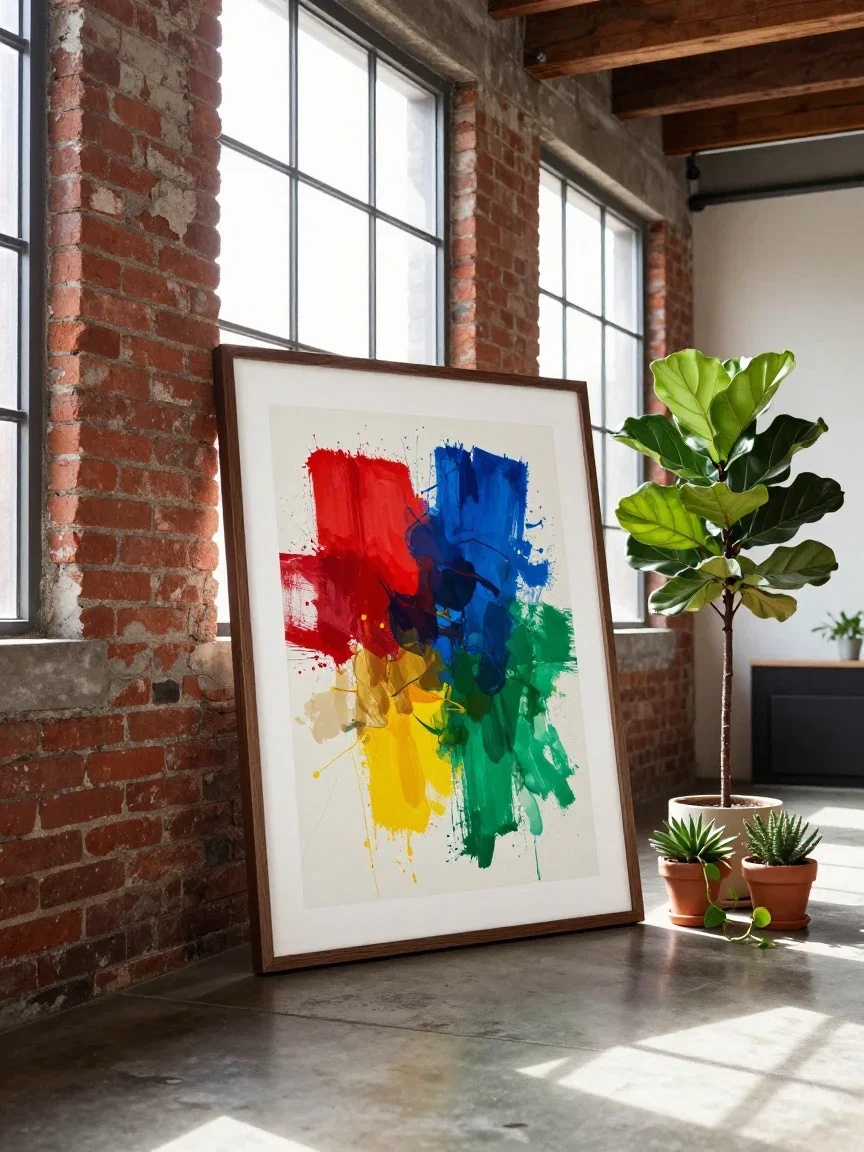
On the wall
Where posters end up
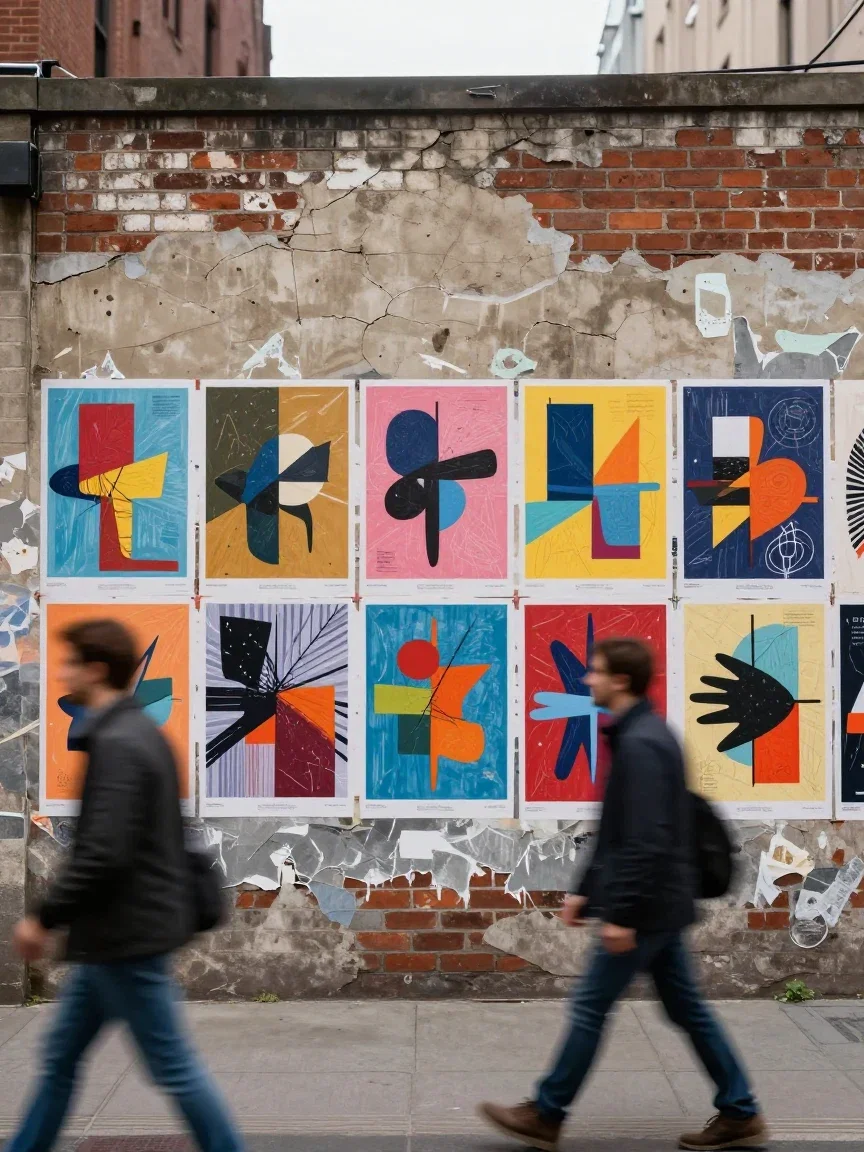
The street run
Wheat-pasted
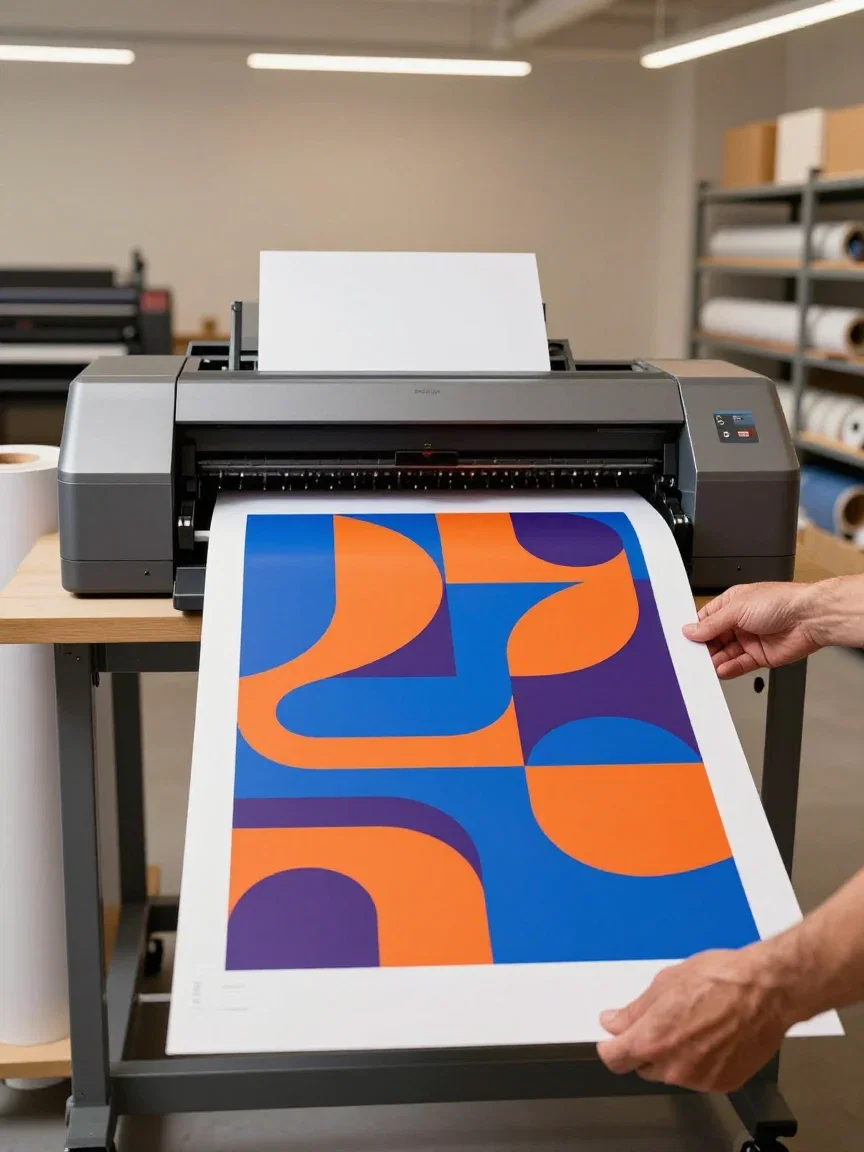
Print day
Large format
Gig poster
Screen-print style
Three genres, one workflow
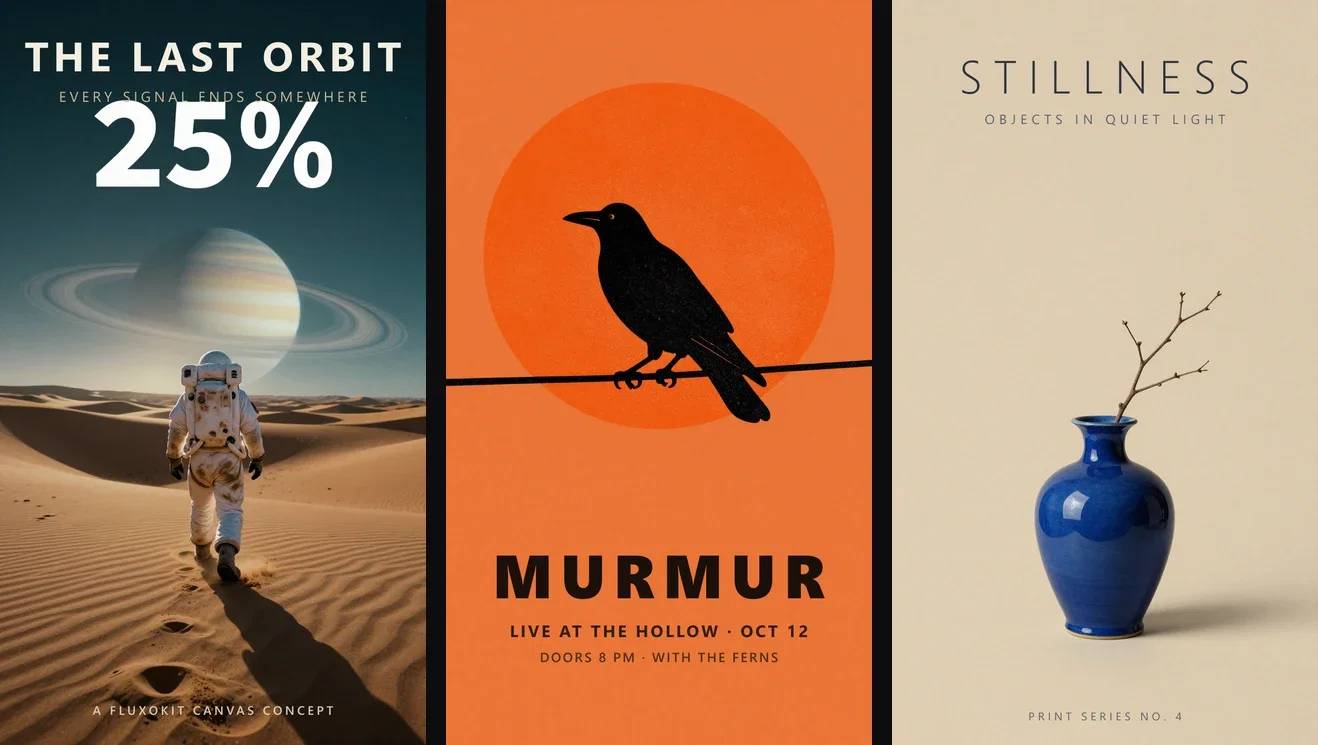
A cinematic one-sheet, a two-color screen-print gig poster, a minimal gallery print — each from one description in its own visual language.
The type treatment follows the genre: heavy and tight for the gig, light and tracked-wide for the gallery.
Same two-step build every time: describe the art, set the type.
Three genres, one workflow
Key art · gig · gallery
From screen to wall
Posters end at print scale, and the canvas covers that too: the Topaz upscale node reconstructs the finished piece to large-format dimensions.
Generate at working size, compose the type, upscale for the print run.
One pipeline from idea to wheat-paste.
Print day
Large format
One canvas, every engine
3
poster genres built for this page
135+
AI models in one canvas
14,500+
real generations delivered
The type treatments, up close
Crops from the three finals — each genre speaks its own typographic dialect.
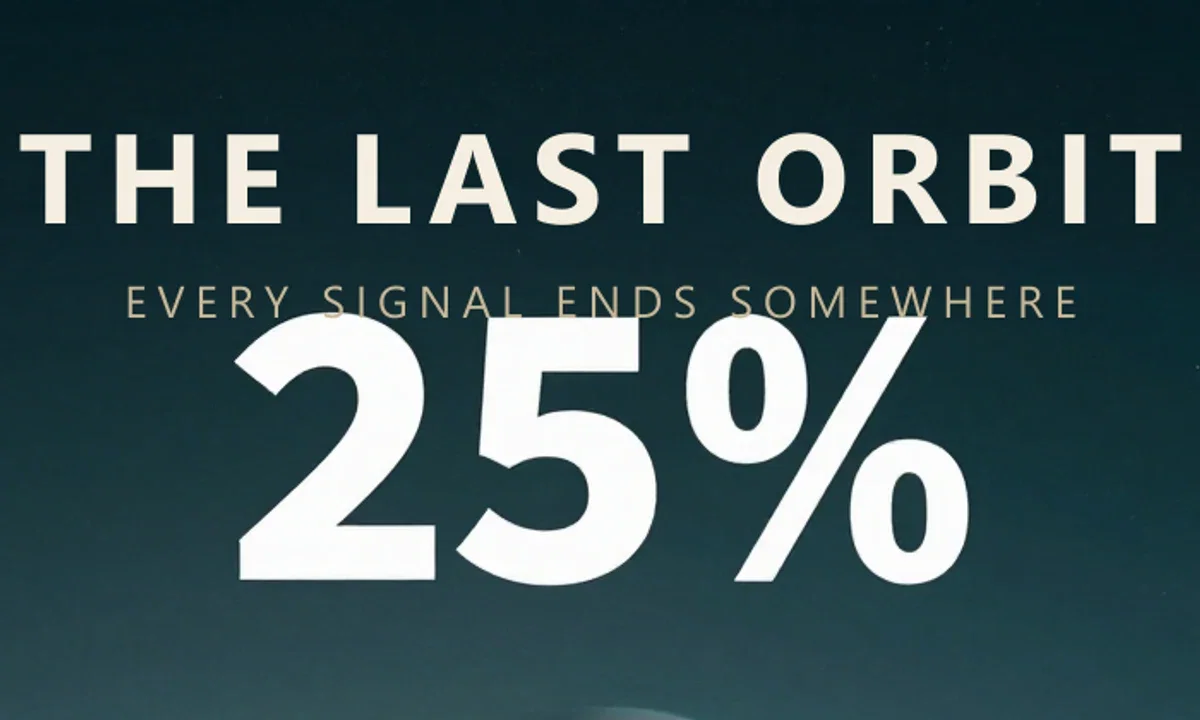
The title band
Type meets sky
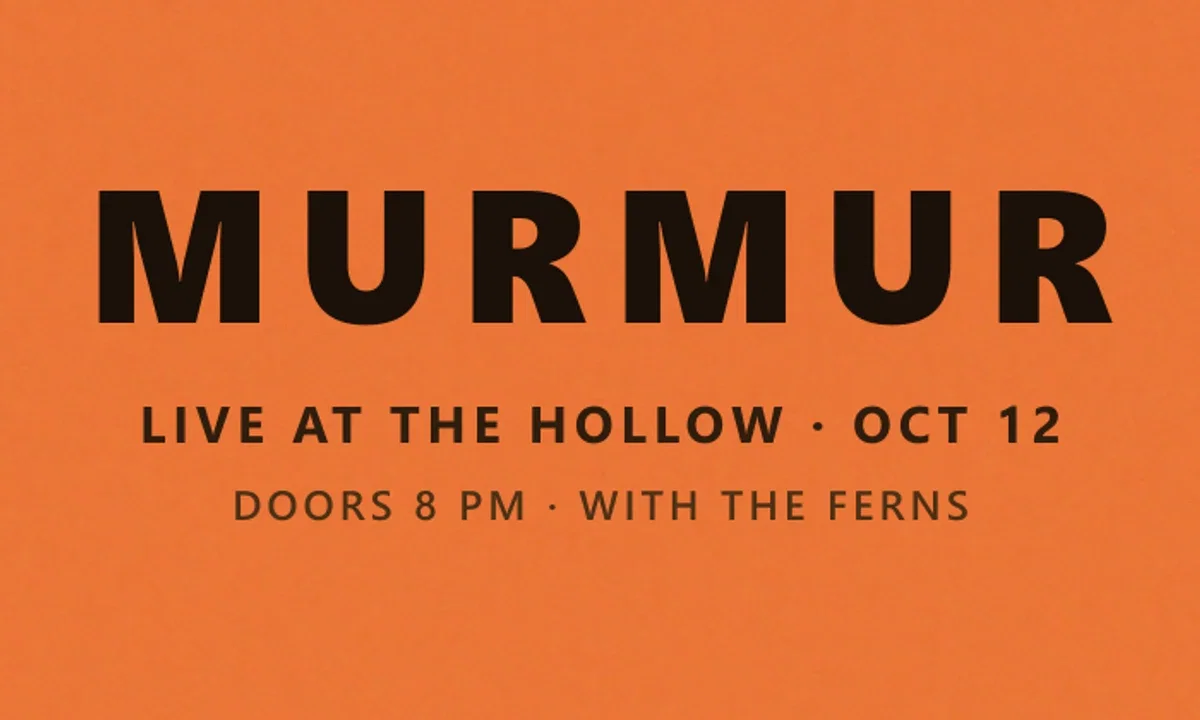
Display type
Heavy and tight
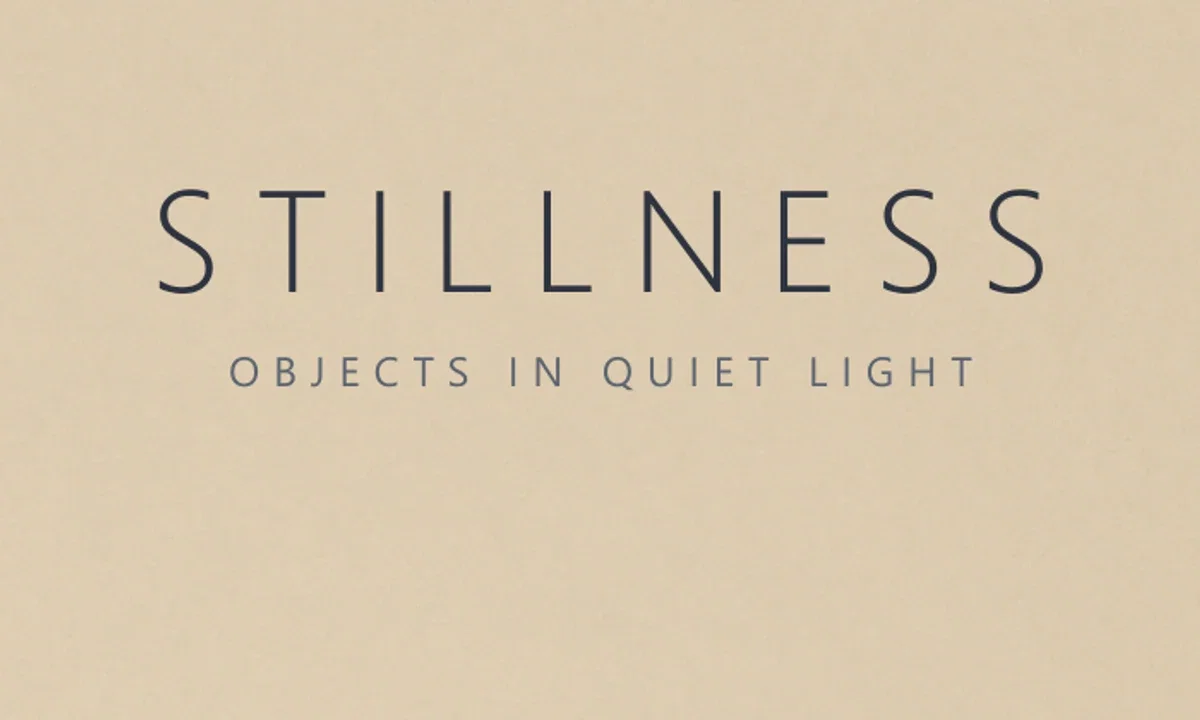
Quiet type
Tracked wide
How to make a poster on FluxoKit
Name the genre
Key art, screen print, gallery minimal — the engines speak them.
Reserve and set
Prompt the empty space, then land the title in it.
Print big
Upscale the final for the wall it was made for.
A poster is a promise made at a distance: it has one second to sell a world. This page built three of them on the FluxoKit canvas — a cinematic sci-fi one-sheet, a screen-print gig poster, and a minimal gallery print — each from one description of the art, finished with real type in the space the art reserved.
When people search for ai poster generator, they want walls, not wallpapers. This page shows three genres built end to end.
Direct Answer
Use an AI poster generator for the artwork half of the job: describe the world, the style, and where the empty space should sit, then set the title in that space. On FluxoKit the engines compose in any tradition — key art, screen print, gallery minimal — from $14/month, and the Topaz node upscales the finished piece to print scale on the same canvas.
Art In, One-Sheet Out
The pair shows the sci-fi build: a lone explorer walking toward a ringed planet, prompted with a darker sky band for the title. The finished poster sets the title and tagline into that band. The composition was designed for the type before the type existed.
Three Genres, Three Worlds
The strip holds the sci-fi one-sheet, the gig poster — a crow against a risograph sun with heavy display type — and the quiet gallery print. Three visual languages, one workflow: describe the art, reserve the space, set the type.
How to Make a Poster on FluxoKit
- Name the genre and the world in one description.
- Reserve the negative space where the title will live.
- Generate, pick the strongest frame, and set the type.
- Upscale with the Topaz node for print.
- Series-ize it: keep the layout, change the world.
Related workflows
- AI Flyer Generator — the handout-size sibling.
- Topaz Upscale — from screen to print scale.
- AI Image Generator — the engines behind the art.
Why make posters on FluxoKit
The engines compose. The pipeline — world to type to print — is what FluxoKit adds.
Composed for the title
Reserved negative space by prompt, not by cropping luck.
Genre fluency
Three traditions on this page, each from one sentence.
Type stays type
Headlines are set, not painted — crisp at print scale.
Print pipeline built in
Topaz upscaling turns the file into wall stock.
Proof on the page
All three posters were built end-to-end with this workflow.
30-day guarantee
Design real posters for 30 days. Refund requests are governed by the first-subscription guarantee and Refund Policy.
17 models available in the canvas
Every model below is live in the FluxoKit studio. Each link opens its technical page with parameters, limits, and real generation examples.
- 01

GPT Image-1
OpenAI · Image generation
- 02
GPT Image-1.5
OpenAI · Image generation
- 03
GPT Image-2
OpenAI · Image generation
- 04
GPT Image 2.5 Sunburst
OpenAI · Image generation
- 05

Grok Image 2
xAI · Image generation
- 06
Grok Imagine Image
xAI · Image generation
- 07

Higgsfield Soul
Higgsfield AI · Image generation
- 08

Seedream 5.0
ByteDance · Image generation
- 09
Seedream 5.0 Pro
ByteDance · Image generation
- 10

FLUX.2 Klein 9B
Black Forest Labs · Image generation
- 11

Nano Banana Pro (Gemini 3.0)
Google AI · Image generation
- 12
Nano Banana Pro 2 (Gemini 3.1)
Google AI · Image generation
- 13

QWEN Image 2.0 Pro
Alibaba Cloud · Image generation
- 14
Z-Image Turbo
Alibaba Cloud · Image generation
- 15

Image Z-Turbo LoRA
AIML API · Image generation
- 16

Kora Pro
Kora · Image generation
- 17

MiniMax Image-01
MiniMax · Image generation
Frequently asked questions
What is an AI poster generator?
An AI poster generator produces poster artwork — the composition, mood, and visual world — from a written description, leaving deliberate space for the title treatment. On FluxoKit the art comes from the image engines and the type is set cleanly on top, then the Topaz node upscales the piece to print size.
What poster styles can it handle?
This page built three genres from three descriptions: cinematic sci-fi key art, a two-color screen-print gig poster, and a minimal gallery art print. Genre is vocabulary — name the tradition and the engine composes inside it.
How do I get clean poster typography?
The art-then-type workflow: prompt the artwork with reserved negative space (a darker sky band, an empty bottom third), then set the title as real type. Every headline on this page is pixel-crisp for exactly that reason.
Can I print these at poster size?
Yes — generate at working resolution, then run the Topaz upscale node on the same canvas to reach print dimensions. The upscale page on this site shows that reconstruction with a real before/after.
Is the AI poster generator free?
FluxoKit does not sell a free trial. The engines run inside the platform plan from $14/month with monthly credits, backed by a 30-day first-subscription satisfaction guarantee, subject to the Refund Policy: design real posters for a month, and refund requests are governed by the first-subscription guarantee and Refund Policy.
Next step
Access 135 AIs in one canvas, without subscribing to each one.
Monthly credits with no separate subscription per model. New purchases are temporarily unavailable; contact support for billing help.
POSTERS ON FLUXOKIT
Make your first poster
Worlds composed for your title, ready for print — one canvas, one plan.