
Gemini 3 Pro
Google DeepMind's reasoning flagship — working inside FluxoKit's agents, with its image family on the canvas next to the whole field.
The 17 models on this page are already included, with no separate subscription per tool. 14,500+ real generations already delivered on the platform. Updated

Photoreal
Gemini 3 Pro Image

People
Gemini 3 Pro Image

Aerial
Gemini 3 Pro Image
One instruction, one change
Instruction fidelity is the family superpower: say what changes and everything else holds.
This kitchen went from midday to candlelit evening on a single sentence — same pots, same apples, same herbs.
Every image on this page is a live Gemini 3 Pro Image generation from FluxoKit.

One instruction later
Same kitchen, candlelit
Three ways to put Gemini to work
Powered by Gemini 3.1 Pro and its image family on the FluxoKit canvas — no AI Studio setup.
Reason with the agents
The copy agent writes with research and structure; the prompt agent turns rough ideas into engineered briefs.
Generate photoreal frames
The Gemini image family renders people, places, and product scenes with instruction-faithful detail.
Edit with plain language
Change the light, the season, the object — one sentence, one change, everything else preserved.

Architecture
Dusk glow

Macro
Dew web

Street portrait
Golden hour

Weather
Blue-hour snowfall
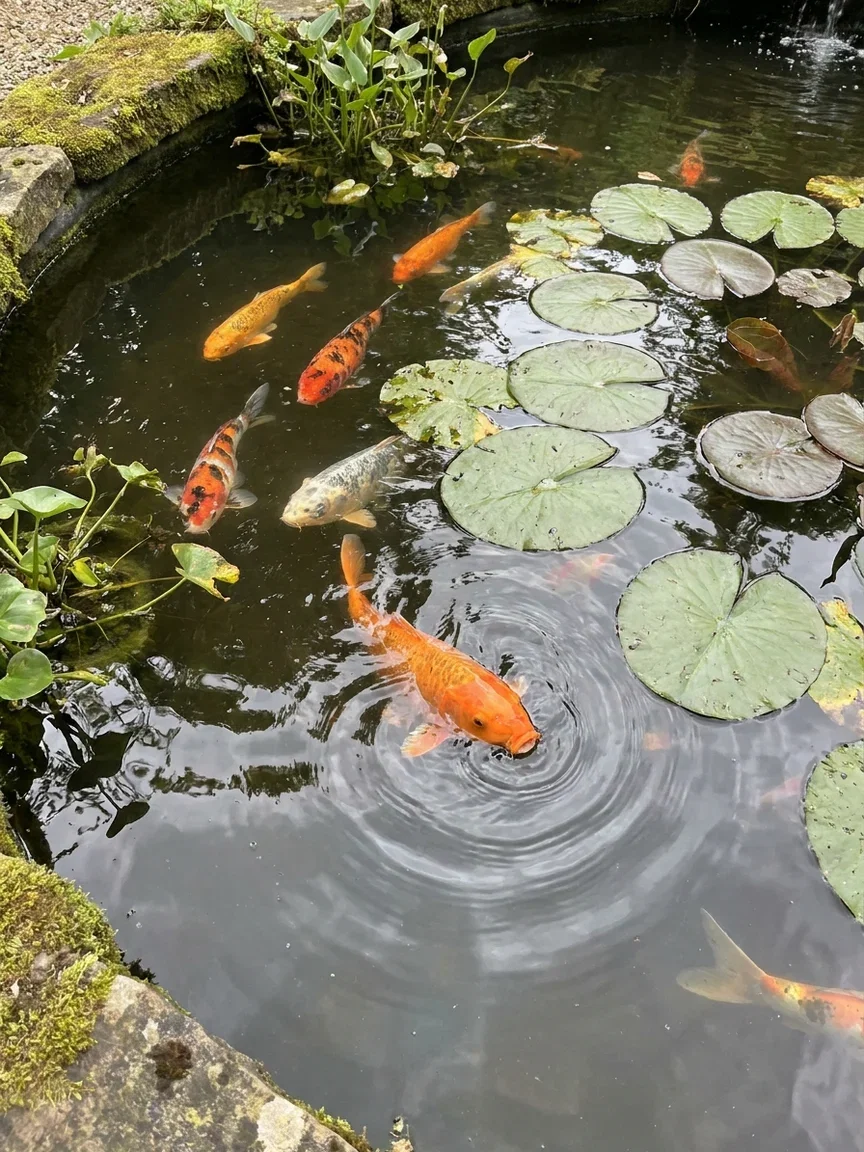
Overhead
Koi pond
The before, for honesty
Here is the original midday frame the instruction started from.
Compare the pair: lighting and hour changed; objects, layout, and materials stayed put.
That is what brief-driven editing looks like when the model actually reads the brief.

The original
Midday kitchen
Five constraints, all delivered
Stacked constraints are where image models drop things — a brief with five elements usually returns three.
This frame was briefed with exactly five: blue-hour window, brass lamp, open atlas, steaming cup, sleeping cat.
Count them. That is the reasoning engine showing up inside an image.

Five constraints, delivered
Brief fidelity
One canvas, every engine
135+
AI models in one canvas
14
live Gemini 3 Pro Image frames on this page
14,500+
real generations delivered
Real Gemini 3 Pro Image generations
Straight from this page's briefs — tidal mirror, milky way dome, morning mist.

Long exposure
Tidal mirror

Night sky
Observatory

Atmosphere
Morning mist
How to use Gemini 3 on FluxoKit
Start with the brief
Hand the agents the job in plain language — the reasoning engine structures it.
Generate and edit
Render with the image family, then change exactly what needs changing with one instruction.
Compare and ship
Run the brief against Soul, GPT Image 2, and Seedream on the same canvas — keep the winner.
Gemini 3 Pro is Google DeepMind's reasoning flagship — and on FluxoKit it is a working engine, not a chat window. Gemini 3.1 Pro reasons inside the copy and prompt agents, while its image family — the one the internet calls Nano Banana Pro — generates and edits the frames on this page. One canvas, no AI Studio setup.
When people search for gemini 3 pro, they want to know what it can actually do for their work. This page answers with the model's own output.
Direct Answer
Use Gemini 3 Pro when the job needs reasoning attached to execution: briefs that become prompts, prompts that become campaigns, instructions that are followed exactly. On FluxoKit that means three surfaces — the copy agent (writing with research and structure), the prompt agent (turn a rough idea into an engineered brief), and the Gemini image family for photoreal generation and one-instruction edits that change only what you asked. Every image on this page is a live Gemini 3 Pro Image generation.
Why Instruction Fidelity Matters
Three habits set the family apart. Instructions land literally: change the lighting and only the lighting changes — the kitchen pair on this page is one sentence apart. Constraints stack: the five-element brief below arrived with all five elements. And reasoning carries into the canvas: the same intelligence that writes your copy engineers your prompts.
How to Use Gemini 3 on FluxoKit
- Hand the copy agent the job — page, ad, email — and let it reason through structure.
- Give the prompt agent a rough idea; it returns an engineered brief.
- Generate with the Gemini image family and edit with plain-language instructions.
- Compare its images against Soul, GPT Image 2, and Seedream on the same canvas.
- Keep the winners and version per placement.
Gemini vs the Field
Gemini 3 Pro owns reasoning plus instruction-faithful images; Soul owns aesthetic commitment; GPT Image 2 owns creative direction; Seedream owns social energy. Brief-driven, edit-heavy work leans Gemini — and the honest way to decide is one brief, four engines, same canvas.
Related workflows
- Nano Banana — the image side of this family, in depth.
- AI Image Generator — every image engine on one page.
- Gemini 3.1 Pro model reference — specs and technical notes.
Why run Gemini 3 on FluxoKit
The model is Google DeepMind's. The workflow — agents, canvas, comparison, export — is what FluxoKit adds.
No AI Studio setup
Skip the console, keys, and quotas. Gemini 3.1 Pro is already working inside the platform.
Reasoning attached to output
The same intelligence writes your copy, engineers your prompts, and renders your frames.
Instruction-faithful edits
One sentence changes one thing — the pair on this page is the proof.
Constraints that stack
Five-element briefs arrive with five elements — count them in the frame above.
Compare against the field
Same brief through Soul, GPT Image 2, and Seedream next to Gemini — judged on frames, not marketing.
30-day guarantee
Generate real work for 30 days. Refund requests are governed by the first-subscription guarantee and Refund Policy.
17 models available in the canvas
Every model below is live in the FluxoKit studio. Each link opens its technical page with parameters, limits, and real generation examples.
- 01

GPT Image-1
OpenAI · Image generation
- 02
GPT Image-1.5
OpenAI · Image generation
- 03
GPT Image-2
OpenAI · Image generation
- 04
GPT Image 2.5 Sunburst
OpenAI · Image generation
- 05

Grok Image 2
xAI · Image generation
- 06
Grok Imagine Image
xAI · Image generation
- 07

Higgsfield Soul
Higgsfield AI · Image generation
- 08

Seedream 5.0
ByteDance · Image generation
- 09
Seedream 5.0 Pro
ByteDance · Image generation
- 10

FLUX.2 Klein 9B
Black Forest Labs · Image generation
- 11

Nano Banana Pro (Gemini 3.0)
Google AI · Image generation
- 12
Nano Banana Pro 2 (Gemini 3.1)
Google AI · Image generation
- 13

QWEN Image 2.0 Pro
Alibaba Cloud · Image generation
- 14
Z-Image Turbo
Alibaba Cloud · Image generation
- 15

Image Z-Turbo LoRA
AIML API · Image generation
- 16

Kora Pro
Kora · Image generation
- 17

MiniMax Image-01
MiniMax · Image generation
Frequently asked questions
What is Gemini 3 Pro?
Gemini 3 Pro is Google DeepMind's flagship reasoning model family — currently Gemini 3.1 Pro — known for long-context reasoning, faithful instruction following, and strong multimodal understanding. On FluxoKit it is a working engine, not a chatbot: it reasons inside the copy and prompt agents, and its image family generates and edits the photoreal frames on this page.
What is the difference between Gemini 3 Pro and Nano Banana?
Same family, different jobs. Gemini 3 Pro is the reasoning model; Nano Banana Pro is the community name for its image generation side — Gemini 3 Pro Image. On FluxoKit you get both: the reasoning engine behind the agents and the image engine on the canvas.
How do I use Gemini 3 Pro without a Google account setup?
There is no AI Studio project, API key, or quota console: FluxoKit runs Gemini 3.1 Pro inside the platform. Ask the copy agent for a landing page, hand the prompt agent a rough idea, or generate with the image family — one plan covers it.
What does Gemini power on FluxoKit?
Three things: the copy agent's writing and research reasoning, the prompt agent's brief-to-prompt engineering, and the Gemini image family (Nano Banana Pro) for photoreal generation and instruction-faithful editing — all on the same canvas as the rest of the field.
Is Gemini 3 Pro free?
FluxoKit does not sell a free trial. Gemini 3.1 Pro runs inside the platform plan from $14/month with monthly credits, backed by a 30-day first-subscription satisfaction guarantee, subject to the Refund Policy: put it to real work for a month, and refund requests are governed by the first-subscription guarantee and Refund Policy.
Next step
Access 135 AIs in one canvas, without subscribing to each one.
Monthly credits with no separate subscription per model. New purchases are temporarily unavailable; contact support for billing help.
GEMINI 3 ON FLUXOKIT
Put Gemini 3 to work
Reasoning, agents, and instruction-faithful images from one family — next to the whole field, one canvas, one plan.