
FLUX AI
Black Forest Labs' image family — FLUX.2 Pro, Flex, Klein, and Kontext editing — on one canvas next to Nano Banana Pro and Soul.
The 17 models on this page are already included, with no separate subscription per tool. 14,500+ real generations already delivered on the platform. Updated

Physical light
FLUX.2 Pro

Macro
FLUX.2 Pro

Night
FLUX.2 Pro
Edit in place with Kontext
Kontext takes your image plus an instruction and changes only what you asked.
This loft went from empty to furnished on one sentence — same brick, same arched windows, same afternoon sun.
Every frame on this page is a live FLUX.2 generation from FluxoKit.

One instruction later
Kontext edit
Four ways to direct FLUX
Powered by the FLUX.2 family on the FluxoKit canvas — no BFL account, variants as a picker choice.
Text to image
FLUX.2 Pro for flagship quality — brief the scene and the light in photographic language.
Kontext editing
Your image plus one instruction — the change happens in place, the scene holds.
Flex for typography
When a design needs rendered text, Flex is the field's strongest type engine.
Klein for speed
Fast iterations when you are exploring directions, on the same canvas.

Density
Market crates

Wildlife
Dawn fog

Craft
Flour light

Landscape
Golden mist

Workshop
Lamp light
The before, for honesty
Here is the empty loft the instruction started from.
Compare the pair: furniture appeared; the room, light, and materials held.
That is interior staging, product placement, and set dressing without a reshoot.

The original
Empty loft
Light that behaves like exposure
FLUX's reputation is physical light — glow, mist, and rim light that read photographic.
This rim-lit bottle on wet slate is one text-to-image pass, no compositing.
That physicality is why product and editorial briefs reach for FLUX first.

Product light
Rim-lit slate
One canvas, every engine
135+
AI models in one canvas
14
live FLUX.2 frames on this page
14,500+
real generations delivered
Real FLUX.2 generations
Straight from this page's briefs — star trails, jelly bloom, fogged glass.

Long exposure
Star trails

Backlit
Jelly bloom
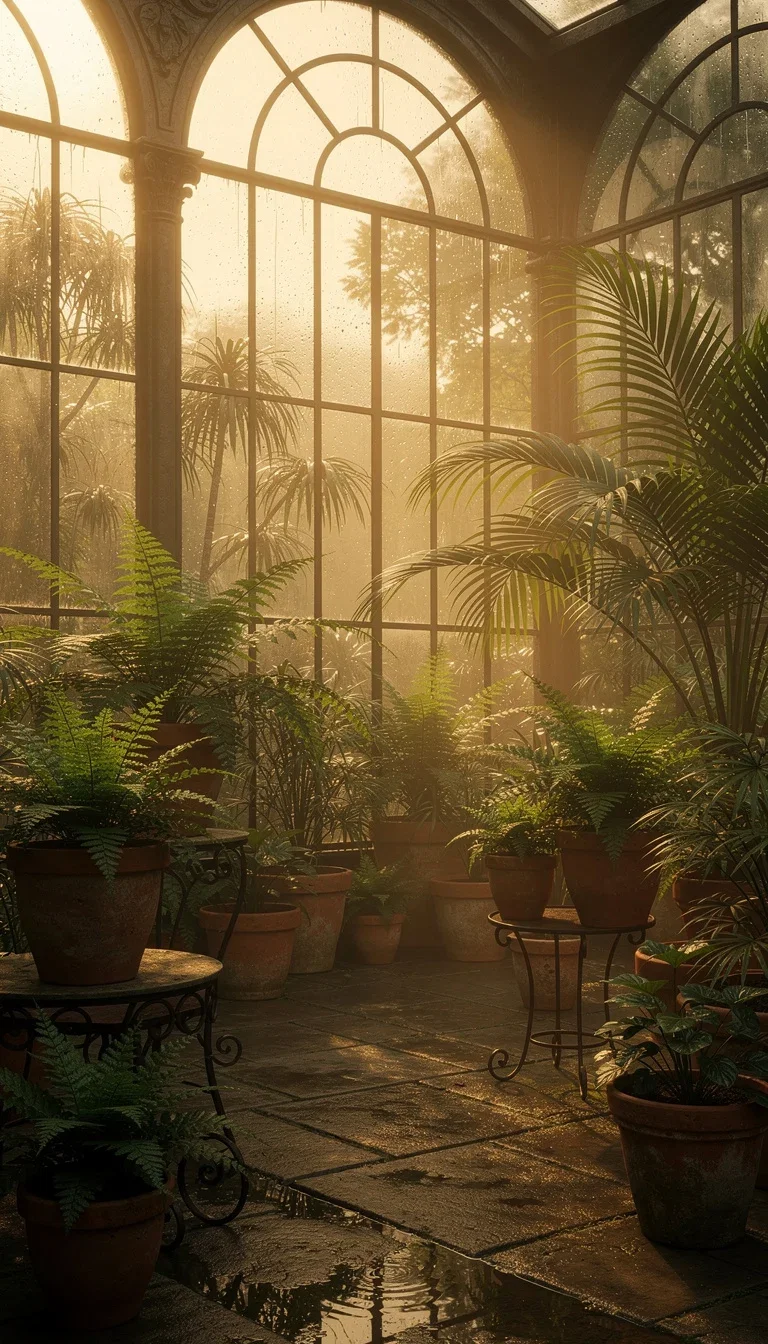
Atmosphere
Fogged glass
How to use FLUX on FluxoKit
Pick the variant
Pro for quality, Flex for type, Klein for speed, Kontext for edits — one picker.
Brief like a photographer
Scene, light, lens language — FLUX rewards exposure thinking.
Edit and compare
Kontext the winner in place, then judge it against Nano Banana Pro and Soul.
FLUX is Black Forest Labs' image family — the engines photographers point at when they want AI light that behaves like light. FluxoKit runs FLUX.2 Pro, Flex, Klein, and the Kontext editors on one canvas next to Nano Banana Pro, Soul, and GPT Image 2, with no BFL account. Every frame on this page is a live FLUX.2 generation.
When people search for flux ai or flux 2, they usually know the reputation and want the engine without the API setup. This page is the engine, running.
Direct Answer
Use FLUX.2 Pro when the frame is dense — markets, workshops, night skies — and the light has to carry it. Use Kontext when the change matters more than the generation: same scene, one instruction, edited in place. Use Flex when a design needs rendered typography, and Klein when speed beats polish. On FluxoKit, run the same brief through FLUX, Nano Banana Pro, and Soul side by side and pick by frame, not by fandom.
Why FLUX Light Reads Physical
Three habits set the family apart. Light falls believably — forge glow, dawn mist, star trails all behave like exposure, not decoration. Density holds: spice pyramids and cluttered workbenches keep their detail instead of melting. And Kontext edits in place: the furnished loft below kept its brick, windows, and afternoon sun.
How to Use FLUX on FluxoKit
- Pick a FLUX.2 model from the picker — Pro for quality, Klein for speed.
- Brief the scene and the light; FLUX rewards photographic language.
- Edit in place with Kontext: your image plus one instruction.
- Compare against Nano Banana Pro and Soul on the same brief.
- Keep the winners and version per placement.
FLUX vs the Field
FLUX owns physical light and dense scenes; Nano Banana Pro owns instruction-faithful polish; Soul owns committed aesthetics; GPT Image 2 owns candid realism. Light-driven and detail-heavy briefs lean FLUX — and the honest way to decide is one brief, four engines, same canvas.
Related workflows
- AI Image Generator — every image engine on one page.
- AI Photo Editor — in-context editing across engines.
- FLUX.2 model reference — variants, specs, and technical notes.
Why run FLUX on FluxoKit
The models are Black Forest Labs'. The workflow — variants, editing, comparison, export — is what FluxoKit adds.
No BFL account
Skip the API key. Pick FLUX on the canvas and the first frame is seconds away.
Physical light
Glow, mist, and rim light that behave like exposure — the photographer's engine.
Kontext edits in place
One instruction changes one thing — the loft pair on this page is the proof.
A variant per job
Pro, Flex, Klein, Kontext — quality, type, speed, and editing from one family.
Compare against the field
Same brief through Nano Banana Pro, Soul, and GPT Image 2 — judged on frames, not marketing.
30-day guarantee
Generate real work for 30 days. Refund requests are governed by the first-subscription guarantee and Refund Policy.
17 models available in the canvas
Every model below is live in the FluxoKit studio. Each link opens its technical page with parameters, limits, and real generation examples.
- 01

GPT Image-1
OpenAI · Image generation
- 02
GPT Image-1.5
OpenAI · Image generation
- 03
GPT Image-2
OpenAI · Image generation
- 04
GPT Image 2.5 Sunburst
OpenAI · Image generation
- 05

Grok Image 2
xAI · Image generation
- 06
Grok Imagine Image
xAI · Image generation
- 07

Higgsfield Soul
Higgsfield AI · Image generation
- 08

Seedream 5.0
ByteDance · Image generation
- 09
Seedream 5.0 Pro
ByteDance · Image generation
- 10

FLUX.2 Klein 9B
Black Forest Labs · Image generation
- 11

Nano Banana Pro (Gemini 3.0)
Google AI · Image generation
- 12
Nano Banana Pro 2 (Gemini 3.1)
Google AI · Image generation
- 13

QWEN Image 2.0 Pro
Alibaba Cloud · Image generation
- 14
Z-Image Turbo
Alibaba Cloud · Image generation
- 15

Image Z-Turbo LoRA
AIML API · Image generation
- 16

Kora Pro
Kora · Image generation
- 17

MiniMax Image-01
MiniMax · Image generation
Frequently asked questions
What is FLUX AI?
FLUX is the image model family from Black Forest Labs — the team behind the original Stable Diffusion research. The current generation is FLUX.2: Pro for flagship quality, Flex for typography and control, Klein for speed, and Kontext for in-context editing. On FluxoKit the family runs inside the same canvas as Nano Banana Pro, Soul, and GPT Image 2.
What is FLUX best at?
Density and light. FLUX.2 Pro renders complex scenes — markets, workshops, nature macro — with coherent detail where other engines smear, and its lighting has a physicality that reads photographic. Flex adds the field's strongest typography when a design needs rendered text.
What is FLUX Kontext?
Kontext is FLUX's in-context editor: give it your image plus an instruction and it changes what you asked while keeping the scene. The loft pair on this page went from empty to furnished on one instruction — same room, same windows, same light.
How do I use FLUX without a BFL account?
Pick a FLUX model from the FluxoKit picker — no Black Forest Labs account or API key. Credits from the one FluxoKit plan cover the family alongside every other image and video engine.
Is FLUX AI free?
FluxoKit does not sell a free trial. The FLUX.2 family runs inside the platform plan from $14/month with monthly credits, backed by a 30-day first-subscription satisfaction guarantee, subject to the Refund Policy: generate real work for a month, and refund requests are governed by the first-subscription guarantee and Refund Policy.
Next step
Access 135 AIs in one canvas, without subscribing to each one.
Monthly credits with no separate subscription per model. New purchases are temporarily unavailable; contact support for billing help.
FLUX ON FLUXOKIT
Run your first FLUX frame
Physical light and in-place editing from the FLUX.2 family — next to the whole field, one canvas, one plan.