
AI Avatar Generator
Profile pictures, stream identities, community characters — any style from 3D film to anime to low-poly, generated in seconds.
The 42 models on this page are already included, with no separate subscription per tool. 14,500+ real generations already delivered on the platform. Updated
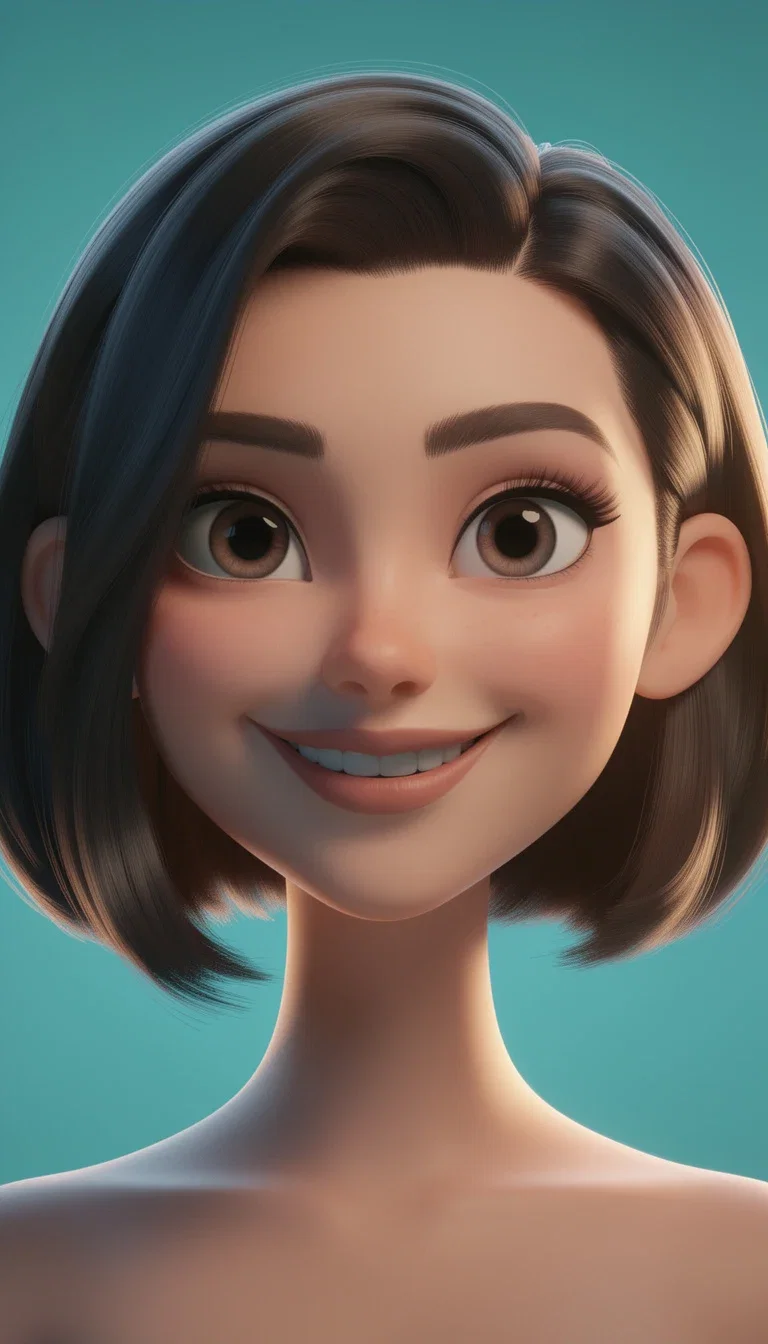
3D animated
Film-style character look
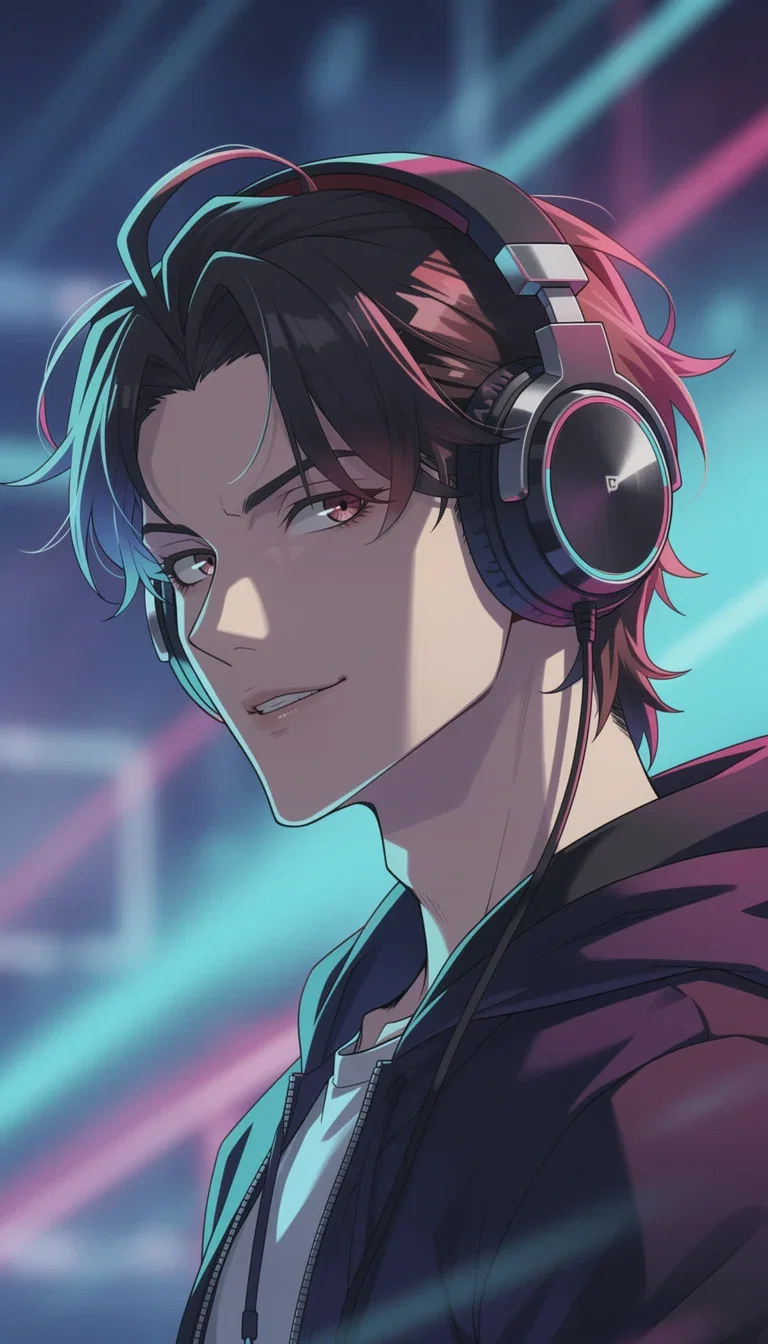
Anime
Cel-shaded portrait
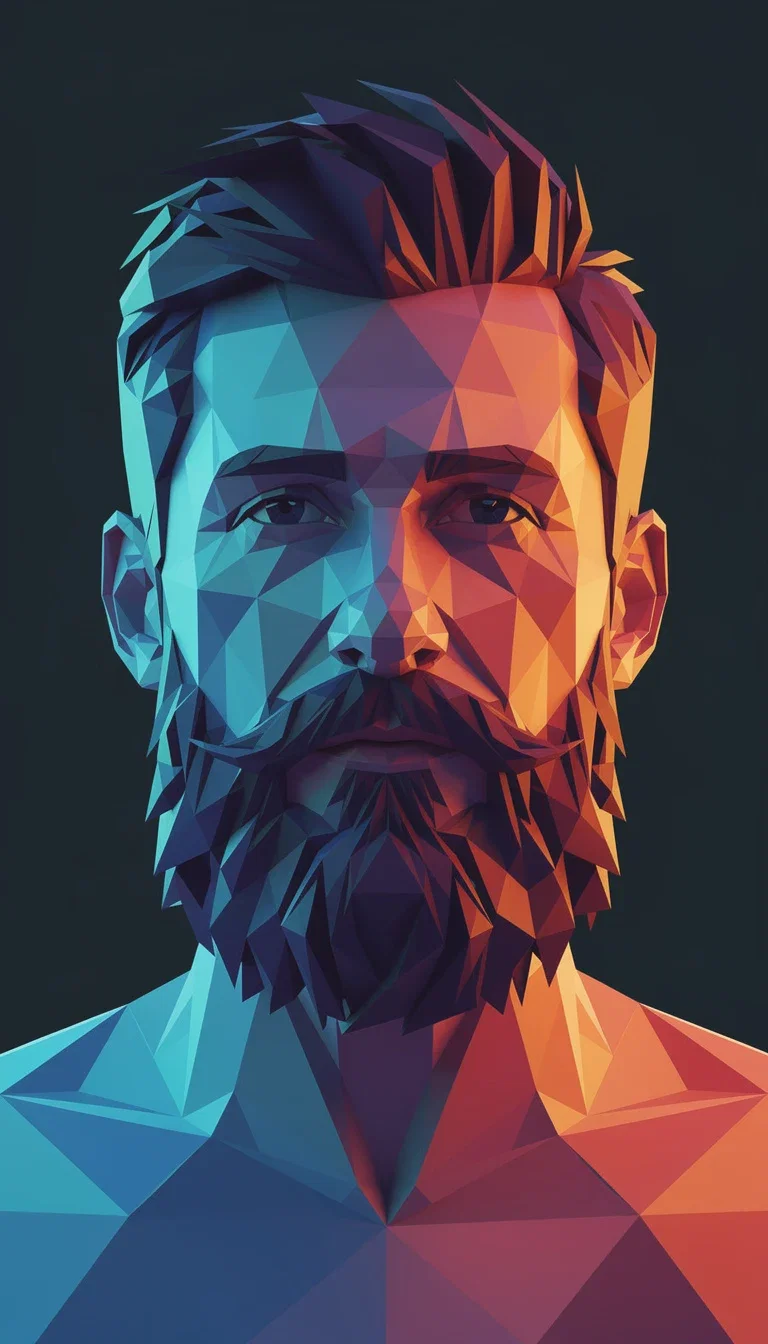
Low-poly
Geometric facet style
Style is the identity
An avatar is a style decision: the 3D-film look reads friendly, anime reads fandom, low-poly reads tech, painterly reads craft.
Each style on this page is one sentence of direction — the engine handles the rendering discipline behind it.
Try five identities before lunch and keep the one that feels like you.
Anime
Cel-shaded portrait
Three ways to your avatar
Powered by FLUX, GPT Image 2, QWEN, Grok, and Nano Banana Pro engines.
Describe the character
Features, vibe, and the style — 3D, anime, painterly, or geometric.
Start from a photo
Your face, restyled into the chosen treatment while staying you.
Iterate the details
Hair, expression, palette, and accessories tuned by follow-up edits.
3D film
Friendly
Anime
Cel shaded
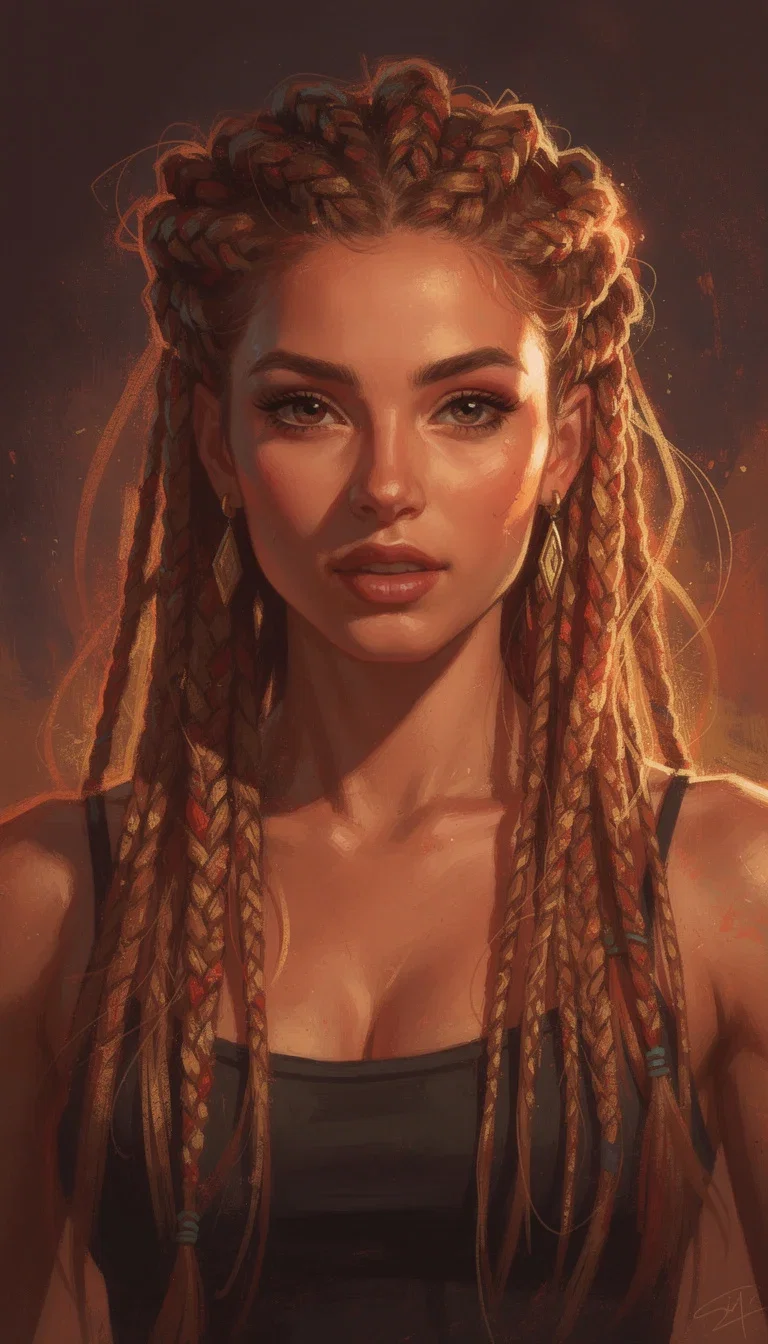
Painterly
Brushwork
Low-poly
Geometric
One face, every platform
The same character can render across styles — a 3D version for Discord, a painterly one for the newsletter, a low-poly mark for the dev blog.
Reference-anchored generation keeps the identity recognizable while the treatment changes.
Square crops for profiles, wide for banners, all from one canvas.
Painterly
Brushstroke portrait
From avatar to brand
Streamers, communities, and indie products grow out of a character.
The avatar becomes emotes, stickers, thumbnails, and a talking video character with the video engines one click away.
One credit pool covers the whole identity system.
3D animated
Film-style character look
FluxoKit by the numbers
127+
AI models in one canvas
4
avatar styles on this page
14,500+
real generations delivered
Real avatars, generated on FluxoKit
Four styles, four sentences of direction — every identity here came off the canvas.
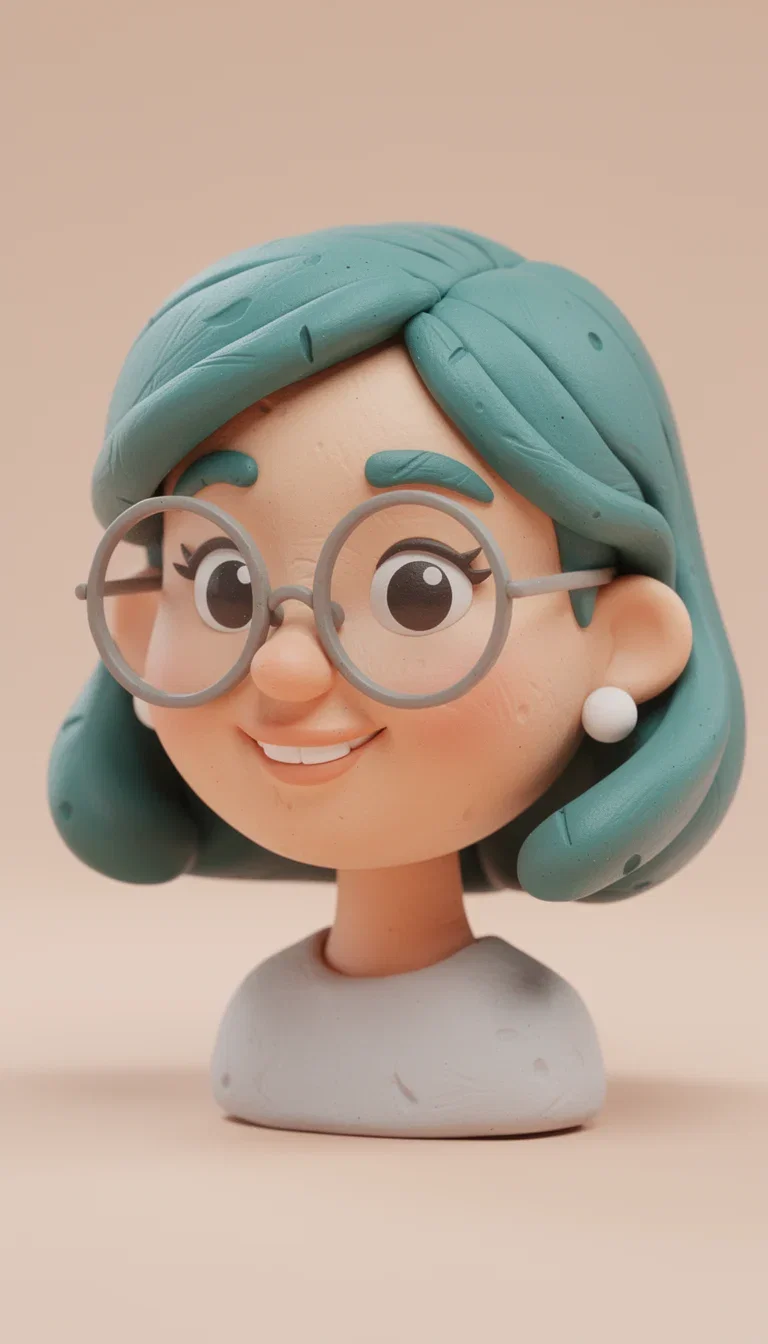
Claymation
Stop-motion style
Warm brushwork
Painterly style
Cel shading
Anime style
How to generate an avatar with AI
Pick the style
3D film, anime, painterly, low-poly, or anything you can name — the style carries the identity.
Describe or upload
Build the character from words, or restyle your own photo into the treatment.
Crop and deploy
Square for profiles, wide for banners — and the same character into emotes or video later.
An AI avatar generator that earns its place online has to do more than print a pretty face. For LinkedIn, podcasts, Discord, Twitch, YouTube, ads, or personal branding, the avatar has to communicate category, tone, trust, and visual consistency. FluxoKit puts the portrait engines and the illustration engines on the same canvas, so you choose by job and keep the same identity across channels.
Direct Answer
Decide whether you need a photorealistic, illustrated, creator-style, mascot, talking, or photo-derived avatar. Pick the engine for that job, generate a batch of variations, then refine the winner while locking seed, style, and aspect ratio where supported. FluxoKit runs Higgsfield Soul, Flux 2 Pro, Seedream, Nano Banana, and Flux Kontext together so you compare options without switching tools.
Choose by job:
- Higgsfield Soul for photorealistic professional portraits and talking heads.
- Flux 2 Pro for stylized illustrations: Disney cartoon, anime, pixel art, brand mascots.
- Seedream 5 for creator-style avatars with organic social aesthetics.
- Flux Kontext Edit or Nano Banana Pro 2 Edit when a real photo is the starting point.
Why Use an AI Avatar in 2026
Three practical reasons. Privacy: you build a digital identity without exposing a real photo, useful for anonymous streaming, discreet professional profiles, and stylized personal branding. Cost: a professional photo session or a custom illustrator commission runs far higher than cents per generation. Variation: you can explore 20 to 100 versions before committing to the avatar that represents you.
Human artistry still wins for signature illustration or premium editorial work. For LinkedIn, podcast covers, streaming, and personal branding, an AI avatar produced well delivers an equivalent result.
Avatar Types AI Solves
Choose by use case, not by model name.
- Photorealistic professional: LinkedIn portrait, coach photo, podcast cover, channel talking head. Higgsfield Soul leads.
- Illustrated cartoon: Disney, Pixar, anime, manga, pixel art. Flux 2 Pro leads on style control.
- Creator informal: organic TikTok or Reels aesthetic shot from a phone. Seedream 5 leads.
- Stylized from a real photo: your photo becomes a cartoon or illustrated version with recognizable traits. Flux Kontext Edit or Nano Banana Pro 2 Edit.
- Non-human brand mascot: a character that carries the brand without a real person. Flux 2 Pro.
- Streaming Twitch or Discord: emote, badge, animated avatar for OBS. Flux 2 Pro plus light animation through Seedance I2V.
How to Build the Avatar on the Canvas
- Pick the type: photorealistic, illustrated, creator, mascot, or photo-derived.
- Pick a style reference: name a brand or illustrator that anchors the look. Pixar, Studio Ghibli, Pascal Campion, editorial Vogue.
- Open the canvas at /workflow and select the engine for that type.
- Describe the avatar with subject, age, traits, expression, style, and palette. Example: "Woman around 32, wavy brown hair, discreet glasses, confident natural smile, chest-up framing, editorial illustration in the spirit of Pascal Campion, warm palette."
- Generate a batch of 20 variations with alternative pose, expression, background, and palette, then filter the top five and refine with Flux Kontext.
Use Cases
- Coaches and mentors: consistent avatar for site, LinkedIn, podcast, Meta ads, and YouTube banner.
- Streamers and YouTubers: channel avatar, emotes, panels, Discord cover with a unified visual identity.
- Course creators: same avatar across the LinkedIn page, the course, the email, and every sales asset.
- Privacy-sensitive professionals: psychologists, lawyers, finance advisors who want LinkedIn presence without exposing a real photo.
- Freelance designers and copywriters: a polished visual identity without a paid photo session.
- Podcast and channel mascots: a recognizable alter-ego that anchors episode covers.
Keeping Avatars Consistent
Consistency comes from repeating visual decisions, not from asking for "the same avatar" in vague terms.
- Note the seed that produced the winning generation and reuse it.
- Stay on one engine for a series. Flux 2 Pro with seed X gives a different look from Nano Banana with the same seed.
- Use a brand kit in the prompt: exact hex palette, a fixed reference, and a consistent emotional tone.
- For pose variations, generate the master, then use Flux Kontext Edit with the source photo and a new pose prompt that explicitly preserves identity.
- For animated avatars in video, use Seedance 2.0 Reference, which preserves the character across clips.
Where FluxoKit Beats Standalone Tools
Most avatar apps lock you into one aesthetic and one workflow. FluxoKit lets you test photorealism, illustration, editing, and animation in the same project. The same avatar moves into a Reel, a talking-head video, an ad, or a marketing campaign without rebuilding the brief.
Related Next Steps
How to Choose
- Decide photorealistic, illustrated, creator, mascot, or photo-derived before choosing a model.
- Lock seed, prompt, palette, and aspect ratio to preserve consistency.
- Move the reader to image, video, talking head, or marketing surfaces when the next intent really changes.
Why creators make avatars on FluxoKit
One canvas replaces the commission queue and the style-app subscriptions.
Every style
3D, anime, painterly, geometric — one canvas renders them all.
Identity held
Reference-anchored generation keeps the character recognizable across treatments.
Iterate freely
Hair, palette, and expression changes are edits, not new commissions.
Grows with the brand
The avatar becomes emotes, thumbnails, and a video character on the same canvas.
One plan, monthly credits
Five identity explorations cost credits, not five commission fees.
First-subscription guarantee
Build a real identity for a month. Refund requests are governed by the first-subscription guarantee and Refund Policy.
42 models available in the canvas
Every model below is live in the FluxoKit studio. Each link opens its technical page with parameters, limits, and real generation examples.
- 01

GPT Image-1
OpenAI · Image generation
- 02
GPT Image-1.5
OpenAI · Image generation
- 03
GPT Image-2
OpenAI · Image generation
- 04
GPT Image 2.5 Sunburst
OpenAI · Image generation
- 05

Grok Image 2
xAI · Image generation
- 06
Grok Imagine Image
xAI · Image generation
- 07

Higgsfield Soul
Higgsfield AI · Image generation
- 08

Seedream 5.0
ByteDance · Image generation
- 09
Seedream 5.0 Pro
ByteDance · Image generation
- 10

FLUX.2 Klein 9B
Black Forest Labs · Image generation
- 11

Nano Banana Pro (Gemini 3.0)
Google AI · Image generation
- 12
Nano Banana Pro 2 (Gemini 3.1)
Google AI · Image generation
- 13

QWEN Image 2.0 Pro
Alibaba Cloud · Image generation
- 14
Z-Image Turbo
Alibaba Cloud · Image generation
- 15
Image Z-Turbo LoRA
AIML API · Image generation
- 16
Kora Pro
Kora · Image generation
- 17
Flux 2 Pro
Black Forest Labs · Image editing
- 18
Flux 2 Flex
Black Forest Labs · Image editing
- 19
Flux Kontext
Black Forest Labs · Image editing
- 20
Seedream 5.0 Edit
ByteDance · Image editing
- 21
Seedream 5.0 Pro Edit
ByteDance · Image editing
- 22
Seedream 5.0 Pro Reference
ByteDance · Image editing
- 23
GPT Image-1 Edit
OpenAI · Image editing
- 24
GPT Image-1.5 Edit
OpenAI · Image editing
- 25
GPT Image-2 Edit
OpenAI · Image editing
- 26
GPT Image 2.5 Sunburst Edit
OpenAI · Image editing
- 27
Grok Image 2 Edit
xAI · Image editing
- 28
Grok Image Edit
xAI · Image editing
- 29
QWEN Image Editor Plus
Alibaba Cloud · Image editing
- 30
QWEN Image Editor Max (New)
Alibaba Cloud · Image editing
- 31
QWEN Image Editor 2.0 Pro
Alibaba Cloud · Image editing
- 32
Nano Banana Pro Edit (Gemini 3.0)
Google AI · Image editing
- 33
Nano Banana Pro 2 Edit (Gemini 3.1)
Google AI · Image editing
- 34
Recraft Crisp Upscale
fal.ai · Image editing
- 35

Topaz Image Upscale
Topaz Labs · Image editing
- 36

MiniMax Image-01 Edit
MiniMax · Image editing
- 37
Flux 2 Pro Edit
Black Forest Labs · Image editing
- 38
Flux 2 Flex Edit
Black Forest Labs · Image editing
- 39
Flux 2 Klein 9B LoRA Edit
Black Forest Labs · Image editing
- 40
HY-WU Edit
HY-WU · Image editing
- 41
Flux Kontext Edit
Black Forest Labs · Image editing
- 42
MiniMax Image-01
MiniMax · Image generation
Frequently asked questions
What is the best AI avatar generator in 2026?
Higgsfield Soul leads for photorealistic avatars: LinkedIn portraits, coach photos, podcast covers, and talking heads. Flux 2 Pro leads for illustrated avatars in cartoon, anime, or pixel art styles. Seedream 5 leads for creator-style avatars with organic TikTok aesthetics. Nano Banana Pro 2 delivers hybrid avatars built from a base photo.
Can I create a consistent avatar to use across channels?
Yes. Generate the master avatar with Higgsfield Soul or Flux 2 Pro and note the seed that worked. Use the same seed and a similar prompt to generate variations with different poses, expressions, and backgrounds. For animated continuity across video clips, use Seedance Reference.
How much does a professional avatar cost in FluxoKit?
You pay cents per generation inside one plan, with a 30-day satisfaction guarantee on your first paid subscription, subject to the Refund Policy. A batch of 20 exploratory variations stays affordable next to professional photography or a custom illustrator commission.
Can I use an AI-generated avatar professionally?
Yes. Use it for LinkedIn, a professional site, a podcast cover, a Twitch panel, a YouTube channel art, or a sales page. Confirm each engine's commercial terms for sensitive enterprise use. For serious personal branding, generate a batch and pick the avatar that best represents your identity.
Can I get an avatar inspired by me but stylized?
Yes. Use a real photo as the reference through Flux Kontext Edit or Nano Banana Pro 2 Edit. Describe the target style and explicitly state which facial traits must remain recognizable.
Next step
Access 127 AIs in one canvas, without subscribing to each one.
One plan, monthly credits, every avatar style you can name. Make yours today.
Ready when you are
Generate your first avatar in seconds
Any style you can name, one canvas, one plan — backed by a 30-day first-subscription satisfaction guarantee, subject to the Refund Policy.