
Instagram Post Generator
Feed-ready squares — lifestyle flat-lays, quote cards, and food overheads with the light and styling the grid rewards.
The 50 models on this page are already included, with no separate subscription per tool. 14,500+ real generations already delivered on the platform. Updated

Lifestyle flat-lay
Calm morning aesthetic
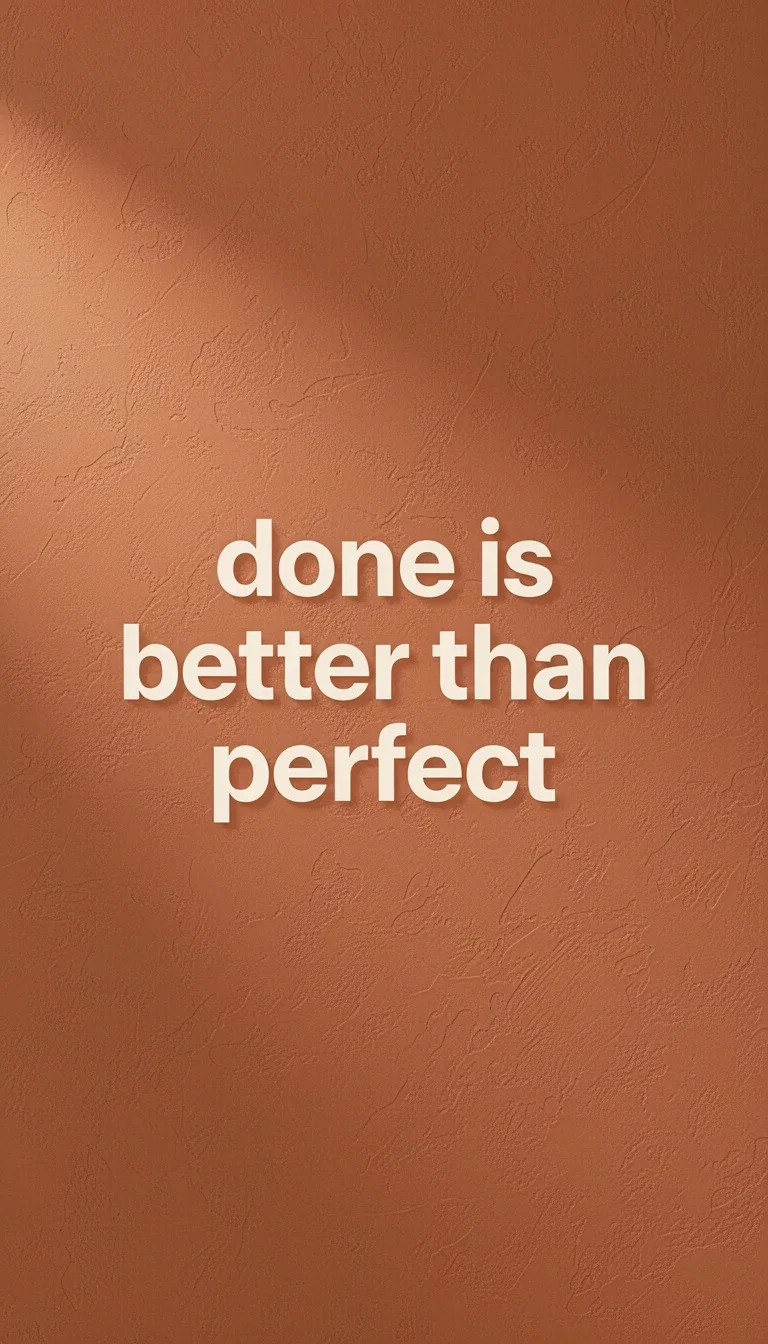
Quote card
Terracotta serif quote
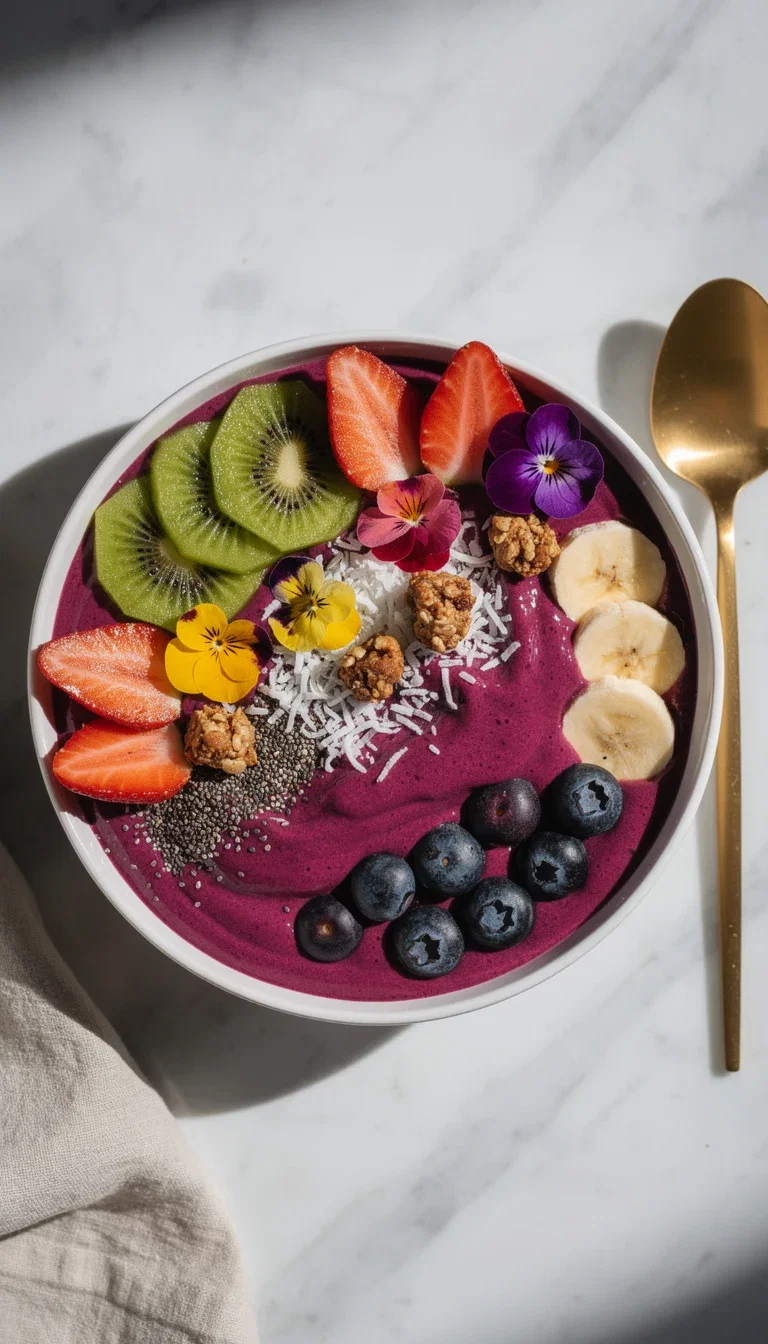
Food overhead
Vibrant smoothie bowl
The grid is an aesthetic contract
A feed converts followers when every post honors the same light, palette, and mood.
Generated posts keep the contract: the flat-lay, the quote, and the food shot here could share a grid.
Describe the aesthetic once and post inside it.
Lifestyle flat-lay
Calm morning aesthetic
Three post types, one aesthetic
Powered by photoreal and typography engines on one canvas.
The aesthetic
Light, palette, and mood — the grid's contract.
The post type
Flat-lay, quote, product, or food — per calendar slot.
The words
Quote and caption copy from chat models on the same canvas.
Flat-lay
Lifestyle
Quote
Text post
Food
Overhead
Quote cards that match the voice
Text posts are the highest-saving format — when the typography feels intentional.
The engines set serif warmth or bold sans on brand-true backgrounds, legible at feed size.
Swap the words weekly; the design system holds.
Quote card
Terracotta serif quote
Appetite and atmosphere on demand
Food and lifestyle niches run on styled photography that takes hours to art-direct physically.
The smoothie bowl on this page was styled in a sentence — colors, props, marble, light.
A week of posts is a prompt session.
Food overhead
Vibrant smoothie bowl
FluxoKit by the numbers
127+
AI models in one canvas
1:1
feed-native square output
14,500+
real generations delivered
Real posts, generated on FluxoKit
Three grid-ready squares that share one describable aesthetic.
Appetite post
Food overhead

Space post
Plant shelfie

Graphic post
Architecture
How to generate Instagram posts with AI
Define the grid
The palette, light, and mood every post will honor.
Fill the slots
Flat-lays, quotes, and product posts per calendar day.
Caption on the canvas
Chat models draft the caption beside the image.
An Instagram post generator only helps when the output ships. A post that performs needs intent, visual, caption, CTA, and the right format. FluxoKit organizes that on one canvas: copy, image, editing, and variations in the same place.
Direct Answer
To generate an Instagram post with AI:
- Choose the goal: reach, click, sale, social proof, or education.
- Define the format: feed, carousel, Reels, Stories, or ad.
- Generate a caption with hook and CTA.
- Generate the main image with brand context.
- Adjust contrast, background, and aspect ratio.
- Create variations of hook, art, and CTA.
The post gets better when the AI receives the strategy before the aesthetic.
A Brief That Avoids Generic Posts
Include these fields in the prompt:
- post theme;
- audience;
- pain or desire;
- offer or message;
- brand tone;
- final format;
- visual reference;
- desired CTA;
- on-image text constraints.
Example: "4:5 Instagram post for a skincare ecommerce brand. Audience: women 25 to 40. Promise: a simple routine for dry skin. Clean visual, product hero, light background, short headline, CTA to view the kit."
Art, Caption, and CTA in the Same Flow
Most generators ship an image and leave the caption for later, which creates a mismatch where the image promises one thing and the caption says another.
In FluxoKit the sequence is:
- Copy Agent drafts the hook and CTA.
- Image model creates the visual direction.
- Editing adjusts color, background, and crop.
- Copy Agent adapts the caption for organic or paid.
- Variations keep the same concept.
That flow also helps search and AI Search because it describes a real process, not a vague "automatic post" promise.
When to Use Post, Carousel, or Reels
Use a single post when the message is simple: an offer, an announcement, an impact line, or a product. Use a carousel when you need to educate, compare, or show steps. Use Reels when motion and retention beat reading.
For paid traffic, connect the post to the AI reels generator or to broader AI marketing tools: the same idea can become a static, a short video, and a UGC creative.
Quality Checklist
- Does the post make sense without the caption?
- Does the caption complement the visual instead of repeating it?
- Does the CTA ask for one concrete action?
- Does the text fit comfortably on mobile?
- Does the palette look like the same brand?
- Are there enough variations for a real test?
If the post feels generic, the brief is the usual problem. Add offer, audience, channel, and goal.
Use Cases
- Ecommerce product launches: hero, lifestyle, and detail variations from one brief.
- Coaches and creators: weekly content batch with consistent visual identity.
- Agencies: multi-client production with the same brand kit and tone.
- Course launches: warm-up posts, teaser carousels, and offer covers.
- Local brands: promotional posts that adapt to a regional audience.
Where FluxoKit Beats Standalone Tools
A standalone image tool gets you the visual but leaves caption, CTA, and variations to other apps. FluxoKit keeps everything in the same canvas, so the same idea ships as feed, Reels, ad creative, and follow-up posts without rebuilding the brief.
Related Next Steps
How to Choose
- Start from goal, audience, format, and CTA, not from a template.
- Use FluxoKit when one idea has to ship as post, carousel, Reels, and ad.
- Pick a simple tool when the post is a one-off institutional message with no variations.
Why creators make posts on FluxoKit
One canvas replaces the props, the studio corner, and the template app.
Grid-coherent output
Every post honors the described aesthetic.
Styled without props
Flat-lays and food shots art-directed in words.
Typography that fits
Quote cards with intentional, legible type.
Captions included
Words and image from the same canvas.
One plan, monthly credits
The whole grid shares one pool.
First-subscription guarantee
Fill a real feed for a month with refund requests governed by the first-subscription guarantee and Refund Policy.
50 models available in the canvas
Every model below is live in the FluxoKit studio. Each link opens its technical page with parameters, limits, and real generation examples.
- 01

GPT Image-1
OpenAI · Image generation
- 02
GPT Image-1.5
OpenAI · Image generation
- 03
GPT Image-2
OpenAI · Image generation
- 04
GPT Image 2.5 Sunburst
OpenAI · Image generation
- 05

Grok Image 2
xAI · Image generation
- 06
Grok Imagine Image
xAI · Image generation
- 07

Higgsfield Soul
Higgsfield AI · Image generation
- 08

Seedream 5.0
ByteDance · Image generation
- 09
Seedream 5.0 Pro
ByteDance · Image generation
- 10

FLUX.2 Klein 9B
Black Forest Labs · Image generation
- 11

Nano Banana Pro (Gemini 3.0)
Google AI · Image generation
- 12
Nano Banana Pro 2 (Gemini 3.1)
Google AI · Image generation
- 13

QWEN Image 2.0 Pro
Alibaba Cloud · Image generation
- 14
Z-Image Turbo
Alibaba Cloud · Image generation
- 15

Image Z-Turbo LoRA
AIML API · Image generation
- 16

Kora Pro
Kora · Image generation
- 17
Flux 2 Pro
Black Forest Labs · Image editing
- 18
Flux 2 Flex
Black Forest Labs · Image editing
- 19
Flux Kontext
Black Forest Labs · Image editing
- 20
Seedream 5.0 Edit
ByteDance · Image editing
- 21
Seedream 5.0 Pro Edit
ByteDance · Image editing
- 22
Seedream 5.0 Pro Reference
ByteDance · Image editing
- 23
GPT Image-1 Edit
OpenAI · Image editing
- 24
GPT Image-1.5 Edit
OpenAI · Image editing
- 25
GPT Image-2 Edit
OpenAI · Image editing
- 26
GPT Image 2.5 Sunburst Edit
OpenAI · Image editing
- 27
Grok Image 2 Edit
xAI · Image editing
- 28
Grok Image Edit
xAI · Image editing
- 29
QWEN Image Editor Plus
Alibaba Cloud · Image editing
- 30
QWEN Image Editor Max (New)
Alibaba Cloud · Image editing
- 31
QWEN Image Editor 2.0 Pro
Alibaba Cloud · Image editing
- 32
Nano Banana Pro Edit (Gemini 3.0)
Google AI · Image editing
- 33
Nano Banana Pro 2 Edit (Gemini 3.1)
Google AI · Image editing
- 34

Recraft Crisp Upscale
fal.ai · Image editing
- 35

Topaz Image Upscale
Topaz Labs · Image editing
- 36

MiniMax Image-01 Edit
MiniMax · Image editing
- 37
Flux 2 Pro Edit
Black Forest Labs · Image editing
- 38
Flux 2 Flex Edit
Black Forest Labs · Image editing
- 39
Flux 2 Klein 9B LoRA Edit
Black Forest Labs · Image editing
- 40
HY-WU Edit
HY-WU · Image editing
- 41
Flux Kontext Edit
Black Forest Labs · Image editing
- 42
MiniMax Image-01
MiniMax · Image generation
- 43
Grok 4.6
xAI · Text and copy
- 44
GPT-5.2
OpenAI · Text and copy
- 45

Claude Sonnet 4.5
Anthropic · Text and copy
- 46
Claude Opus 4.5 (2025-11-01)
Anthropic · Text and copy
- 47
Claude Opus 4.6
Anthropic · Text and copy
- 48

DeepSeek V3.2
DeepSeek · Text and copy
- 49
Gemini 3.1 Pro
Google AI · Text and copy
- 50
Gemini 3.8 Flash
Google AI · Text and copy
Frequently asked questions
How do I create an Instagram post with AI?
Define the goal, audience, and format. In FluxoKit, use the Copy Agent for the hook and CTA, generate the art with an image model, adjust background and color with editing, then export variations for feed, Reels, or paid ads.
Does the AI write the caption and image together?
Yes. In FluxoKit, the same canvas holds both. The copy directs the image and the image directs the caption, so you avoid a pretty post with a vague message.
Can I create posts in bulk?
Yes. Build a matrix of themes, offers, formats, and CTAs, then generate variations on the canvas and review before publishing.
Which format should I use for Instagram?
Use 1:1 or 4:5 for feed, 9:16 for Reels and Stories, and a cover-plus-development-plus-CTA structure for carousels.
How do I keep brand identity consistent?
Use brand references, palette, background style, and text rules in the prompt. Ask for variations within the same direction instead of switching aesthetics every generation.
Next step
Access 127 AIs in one canvas, without subscribing to each one.
One plan, monthly credits, a coherent grid post by post. Start today.
Ready when you are
Generate your first post in seconds
A coherent grid, post by post — one canvas, one plan, backed by a 30-day first-subscription satisfaction guarantee, subject to the Refund Policy.