
AI Clothes Changer
Swap the outfit, keep the person — instruction-following edits where face, pose, and background never move.
The 25 models on this page are already included, with no separate subscription per tool. 14,500+ real generations already delivered on the platform. Updated
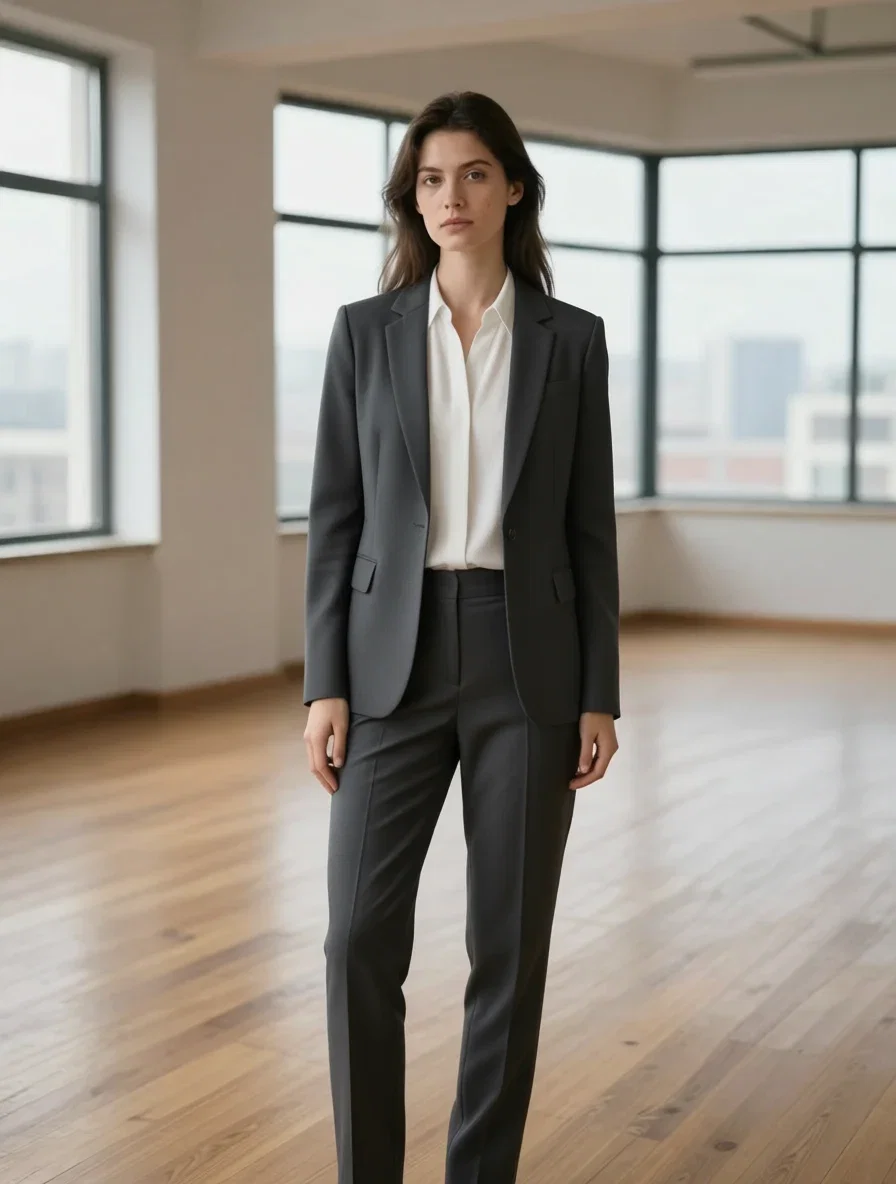
The blazer edit
Same photo, new outfit
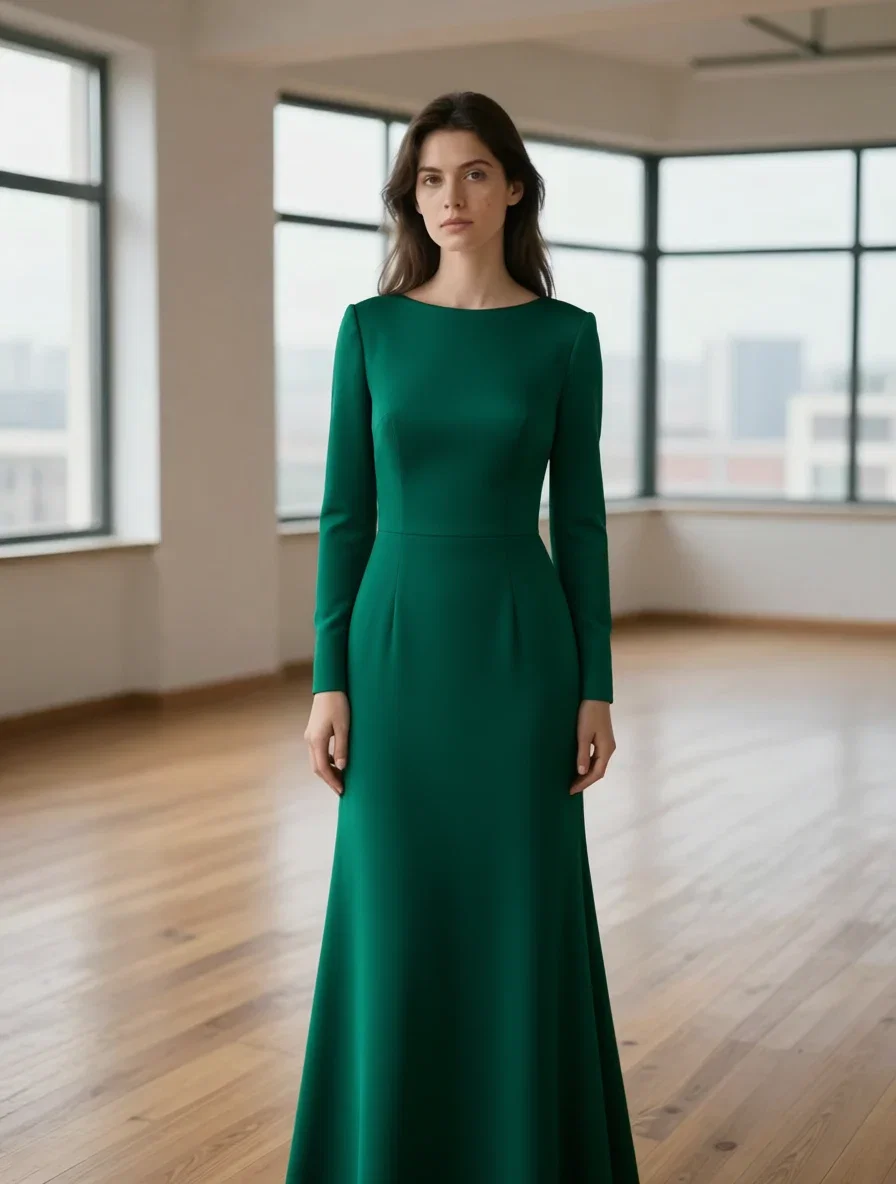
The gown edit
Same photo again
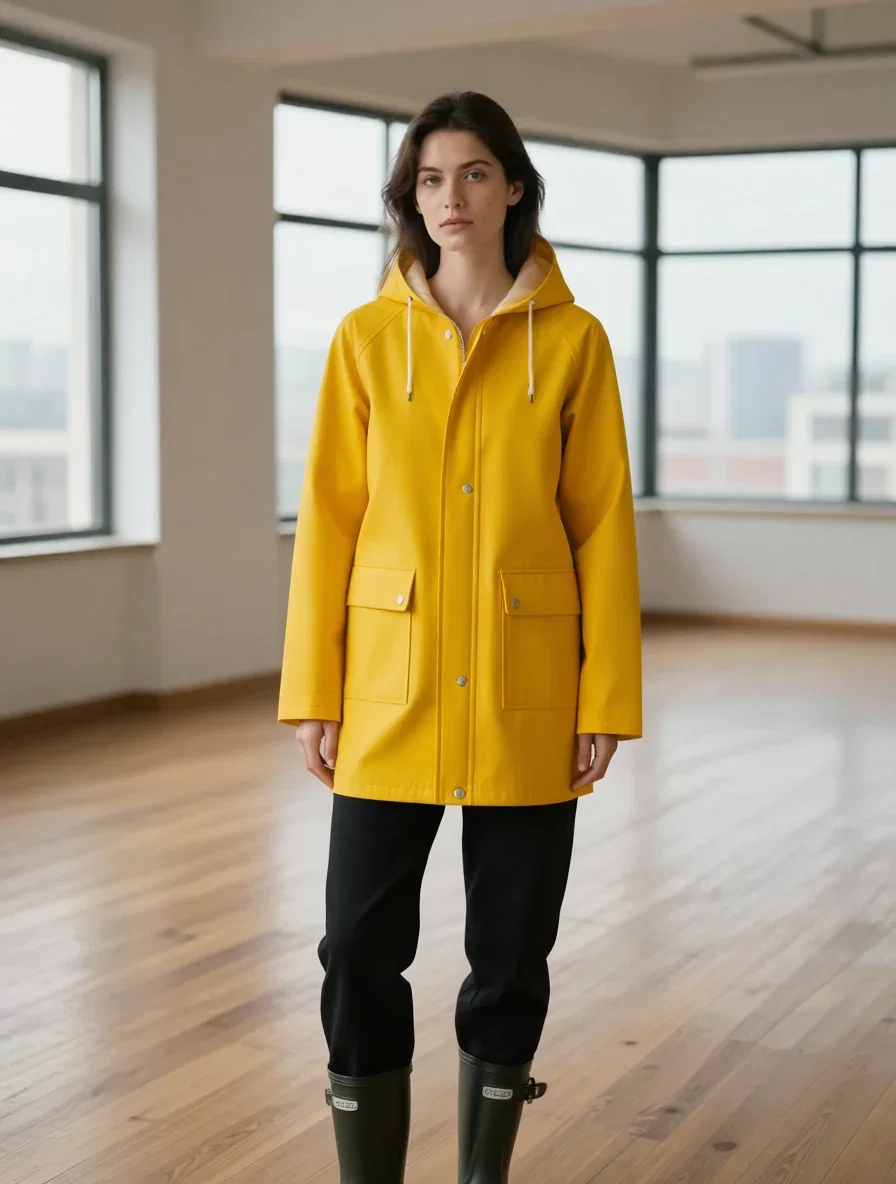
The raincoat edit
Weather-ready
T-shirt in. Blazer out.
Left: the base photo — white t-shirt, jeans, bright loft. Right: one sentence later — “a tailored charcoal business blazer over a white blouse with matching trousers.”
Same face, same hair, same stance, same window light. Only the clothes moved.
The edit ran on this platform's own instruction-following edit engine, no masks drawn.
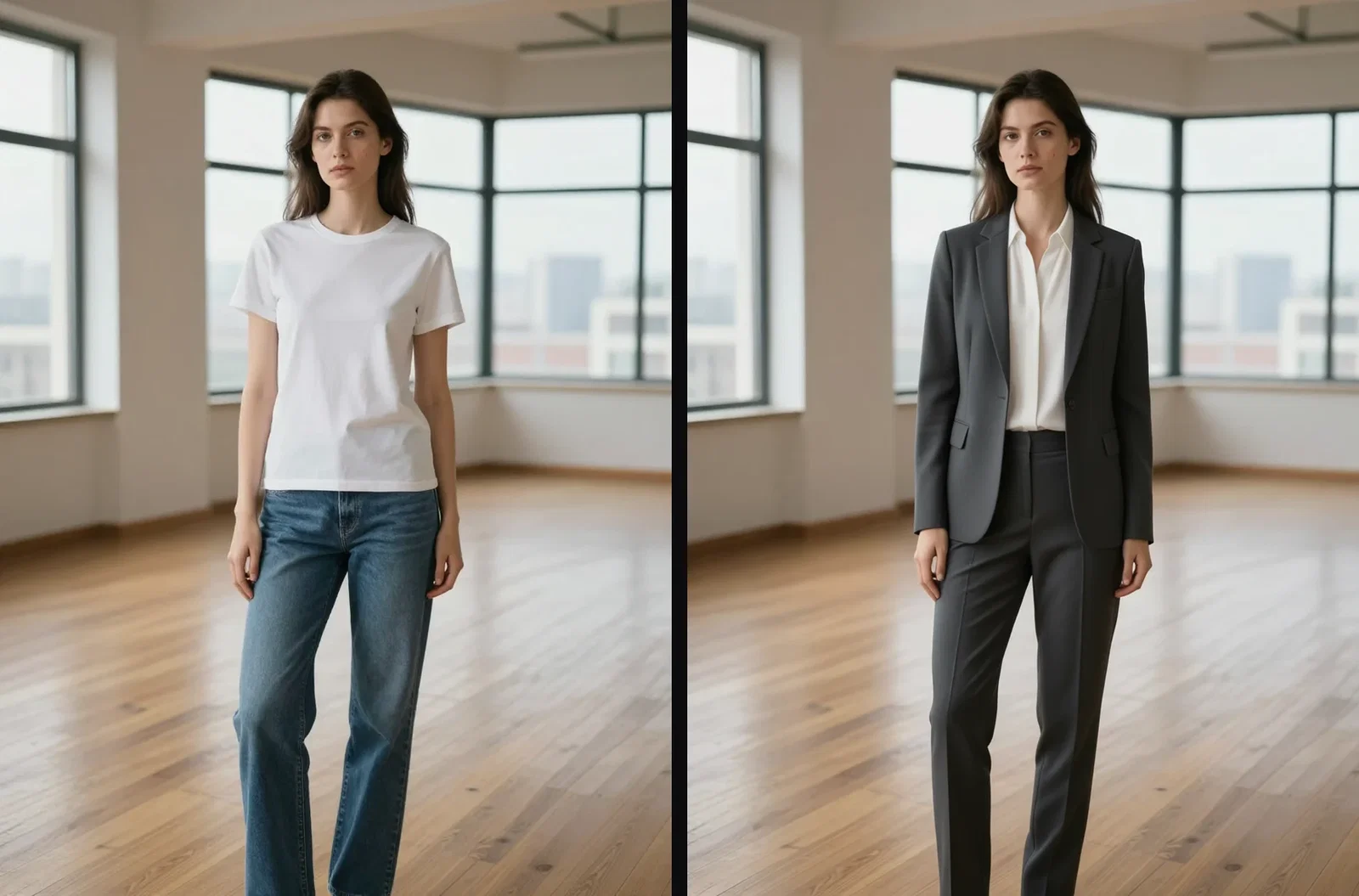
Before and after
T-shirt to blazer
Three ways to restyle a photo
Powered by instruction-following edit engines on the FluxoKit canvas — describe the change, keep the person.
Swap the outfit
One sentence redresses the subject; identity and scene stay locked.
Run variants
The same base photo takes any number of looks — a lookbook from one frame.
Compare engines
Give the same instruction to Qwen, Kontext, or GPT edit and pick the best hold.
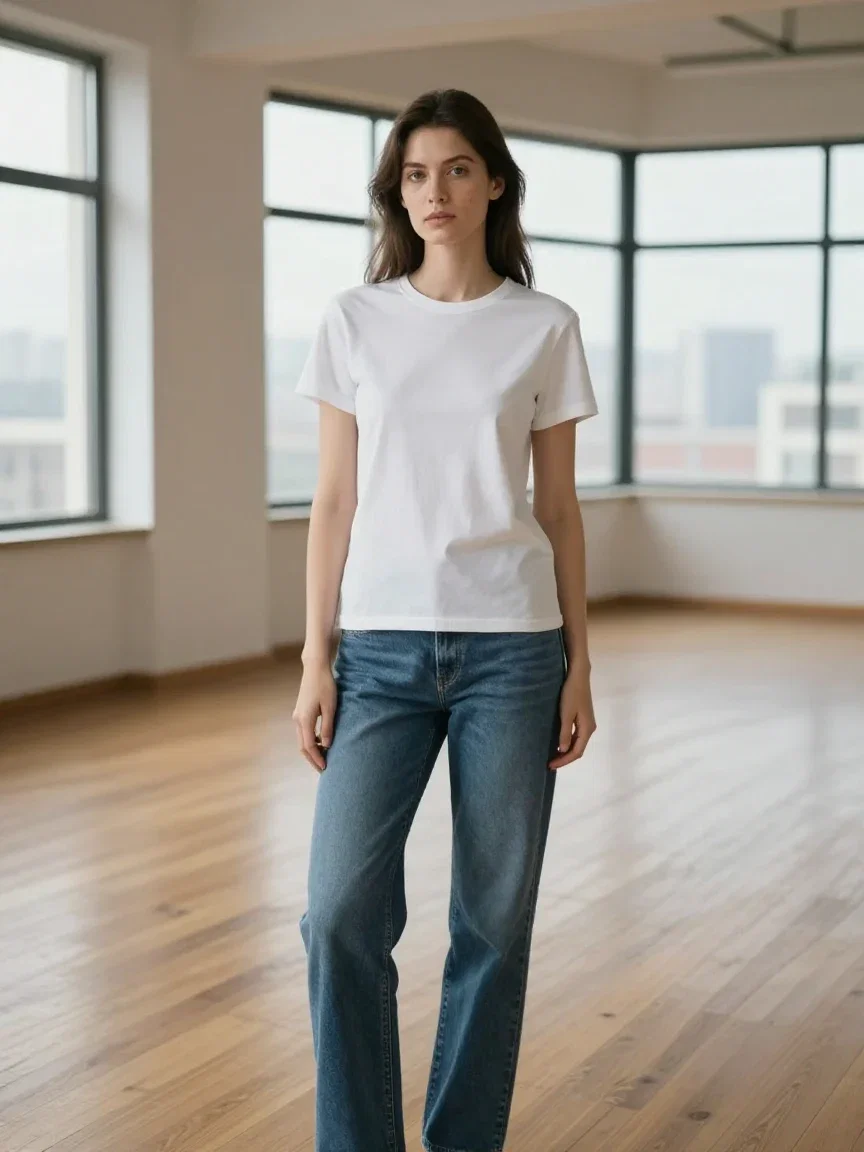
The base photo
Where it started
Fitting rooms
The old way
Try before buying
Browse in place
Capsule wardrobe
Plan the looks
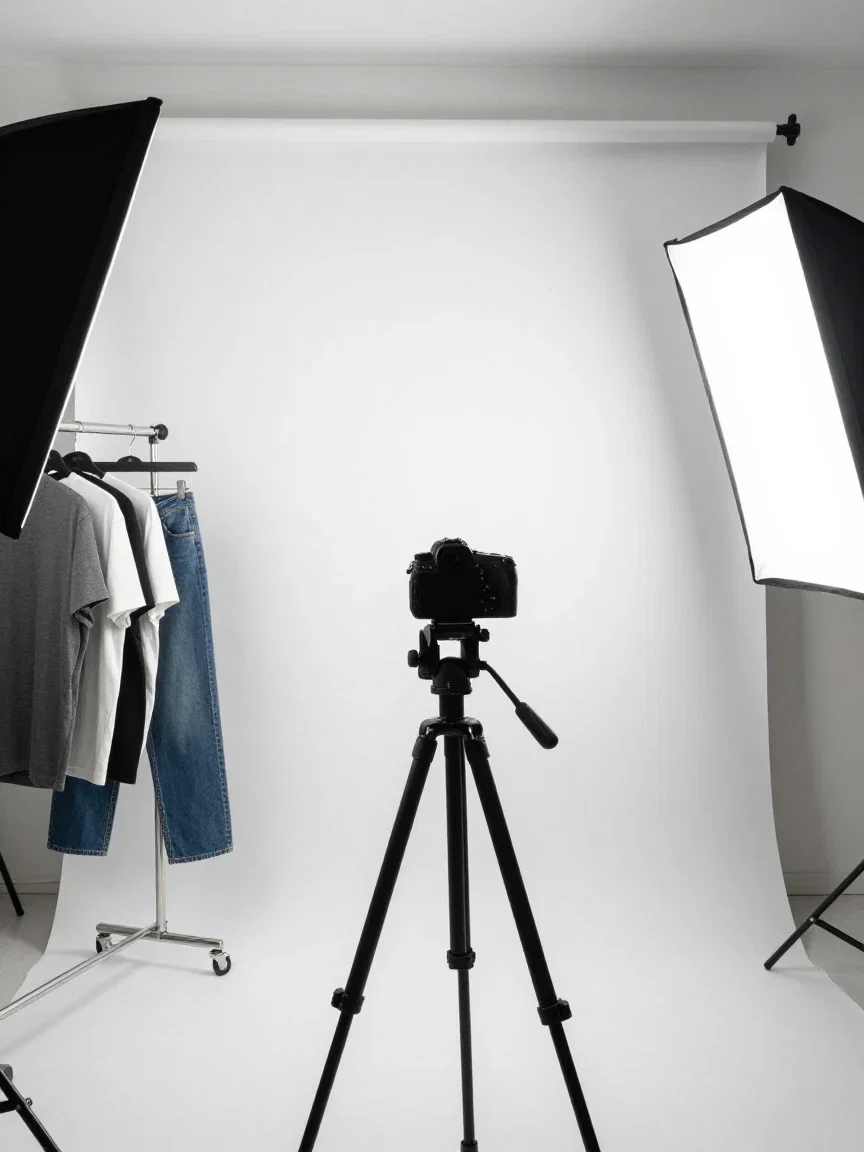
E-commerce
Where variants ship
One photo becomes a lookbook
The same base photo took four different outfit instructions: business blazer, rust knit turtleneck, yellow raincoat, emerald evening gown.
She is recognizably the same person in every frame — that identity hold is the entire craft of a clothes change.
Four outfits from one shoot, minutes apart.
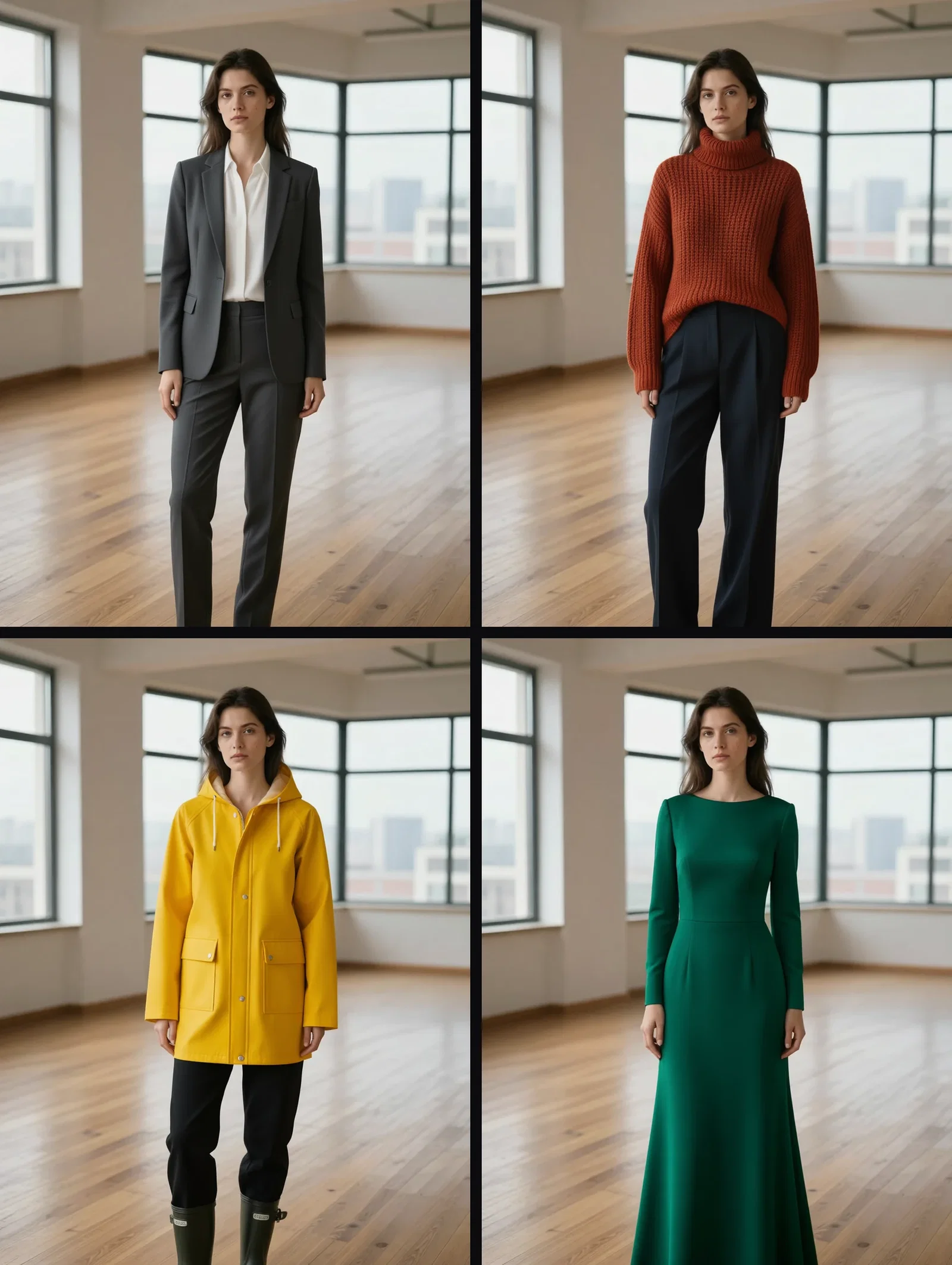
One photo, four outfits
Blazer · knit · raincoat · gown
Three engines, one instruction
The identical blazer instruction went to three edit engines on the canvas: Qwen Image Edit Max, FLUX Kontext, and GPT Image 2 edit.
Each holds the subject its own way — a built-in second opinion for difficult garments.
Switching engines is one node, not a new tool.
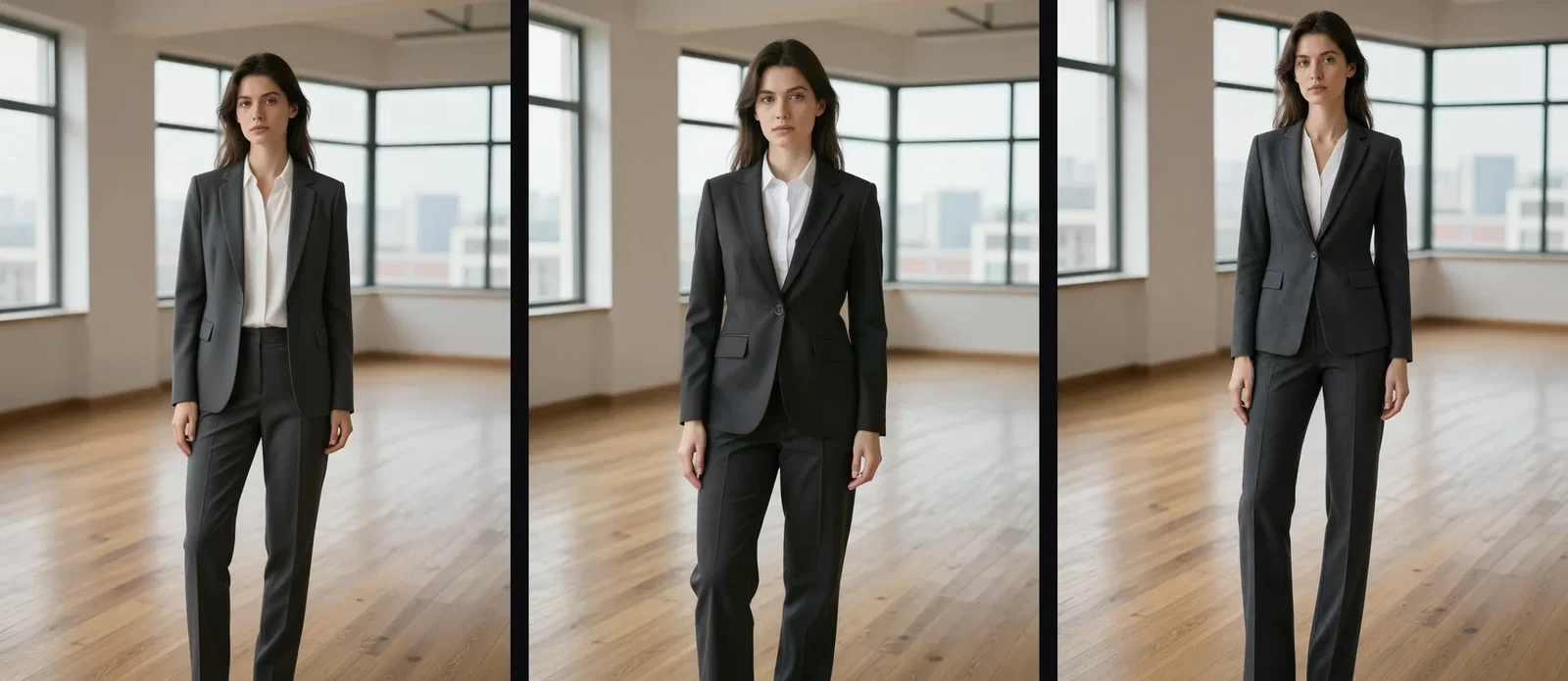
Same instruction, three engines
Qwen · Kontext · GPT
One canvas, every engine
4
outfits from one photo on this page
135+
AI models in one canvas
14,500+
real generations delivered
The garments, up close
Crops from the edited results — fabric the base photo never contained.
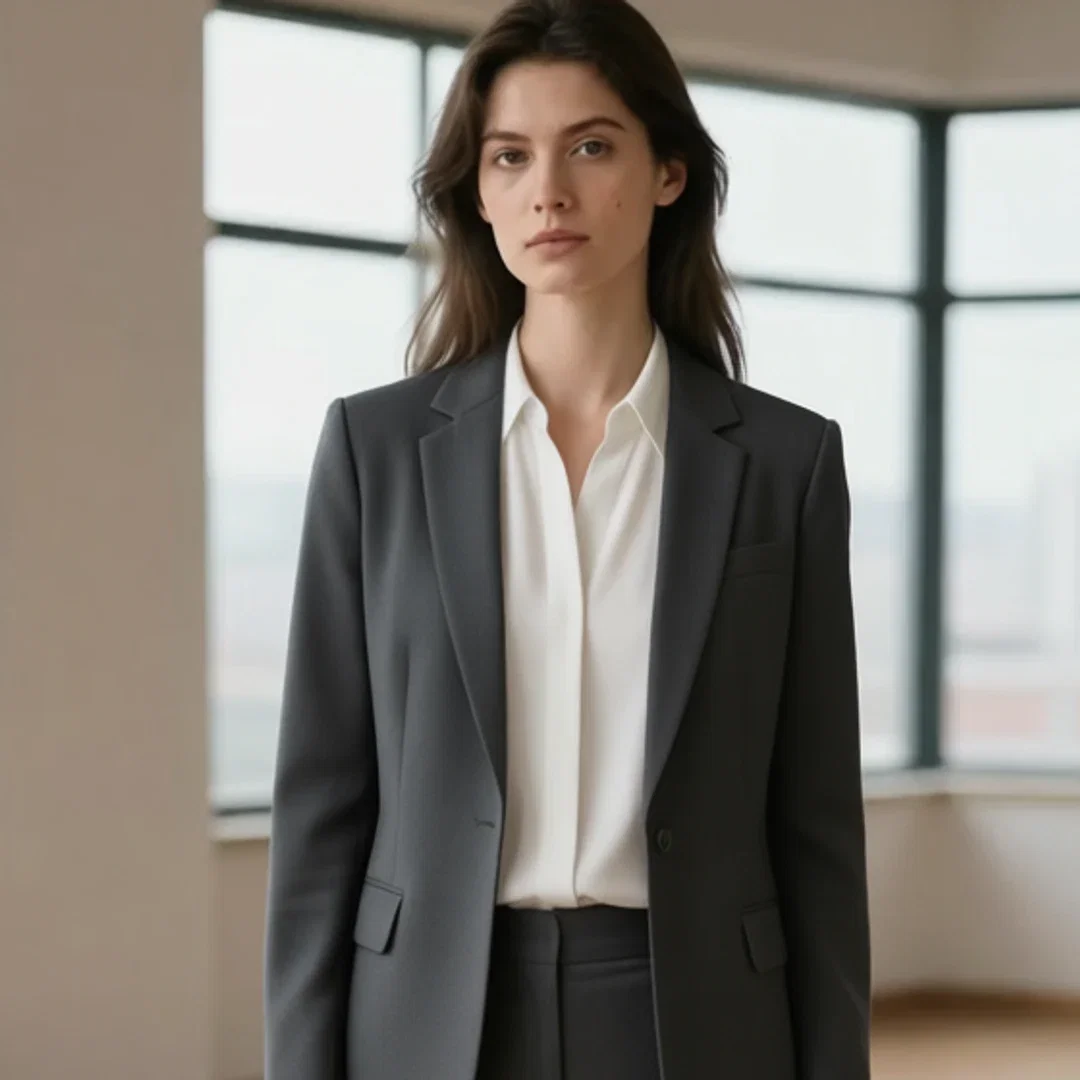
Blazer
Lapel detail
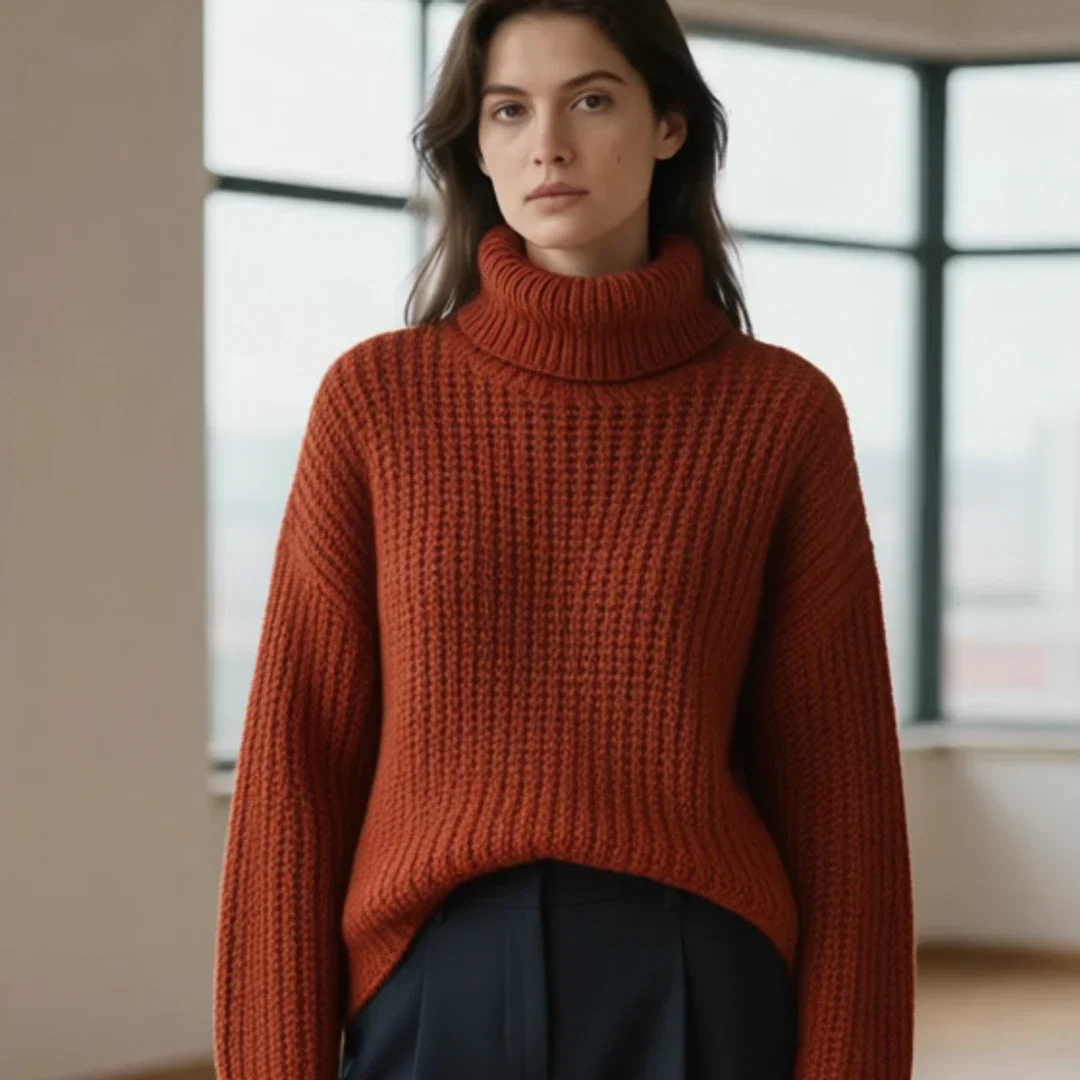
Turtleneck
Knit texture
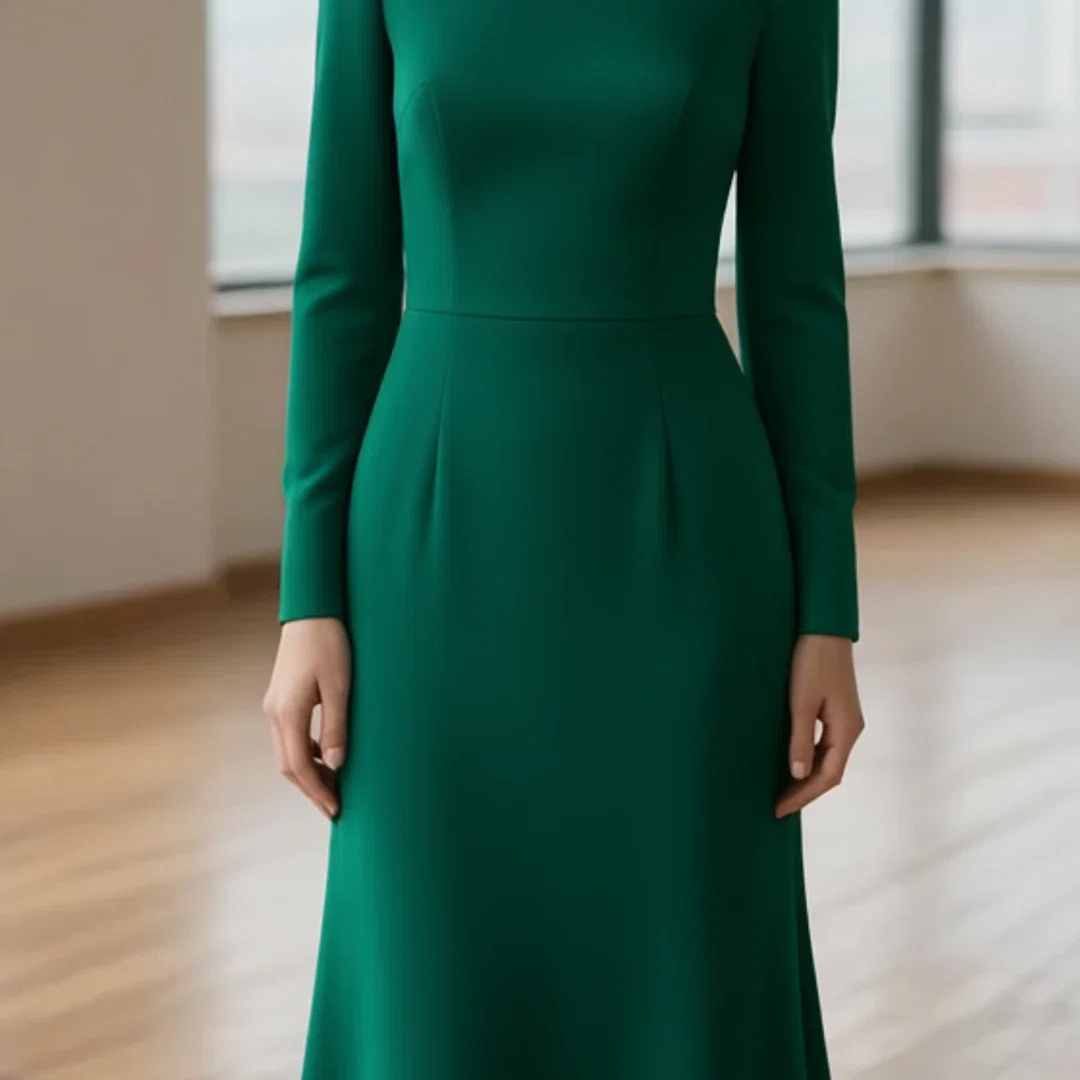
Gown
Drape and seams
How to change clothes in a photo
Drop the photo
Any clear shot of the subject lands on the canvas as the edit source.
Describe the outfit
Garment, color, fit — plain words, no masking.
Compare and branch
Check identity at full size, then run more outfits from the same base.
Changing clothes in a photo is the hardest kind of edit: the outfit must change completely while the person changes not at all. This page ran that test in public — one base photo, four outfit instructions, three different engines — all real edits made on the FluxoKit canvas, with the same woman looking back from every frame.
When people search for ai clothes changer, they want identity to survive the swap. This page shows it surviving four times.
Direct Answer
Use an AI clothes changer when the photo is right but the outfit is not: e-commerce variants, styling previews, content wardrobe swaps. On FluxoKit, drop the photo on the canvas, describe the new outfit in one sentence — "a tailored charcoal blazer over a white blouse" — and the edit engine redresses the subject while face, pose, lighting, and background stay put. It runs from $14/month on the same canvas as the generators, so a base photo can become a full lookbook in minutes.
One Photo, Four Outfits
The grid is one photograph edited four times: business blazer, rust knit turtleneck, yellow raincoat, emerald evening gown. Same face, same stance, same loft window behind her. That consistency is what separates an outfit edit from a regeneration — nothing was re-imagined except the clothes.
Three Engines, Same Instruction
The strip gives the identical blazer instruction to Qwen Image Edit Max, FLUX Kontext, and GPT Image 2 edit. Each engine holds the subject its own way — useful when you need a second opinion on a difficult garment, one node apart.
How to Change Clothes in a Photo on FluxoKit
- Drop the photo on the canvas and add an edit node.
- Describe the outfit change in plain words — garment, color, fit.
- Generate and compare against the original at full size.
- Run variants: the same base photo takes any number of outfits.
- Send the result onward — upscale it, or animate it with a video engine.
Related workflows
- Qwen Image — the edit-max engine behind this page's grid.
- FLUX AI — Kontext editing in the same family.
- GPT Image 2 — conversational edits on the same canvas.
Why restyle on FluxoKit
The engines are the editors. The pipeline — photo to variants to delivery — is what FluxoKit adds.
Identity survives
Four outfits, one face — the grid is the argument.
No masks, no layers
A sentence replaces the selection tools.
Three editors, one canvas
Qwen, Kontext, and GPT edit take the same instruction side by side.
E-commerce ready
One shoot becomes a variant catalog without a reshoot.
Proof on the page
Every frame here is a real edit made on this platform.
30-day guarantee
Edit real photos for 30 days. Refund requests are governed by the first-subscription guarantee and Refund Policy.
25 models available in the canvas
Every model below is live in the FluxoKit studio. Each link opens its technical page with parameters, limits, and real generation examples.
- 01

Flux 2 Pro
Black Forest Labs · Image editing
- 02
Flux 2 Flex
Black Forest Labs · Image editing
- 03
Flux Kontext
Black Forest Labs · Image editing
- 04

Seedream 5.0 Edit
ByteDance · Image editing
- 05
Seedream 5.0 Pro Edit
ByteDance · Image editing
- 06
Seedream 5.0 Pro Reference
ByteDance · Image editing
- 07

GPT Image-1 Edit
OpenAI · Image editing
- 08
GPT Image-1.5 Edit
OpenAI · Image editing
- 09
GPT Image-2 Edit
OpenAI · Image editing
- 10
GPT Image 2.5 Sunburst Edit
OpenAI · Image editing
- 11

Grok Image 2 Edit
xAI · Image editing
- 12
Grok Image Edit
xAI · Image editing
- 13

QWEN Image Editor Plus
Alibaba Cloud · Image editing
- 14
QWEN Image Editor Max (New)
Alibaba Cloud · Image editing
- 15
QWEN Image Editor 2.0 Pro
Alibaba Cloud · Image editing
- 16

Nano Banana Pro Edit (Gemini 3.0)
Google AI · Image editing
- 17
Nano Banana Pro 2 Edit (Gemini 3.1)
Google AI · Image editing
- 18

Recraft Crisp Upscale
fal.ai · Image editing
- 19

Topaz Image Upscale
Topaz Labs · Image editing
- 20

MiniMax Image-01 Edit
MiniMax · Image editing
- 21
Flux 2 Pro Edit
Black Forest Labs · Image editing
- 22
Flux 2 Flex Edit
Black Forest Labs · Image editing
- 23
Flux 2 Klein 9B LoRA Edit
Black Forest Labs · Image editing
- 24
HY-WU Edit
HY-WU · Image editing
- 25
Flux Kontext Edit
Black Forest Labs · Image editing
Frequently asked questions
What is an AI clothes changer?
An AI clothes changer edits the outfit in an existing photo while keeping everything else — face, hair, pose, lighting, background — untouched. On FluxoKit it runs on instruction-following edit engines: upload the photo, describe the new outfit in a sentence, get the same person newly dressed.
Does the person stay recognizable?
That is the whole test, so this page ran it: one base photo went through four different outfit instructions, and the same woman — same face, same stance, same loft — comes back in a blazer, a knit, a raincoat, and a gown. The grid is the proof.
What can I use it for?
E-commerce variations without a reshoot, trying looks before buying, styling content for social, costume tests for creative projects, and wardrobe swaps on model photography. One photo session becomes a whole lookbook.
Which engines do the editing?
FluxoKit routes clothes-change edits to instruction-following editors like Qwen Image Edit Max, FLUX Kontext, and GPT Image 2 edit. This page gave the identical blazer instruction to three of them so you can compare how each holds the subject.
Is the AI clothes changer free?
FluxoKit does not sell a free trial. The edit engines run inside the platform plan from $14/month with monthly credits, backed by a 30-day first-subscription satisfaction guarantee, subject to the Refund Policy: edit real photos for a month, and refund requests are governed by the first-subscription guarantee and Refund Policy.
Next step
Access 135 AIs in one canvas, without subscribing to each one.
Monthly credits with no separate subscription per model. New purchases are temporarily unavailable; contact support for billing help.
OUTFIT EDITS ON FLUXOKIT
Change your first outfit
Same photo, new look — instruction edits beside every engine, one plan.