
GPT Image-2 Edit
GPT Image 2 Edit is OpenAI's flagship instruct-edit model, available in FluxoKit's browser studio with no OpenAI account or API key. You describe the change in words and it edits the photo with top-tier fidelity and literal instruction-following, pricing from 7 credits per edit on plans starting at $14 per month.
Updated July 2026
Examples
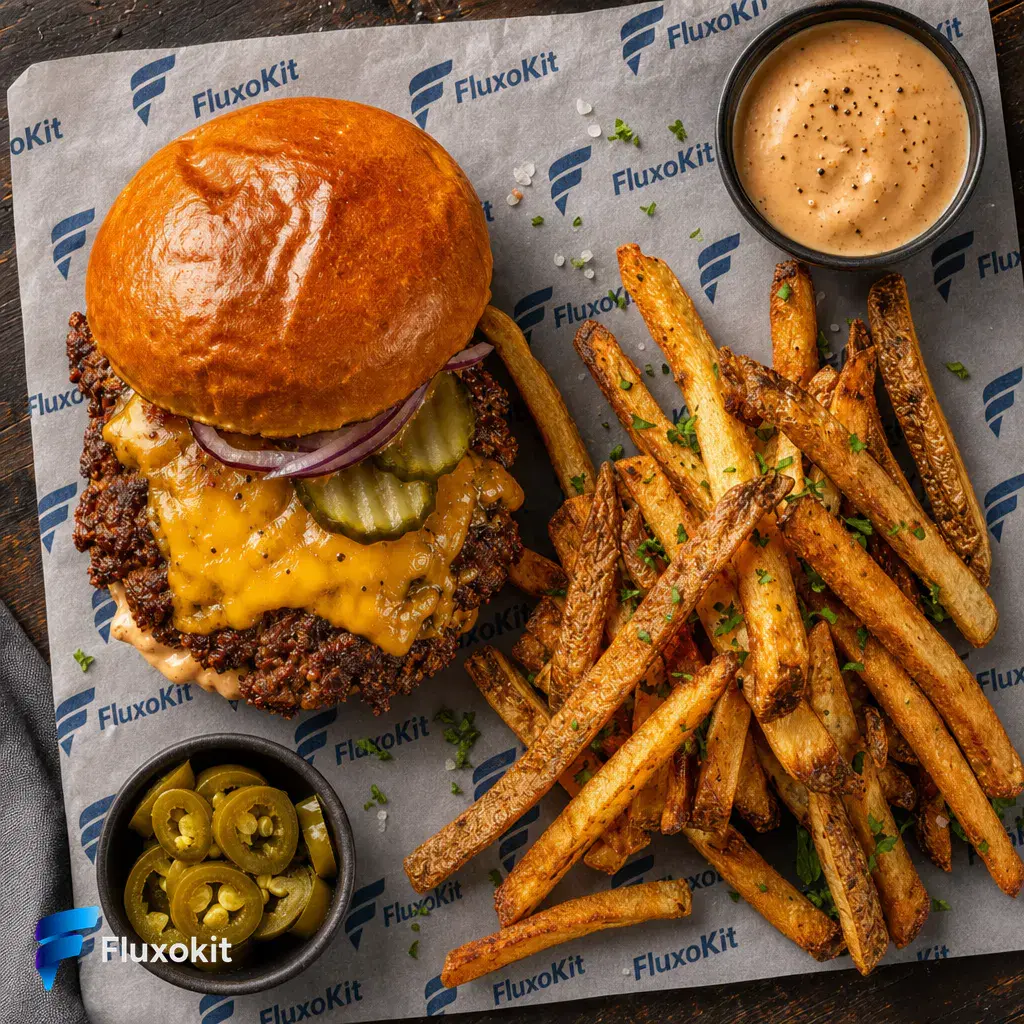
9 generationsGenerated live on FluxoKit on July 3, 2026. Prompts shown verbatim, results unretouched.
Real generations with GPT Image-2 Edit








Overview
GPT Image 2 Edit is the flagship of OpenAI's instruct-edit line, and FluxoKit runs it in the browser with credit pricing instead of an API key. It answers the plainest possible request for a photo editor: describe the change in words and it makes the edit. It follows instructions more literally than most editors and renders in-image text, which is why it is the tier for the edits that have to be right.
Every edit on this page is real. The instruction shown was applied to the documented input still and left unretouched, so a described change and its result sit side by side. The set runs one brand brief across sibling editors so you can judge GPT Image 2 Edit's fidelity on identical tasks.
What you can build with GPT Image 2 Edit
GPT Image 2 Edit is the model for edits that carry weight: complex retouching, precise object and text changes, and instructions with several conditions that a lesser editor would half-apply. Because it reads the instruction literally, you can be specific about what changes and what stays, and it holds the line on both.
The habit that pays off is writing the edit like a shot note: name the target, the change, and the constraints. When the edit involves words in the image, put the exact text in quotes; GPT Image 2 Edit is one of the few editors that renders replacement typography you can actually read.
Where this AI photo editor earns its credits
Ecommerce, ads, and product teams use GPT Image 2 Edit for the edits that ship: catalog retouching, precise composites, and text corrections inside artwork. Pricing is tiered by quality and size, from 7 credits at the low tier to 36 at the largest high-quality output, with 32 as the default, and every edit shows its exact cost in your history.
GPT Image 2 Edit vs GPT Image 2, GPT Image 1.5 Edit, and Nano Banana Pro 2 Edit
GPT Image 2 generates a new image from a prompt. GPT Image 2 Edit changes an image you already have at the same flagship quality. Generate there, edit here.
The 1.5 tier is the cheaper everyday editor. GPT Image 2 Edit is the flagship for complex, high-fidelity edits and the most literal instruction-following.
Nano Banana Pro 2 Edit is tuned for conversational, iterate-by-chatting edits. GPT Image 2 Edit wins on one-shot literal precision and in-image text.
Capabilities
Multiple input images
Yes
Mask editing
Yes
High fidelity
Yes
Transparent background
No
Output formats
png, jpeg, webp
Output type
Image
Limits
Max reference images
16
Generation credits
Depends on the configured run. Review the estimate before generating and the settled charge in history.
Parameters and inputs
Each field below shows what the model accepts and the limits to apply.
Parameters
Size
size
- Required
- No
- Default
- 1024x1024
Options
- 1024x1024 (1024x1024)
- 1280x1024 (1280x1024)
- 1024x1280 (1024x1280)
- 1280x960 (1280x960)
- 960x1280 (960x1280)
- 1536x1024 (1536x1024)
- 1024x1536 (1024x1536)
- 2048x1152 (2048x1152)
- 1152x2048 (1152x2048)
- 2240x960 (2240x960)
- 960x2240 (960x2240)
- 2880x960 (2880x960)
- 960x2880 (960x2880)
- Auto (auto)
Quality
quality
- Required
- No
- Default
- high
Options
- Low (low)
- Medium (medium)
- High (high)
- Auto (auto)
Background
background
- Required
- No
- Default
- opaque
Options
- Opaque (opaque)
- Auto (auto)
Output Format
output_format
- Required
- No
- Default
- png
Options
- Png (png)
- Jpeg (jpeg)
- Webp (webp)
Output Compression
output_compression
- Required
- No
- Default
- 100
- Min
- 0
- Max
- 100
- Step
- 1
Moderation
moderation
- Required
- No
- Default
- auto
Options
- Auto (auto)
- Low (low)
Frequently asked questions
›How much does GPT Image 2 Edit cost per edit?
GPT Image 2 Edit is tiered on FluxoKit: from 7 credits at the low tier to 13 at medium and up to 36 for the largest high-quality output, with 32 as the default. Plans start at $14 per month and every edit shows its exact credit cost in your history.
›How do I edit a photo by describing the change?
Upload the image, type the change in plain language, and GPT Image 2 Edit applies it. Name the target, the change, and what to keep. For text edits, put the exact replacement copy in quotes so it renders legibly.
›What is GPT Image 2 Edit best at?
Complex, high-fidelity edits and literal instruction-following: precise object and text changes, multi-condition instructions, and catalog-grade retouching. The unretouched examples on this page are the proof to judge.
›Do I need an OpenAI account or API key to use GPT Image 2 Edit?
No. FluxoKit runs GPT Image 2 Edit and more than 100 other AI models under one subscription with credit based pricing and a 30-day money-back guarantee.
›How were these GPT Image 2 Edit examples made?
Each edit was generated live on FluxoKit, applying the exact instruction shown to the documented input still, with no retouching afterward. The set follows one brand brief shared across sibling editors so you can compare GPT Image 2 Edit on identical tasks.
Start creating
Run GPT Image-2 Edit in your browser. No API key, no provider account.
Describe the change, get the edit. Flagship fidelity, one studio, more than 100 AI models.
- More than 14,000 generations delivered
- Your first paid subscription includes a 30-day satisfaction guarantee, subject to the Refund Policy.
- Checkout through Stripe, cancel anytime
Plans from
$14/month
Credit based pricing, live USD checkout