
Prompt Enhancer
A prompt engineer built into the canvas — rough idea in, production-ready prompt out, rendered beside 90+ engines.
The 17 models on this page are already included, with no separate subscription per tool. 14,500+ real generations already delivered on the platform. Updated

The enhanced prompt
Rendered as written

Product shot
Second demo
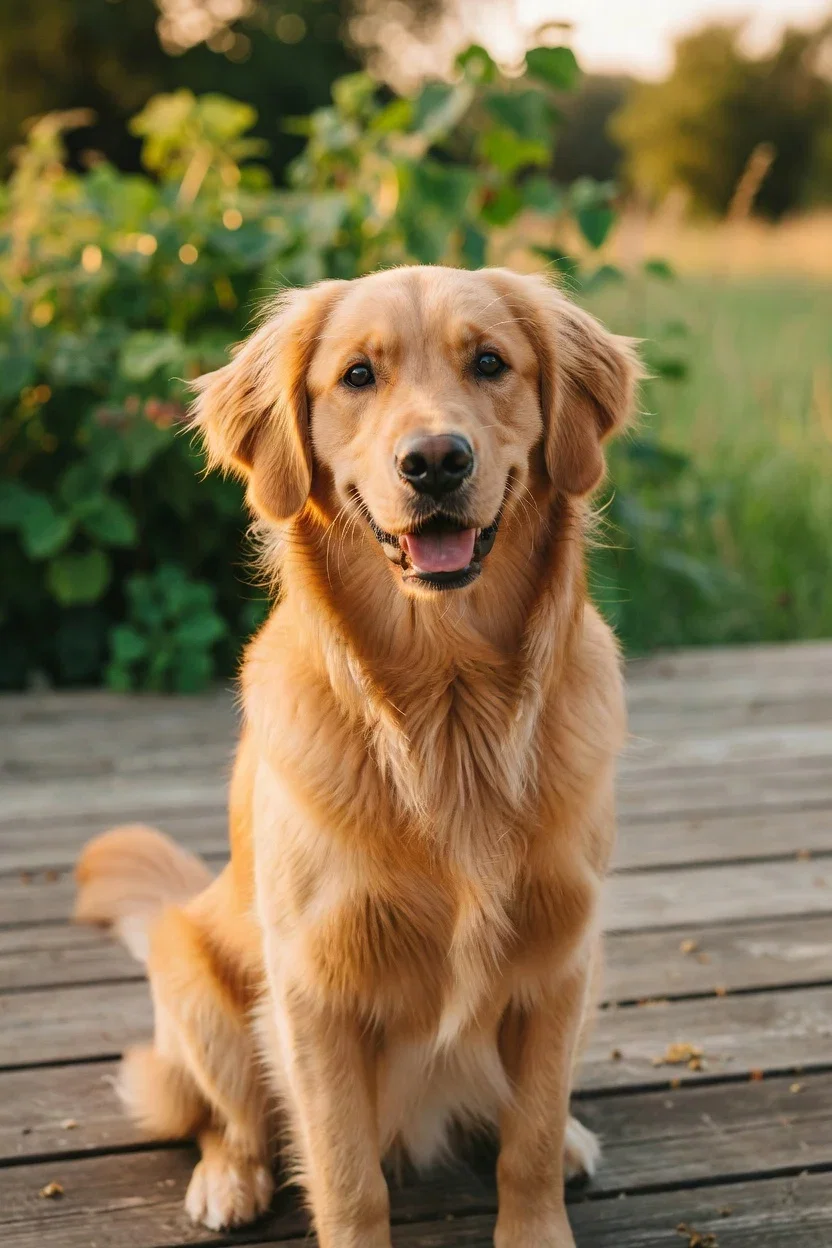
Same prompt, Grok
It carries
Five words in. A photograph out.
The rough prompt was “a cool photo of a dog.” Left is what the engine guesses — it even had to guess the breed.
The Prompt Agent returned, in full: “Close-up portrait of a golden retriever, alert and playful expression, sitting outdoors on a sun-drenched wooden deck, soft late-afternoon golden hour backlight, shallow depth of field, bokeh background of blurred green foliage, shot on a 85mm prime lens, natural fur texture, catchlight in eyes, warm color grading, photorealistic, no text, no watermark, no typography, no logos, no captions.”
Right is that prompt rendered on the identical engine. The only thing that changed is the words.
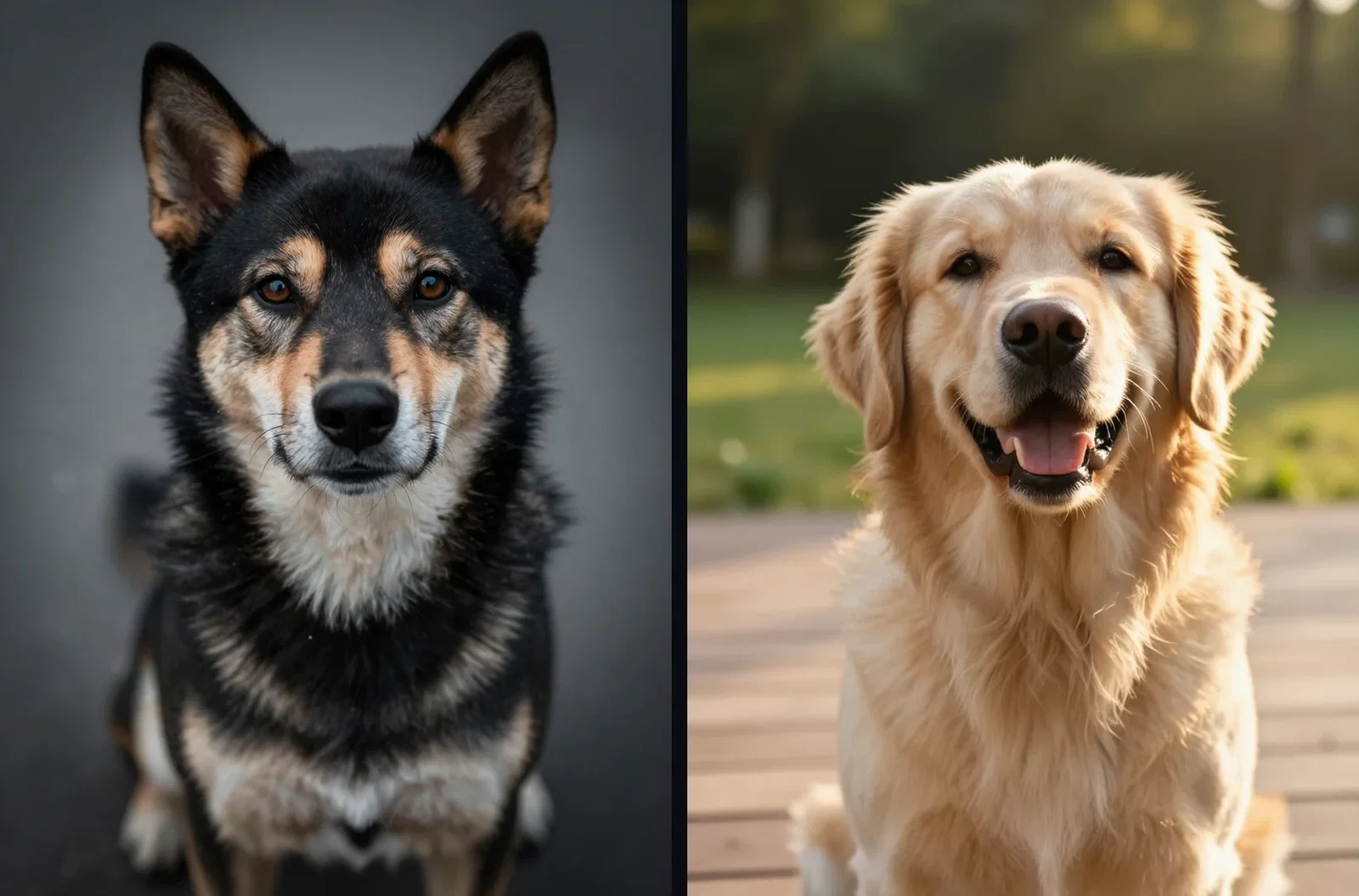
Weak vs enhanced
Same engine
Three ways to use the Prompt Agent
A registry-grounded prompt engineer that knows the real constraints of the engines on the FluxoKit canvas.
Enhance rough ideas
Type it exactly as it is in your head; get the production prompt back.
Refine in plain words
“Golden hour.” “Studio.” “Action shot.” Each ask returns a revised prompt.
Write for video
Motion beats, camera language, and speech guardrails for the video engines.

FLUX 2 Pro
Same enhanced prompt
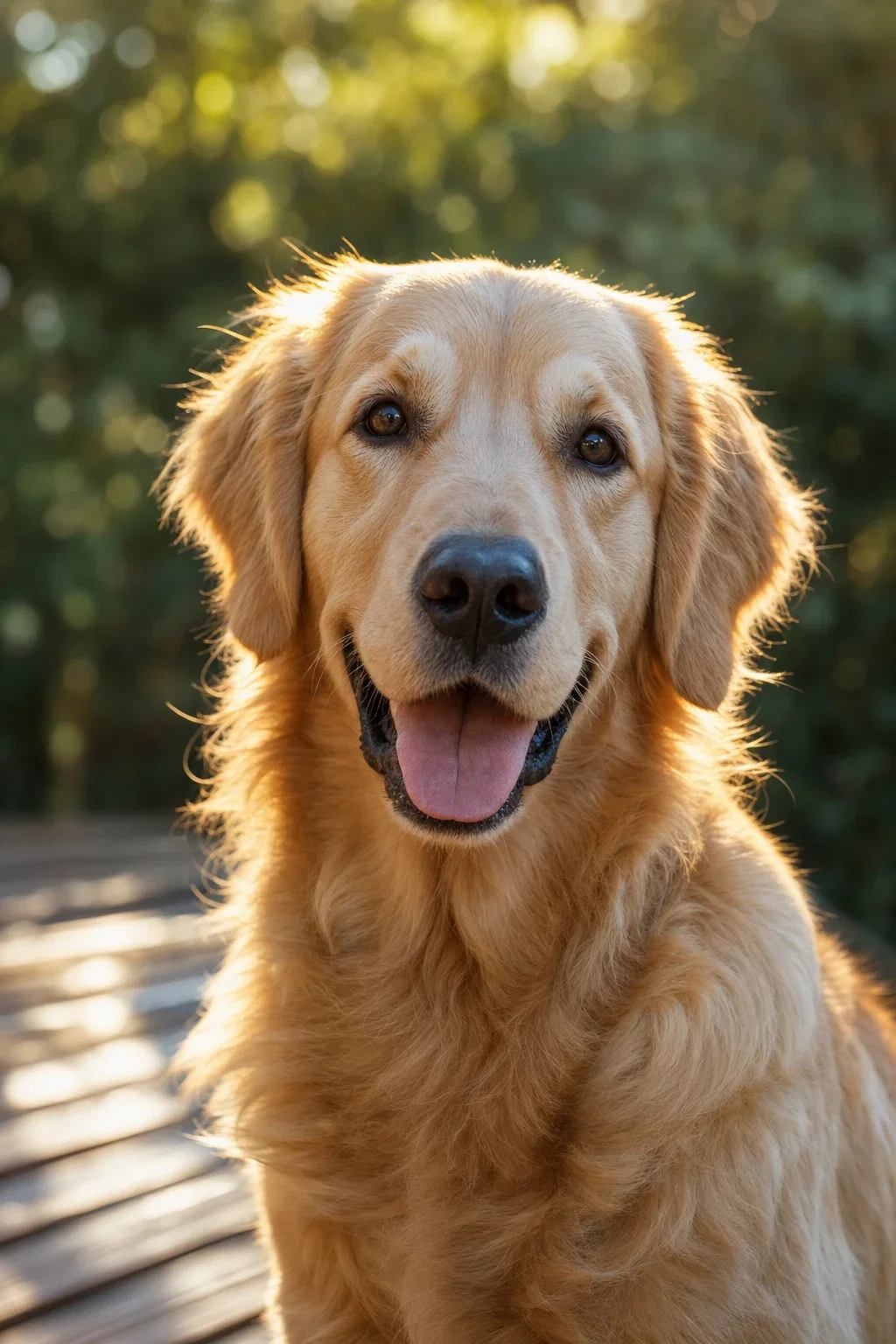
GPT Image 2
Same enhanced prompt

Seedream 5
Same enhanced prompt

Reve (historical)
Pre-retirement result
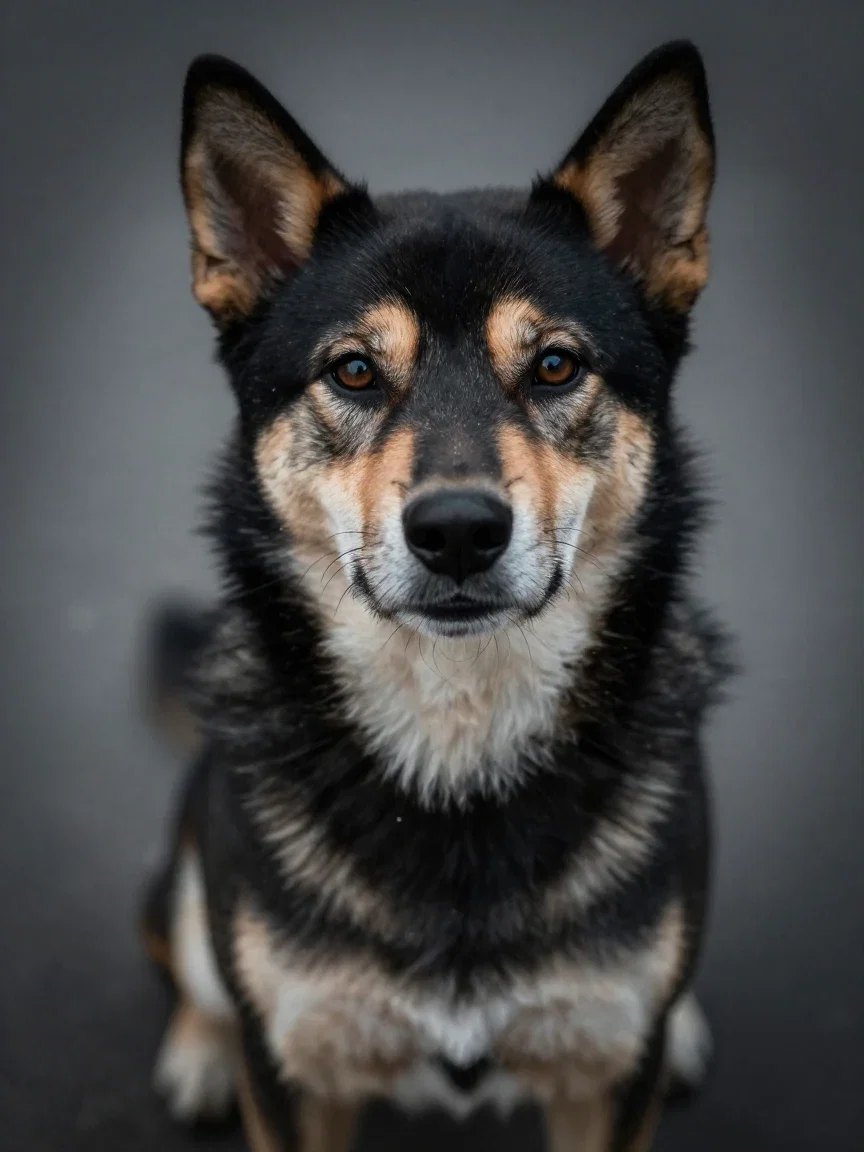
The weak prompt, honestly
It even guessed the breed
It works on work, too
Second demo: “candle product photo” became a full commercial brief — an unbranded pillar candle on polished marble, side rim light, a smoke wisp, dried botanicals, charcoal background, three-quarter angle, sharp focus.
Left the weak render, right the enhanced one, same engine again.
The agent writes the constraints a product shot needs — including keeping every surface free of labels and text.

Weak vs enhanced
Product demo
One enhanced prompt. Four engines.
A good prompt is portable. This preserved comparison used FLUX 2 Pro, GPT Image 2, Seedream 5, and a pre-retirement Reve run — top left to bottom right.
Four results, four interpretations, one deliberate photograph each time.
The three current engines remain available on the canvas; the Reve frame is labeled as historical evidence.
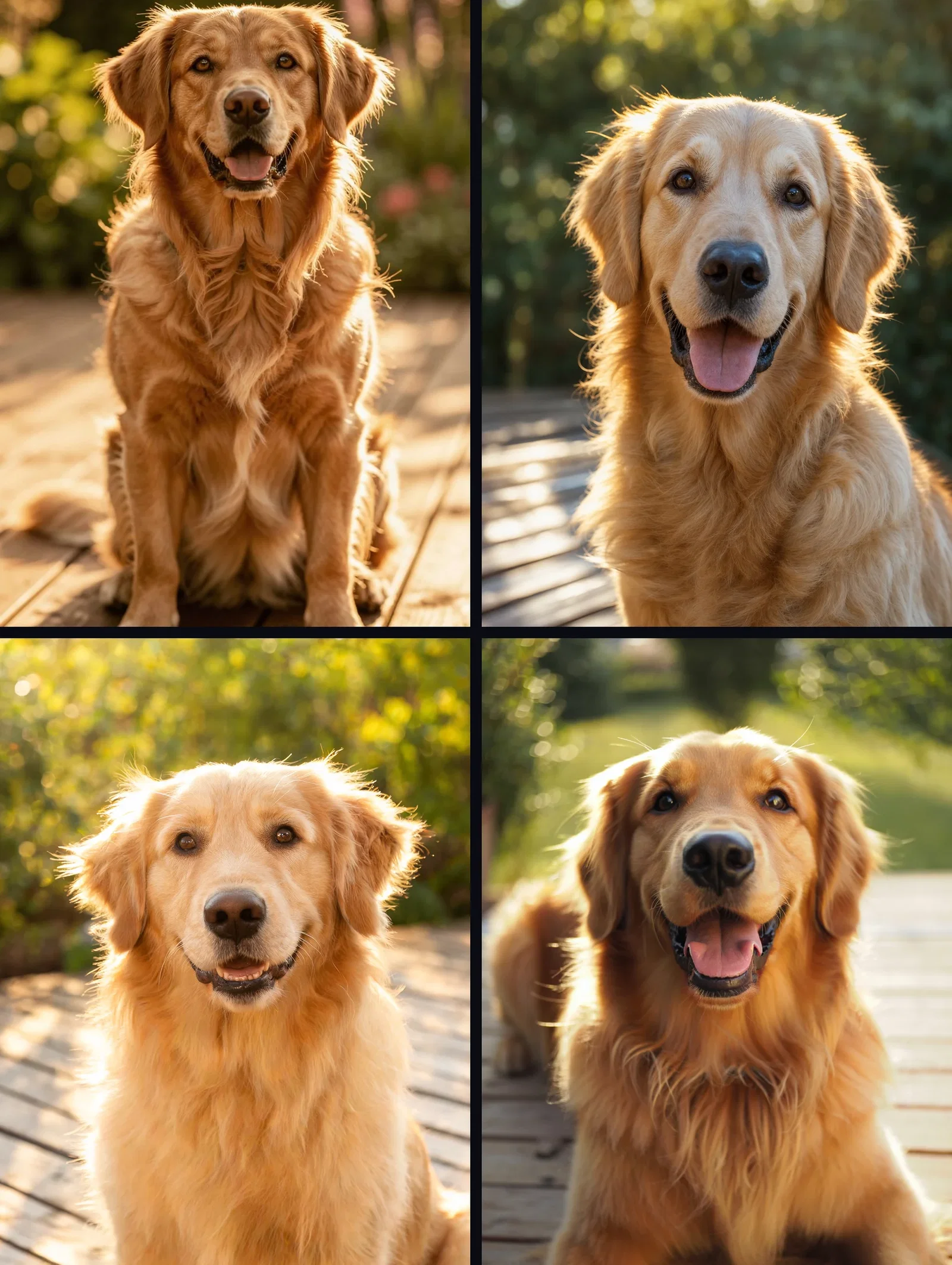
One prompt, four engines
FLUX · GPT · Seedream · historical Reve
One canvas, every engine
135+
AI models in one canvas
392
characters the agent built from a 5-word idea
14,500+
real generations delivered
Refined in plain words
Three follow-up asks on the same enhanced prompt — “golden hour outdoors,” “clean studio look,” “high-energy action shot” — each rendered as returned.

Golden hour
Pushed warmer
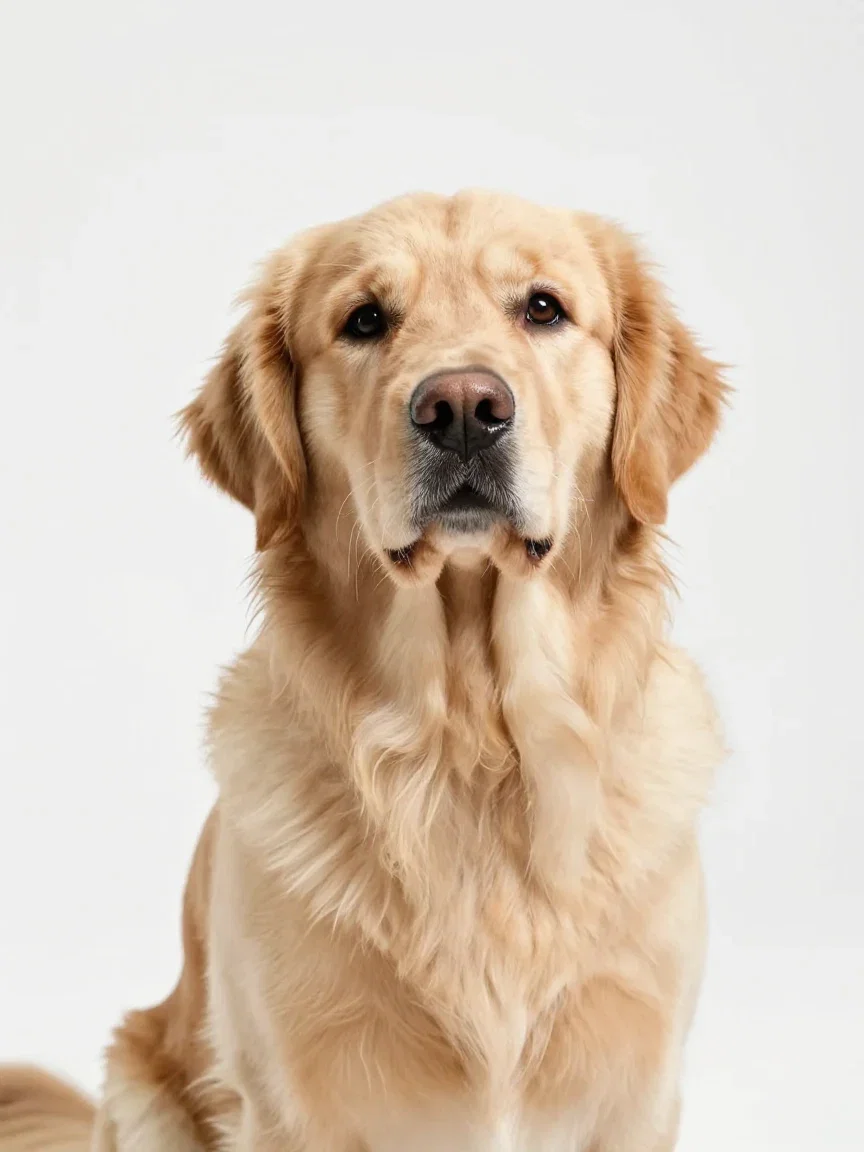
Studio
Seamless white

Action
Mid-run
How to enhance a prompt on FluxoKit
Type the rough idea
Open the Prompt Agent, pick your target engine, and write it as you think it.
Get the pro prompt
Subject, lens, light, composition, and negative constraints — ready to copy.
Generate and refine
Send it to any engine on the canvas, then steer with plain-language asks.
Most bad AI images are not the engine's fault — they are the prompt's. FluxoKit ships a Prompt Agent, a prompt engineer built into the canvas, and this page put it to work instead of describing it: a genuinely weak prompt went in, a production-ready prompt came out, and both were rendered on the same engine. The pairs below are the receipts.
When people search for prompt enhancer, they want to know if it actually changes the picture. This page shows the same engine before and after.
Direct Answer
Use a prompt enhancer when you know what you want but not how to say it to a model. On FluxoKit, the Prompt Agent turns rough intent into a production-ready prompt — subject specifics, lens, light, composition, style cues, negative constraints — grounded in the real capabilities of the engine you pick. Type the rough idea, get the pro prompt, generate on the same canvas. From $14/month, and the enhanced prompt works on any of the 90+ engines.
Rough Intent In, Production Prompt Out
The demo on this page started from five words: "a cool photo of a dog." The agent returned a prompt with a breed, a lens, a light source, a setting, and the constraints that keep the frame clean. Rendered side by side on the identical engine, the weak prompt produces a guess; the enhanced prompt produces a photograph. The second demo does the same for a product shot.
How to Enhance a Prompt on FluxoKit
- Open the Prompt Agent on the canvas and pick your target engine.
- Type the rough idea exactly as it is in your head.
- Get the production-ready prompt back — copy it or send it straight to the engine.
- Refine in plain words: "make it golden hour," "make it studio," "make it action."
- Reuse the enhanced prompt across engines — it carries.
Related workflows
- AI Image Generator — where the enhanced prompts get rendered.
- FLUX AI — one of the engines in this page's four-engine test.
- AI Video Generator — the agent writes motion prompts too.
Why enhance on FluxoKit
Generic rewriters produce one template. The Prompt Agent writes for the engine you actually picked.
Registry-grounded
It knows each engine's flags — negative prompts, camera syntax, audio toggles.
Proof on the page
Every pair here was rendered from the agent's real, unedited output.
Portable prompts
The four-engine grid shows one enhanced prompt carrying across the canvas.
Video too
Motion, camera, and dialogue guardrails for the video engines.
Refines like a colleague
Plain-language follow-ups return revised prompts, not restarts.
30-day guarantee
Enhance real prompts for 30 days. Refund requests are governed by the first-subscription guarantee and Refund Policy.
17 models available in the canvas
Every model below is live in the FluxoKit studio. Each link opens its technical page with parameters, limits, and real generation examples.
- 01

GPT Image-1
OpenAI · Image generation
- 02
GPT Image-1.5
OpenAI · Image generation
- 03
GPT Image-2
OpenAI · Image generation
- 04
GPT Image 2.5 Sunburst
OpenAI · Image generation
- 05

Grok Image 2
xAI · Image generation
- 06
Grok Imagine Image
xAI · Image generation
- 07

Higgsfield Soul
Higgsfield AI · Image generation
- 08

Seedream 5.0
ByteDance · Image generation
- 09
Seedream 5.0 Pro
ByteDance · Image generation
- 10

FLUX.2 Klein 9B
Black Forest Labs · Image generation
- 11

Nano Banana Pro (Gemini 3.0)
Google AI · Image generation
- 12
Nano Banana Pro 2 (Gemini 3.1)
Google AI · Image generation
- 13

QWEN Image 2.0 Pro
Alibaba Cloud · Image generation
- 14
Z-Image Turbo
Alibaba Cloud · Image generation
- 15

Image Z-Turbo LoRA
AIML API · Image generation
- 16

Kora Pro
Kora · Image generation
- 17

MiniMax Image-01
MiniMax · Image generation
Frequently asked questions
What is a prompt enhancer?
A prompt enhancer takes the rough thing you typed — 'a cool photo of a dog' — and rewrites it into the production-ready prompt an engine actually responds to: subject specifics, lens and light, composition, style cues, and negative constraints. On FluxoKit this is the Prompt Agent, a prompt engineer built into the canvas.
Does an enhanced prompt really change the output?
This page ran the experiment instead of claiming it: the same weak prompt and its enhanced version went through the identical engine, and the before/after pairs show the difference. The enhanced side gets deliberate framing, lighting, and detail the weak prompt leaves to chance.
How is FluxoKit's Prompt Agent different from a generic rewriter?
It is registry-grounded: it knows the actual constraints and feature flags of the engines on the canvas — negative prompts, camera syntax, audio toggles, multi-prompt support — and writes for your selected target model instead of producing one generic template.
Does it work for video prompts too?
Yes. The same agent covers video generation: motion beats, camera language, duration structure, and speech guardrails for engines like Kling, Hailuo, and Wan. Enhance the prompt, then send it straight to the video node on the same canvas.
Is the prompt enhancer free?
FluxoKit does not sell a free trial. The Prompt Agent runs inside the platform plan from $14/month with monthly credits, backed by a 30-day first-subscription satisfaction guarantee, subject to the Refund Policy: enhance real prompts for a month, and refund requests are governed by the first-subscription guarantee and Refund Policy.
Next step
Access 135 AIs in one canvas, without subscribing to each one.
Monthly credits with no separate subscription per model. New purchases are temporarily unavailable; contact support for billing help.
PROMPT AGENT ON FLUXOKIT
Enhance your first prompt
Rough idea in, production prompt out — rendered beside every engine, one plan.