
AI Voice Generator
A catalog of real-sounding voices, 29 languages, and delivery you can direct — generated beside every image and video engine.
The 3 models on this page are already included, with no separate subscription per tool. 14,500+ real generations already delivered on the platform. Updated
Four voices, one line
The montage

Ad reads
The old way

Character work
Voices with range
Same sentence. Four voices.
Every row is the identical eight words — “Every story sounds different in the right voice.” — spoken by a different voice from the catalog.
No two fingerprints match: different pacing, different emphasis, different breath.
That range is the difference between casting a voice and settling for one. All four takes came from this platform's own voice nodes.
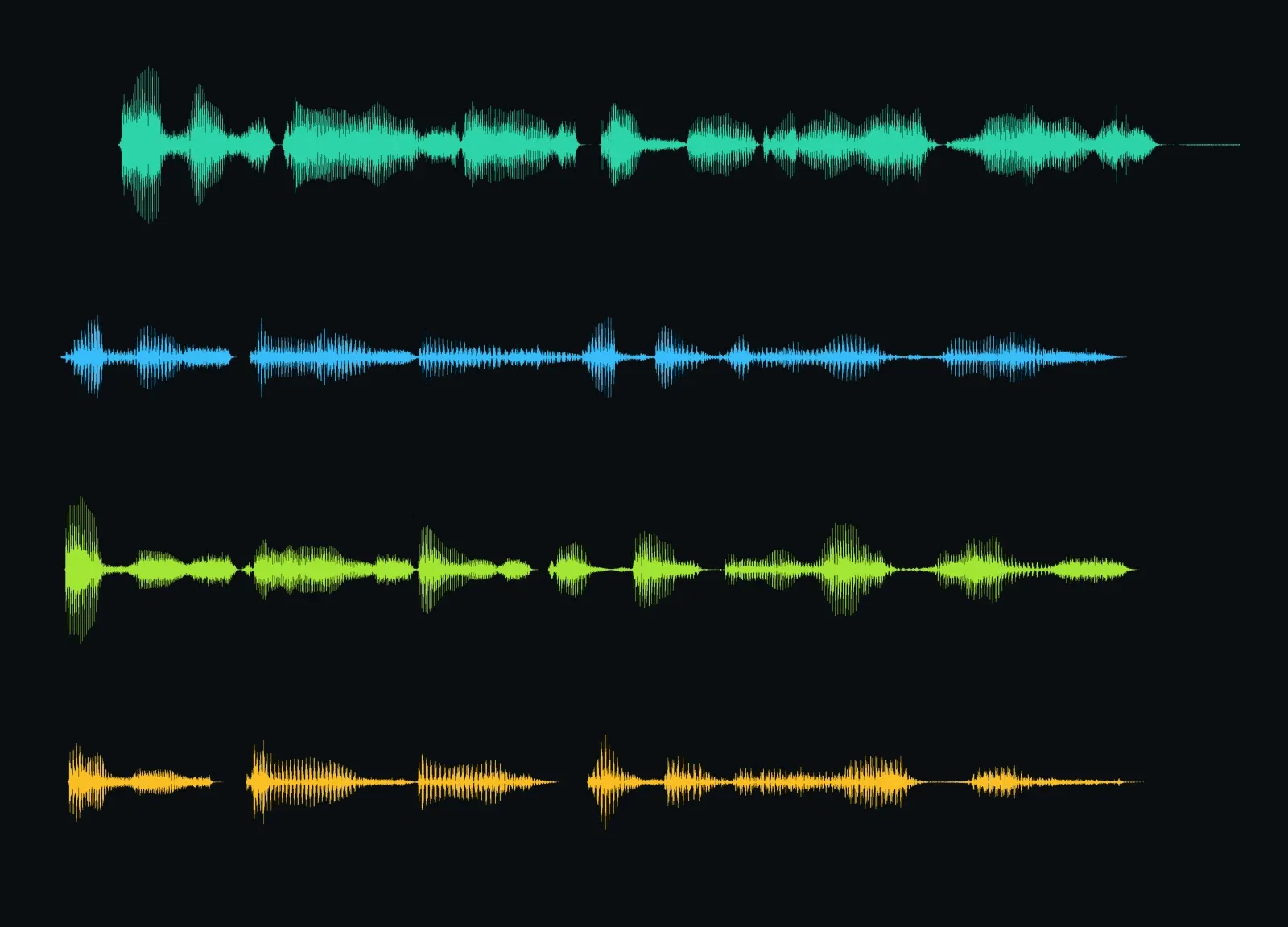
Same words, four voices
Each row one voice
Three ways to generate voice here
Powered by ElevenLabs voices on the FluxoKit canvas — TTS, languages, and dubbing beside every visual engine.
Cast from the catalog
Distinct voices with real range — audition them against your script.
Switch the language
The same voice character delivers in any of 29 languages.
Direct the take
Stability settings on every voice; audio tags on Eleven v3.

Four voices, one line
The montage

Audiobooks
Long-form ready

Podcasts
Conversational

Late night
Broadcast mood

Voice notes
Scripts start here
One voice, five languages
This stack keeps the voice and changes the language: English, Portuguese, Spanish, French, German — the same idea, native delivery in each.
The Multilingual v2 engine covers 29 languages with one voice character.
Record the campaign once, ship it everywhere.
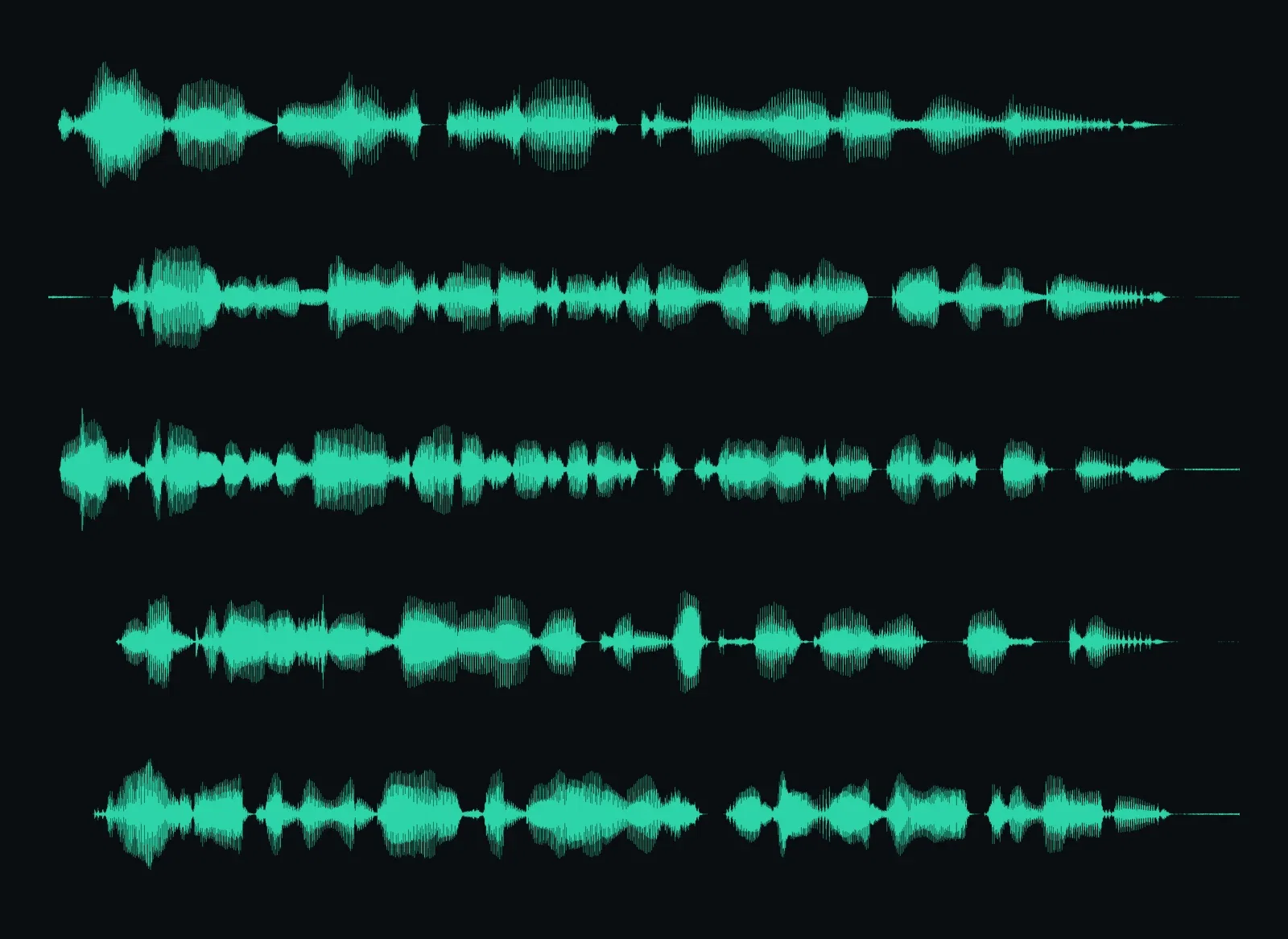
One voice, five languages
EN · PT · ES · FR · DE
You control the delivery
Same voice, same line, two settings. Above: stability pushed high — steady, even, narration-grade.
Below: stability pulled low — the take breathes, swings, and leans into the words.
That knob exists on every generation, and the Eleven v3 engine adds inline audio tags on top.
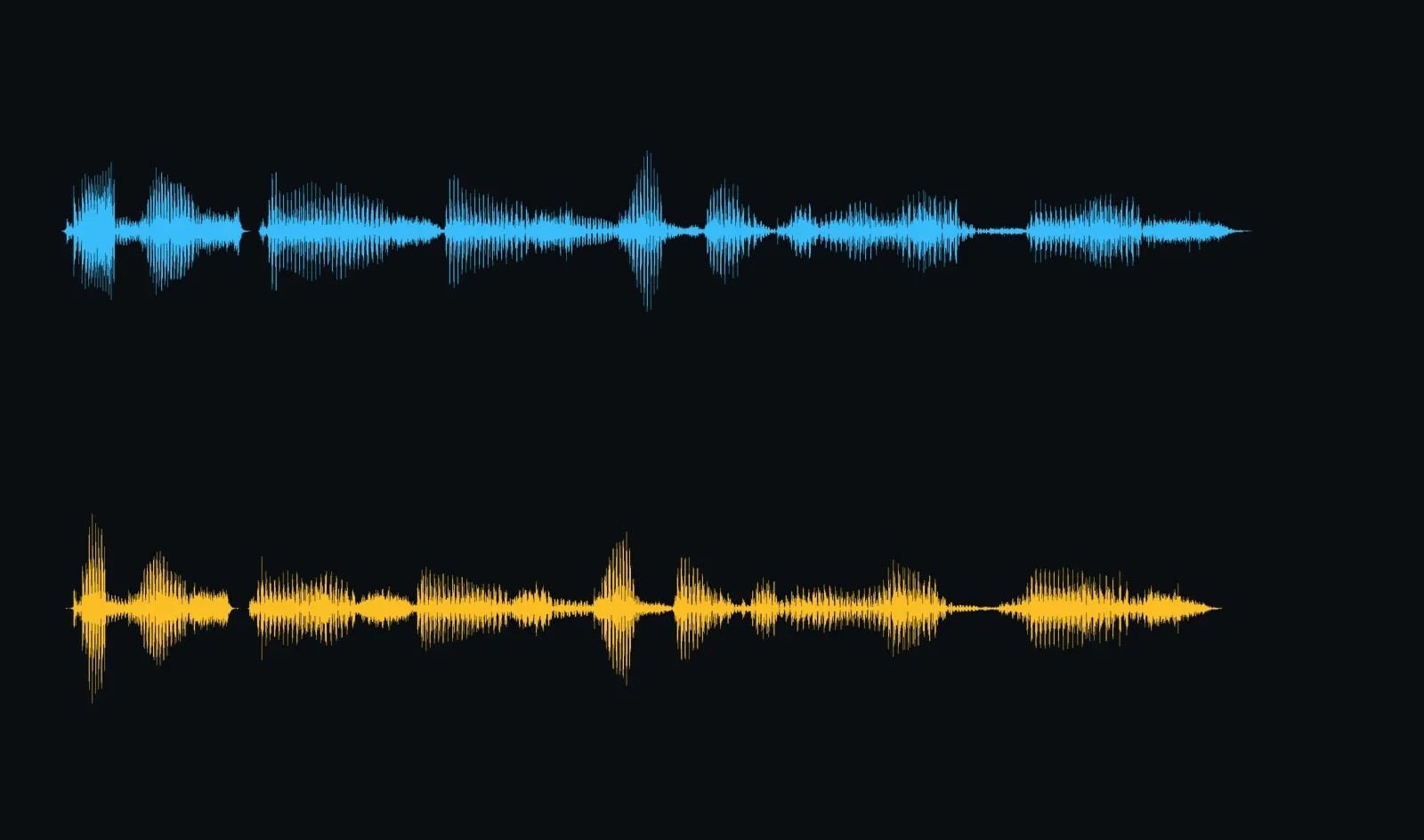
Stable vs expressive
The delivery knob
One canvas, every engine
29
languages from a single voice
135+
AI models in one canvas
14,500+
real generations delivered
Voice fingerprints, up close
The same stretch of the shared sentence, cropped from three of the takes — each voice leaves a different shape.
Four voices, one line
The montage

Voice one
Same words

Voice two
Same words
How to generate a voice on FluxoKit
Pick the voice
Drop a text-to-speech node and audition voices from the catalog.
Type and tune
Write the script, choose the language, set the delivery.
Route it onward
Into lip sync, a video's audio track, or the dubbing engine.
A voice generator is only as good as its worst take. So this page generated its takes in public: one sentence through four different voices, one voice through five languages, and one line delivered two opposite ways — all real output from the ElevenLabs engines on the FluxoKit canvas, rendered as waveforms you can compare.
When people search for ai voice generator, they want to hear range. This page shows it.
Direct Answer
Use an AI voice generator when words need to become speech: narration, ads, characters, audiobooks, product videos. On FluxoKit you pick from a catalog of distinct ElevenLabs voices, type the script, and generate — in any of 29 languages, with delivery controls from rock-steady narration to full expressiveness. It runs from $14/month on the same canvas as the video engines, so a finished voice goes straight into a lip sync node or a video's audio track.
Four Voices, One Sentence
The stacked waveforms in the first comparison are the same eight words spoken by four different voices from the catalog. No two fingerprints match — different pacing, different emphasis, different breath. That range is the difference between casting a voice and settling for one.
One Voice, Five Languages
The second stack keeps the voice and changes the language: English, Portuguese, Spanish, French, German. Same voice character, native delivery in each — that is the Multilingual v2 engine doing what its name promises, across 29 languages.
How to Generate a Voice on FluxoKit
- Drop a text-to-speech node on the canvas.
- Pick a voice from the catalog — or bring the engine's expressive v3 model for tagged delivery.
- Type the script and choose the language.
- Tune the delivery: stable for narration, expressive for character work.
- Route the take into lip sync, video, or dubbing on the same canvas.
Related workflows
- ElevenLabs v3 — the expressive engine with inline audio tags.
- Lip Sync AI — give a talking video your generated voice.
- AI Video Generator — where the voice tracks end up.
Why generate voice on FluxoKit
The engines are ElevenLabs. The pipeline — script to speech to video — is what FluxoKit adds.
Real range
The four-voice stack is one sentence — the shapes speak for themselves.
29 languages
One voice character, native delivery everywhere your audience lives.
Delivery you direct
Stability settings on every take; audio tags on Eleven v3.
Feeds every video node
Takes route straight into lip sync, video tracks, and dubbing.
Proof on the page
Every waveform here came from real audio generated on this platform.
30-day guarantee
Voice real projects for 30 days. Refund requests are governed by the first-subscription guarantee and Refund Policy.
3 models available in the canvas
Every model below is live in the FluxoKit studio. Each link opens its technical page with parameters, limits, and real generation examples.

Frequently asked questions
What is an AI voice generator?
An AI voice generator turns written text into natural-sounding speech: pick a voice, type the words, get studio-grade audio. On FluxoKit it runs on ElevenLabs engines — a catalog of distinct voices, 29 languages, and delivery controls — as a node on the same canvas as the image and video engines.
How real do the voices sound?
This page generated its own evidence: one line through four different voices and five languages, rendered as waveforms so you can see each voice's fingerprint. The engines carry pacing, emphasis, and breath — the things that make speech sound human rather than read.
Can I control how the voice delivers the line?
Yes, on two levels. Voice settings trade consistency for expressiveness — this page shows the same line at both extremes. And on the Eleven v3 engine, inline audio tags like [whispers] and [excited] direct the performance word by word.
What can I use the generated voice for?
Ad reads, video narration, audiobooks, character voices, product demos, and multilingual versions of all of them. Because the voice node lives on the canvas, the audio routes straight into lip sync, video audio tracks, and the dubbing engine.
Is the AI voice generator free?
FluxoKit does not sell a free trial. The voice engines run inside the platform plan from $14/month with monthly credits, backed by a 30-day first-subscription satisfaction guarantee, subject to the Refund Policy: voice real projects for a month, and refund requests are governed by the first-subscription guarantee and Refund Policy.
Next step
Access 135 AIs in one canvas, without subscribing to each one.
Monthly credits with no separate subscription per model. New purchases are temporarily unavailable; contact support for billing help.
VOICE ON FLUXOKIT
Generate your first voice
A catalog of voices, 29 languages, delivery you direct — one canvas, one plan.