
Sora 2
OpenAI's Sora AI video family — Sora 2 and Sora 2 Pro — with synchronized sound and real physics, on the same canvas as Veo 3.1, Kling, and Seedance.
The 23 models on this page are already included, with no separate subscription per tool. 14,500+ real generations already delivered on the platform. Updated
Aerial cinematic
Sora 2 Pro, 8s
Synced sound
Sora 2, 8s with audio
Wildlife realism
Sora 2, 8s
Sound and picture, one take
Sora 2's signature is synchronized audio: the pour hits the cup and the cafe hums around it, in the same generation.
No separate sound pass, no stock foley — describe the scene and the take arrives with its own ambience.
Every clip on this page is a real Sora 2 generation from FluxoKit, and each caption names the tier.

Synced sound
Sora 2, 8s with audio
Three ways to direct Sora 2
Powered by Sora 2 and Sora 2 Pro on the FluxoKit canvas — no invite code, no separate app.
Text to video
Describe the shot like a director: subject, camera move, light, sound. Sora 2 returns the take with audio built in.
Image to video
Start from a still — a product shot, a storyboard frame — and Sora 2 brings it to motion while keeping the look.
Remix and continue
Feed a take back with a note — tighter framing, slower move, new ending — and iterate toward the cut you ship.
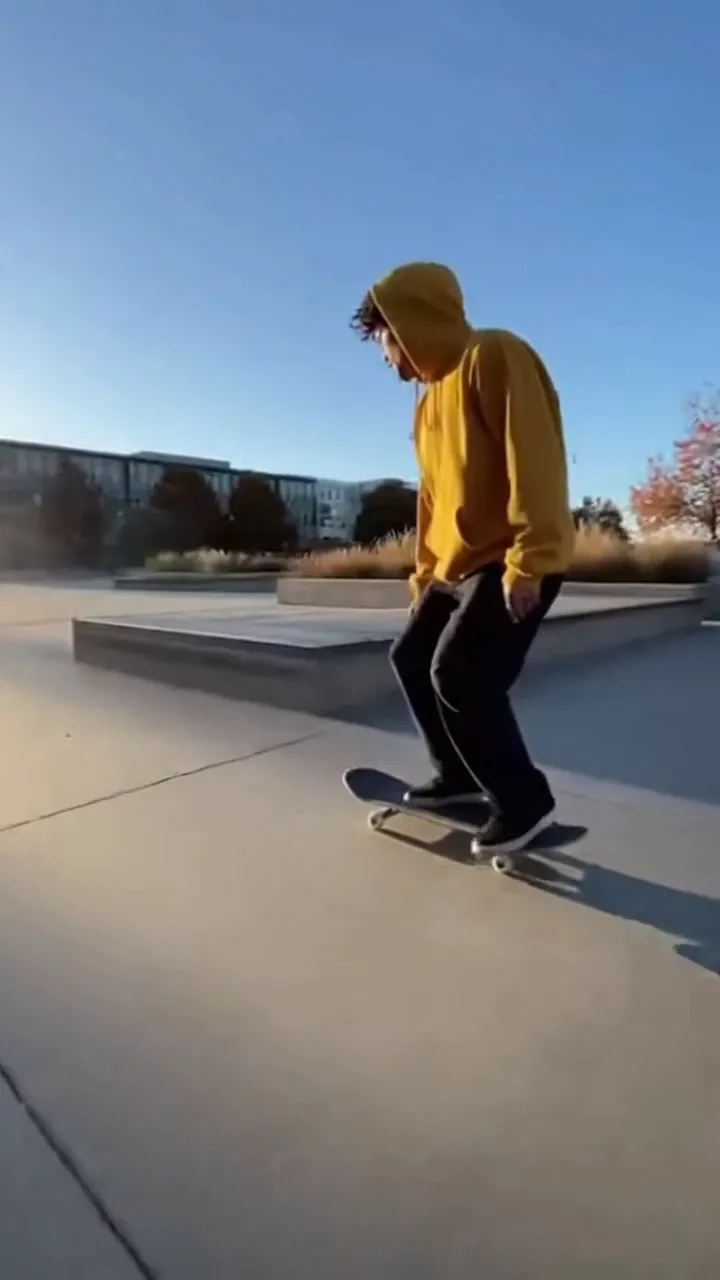
Action
Physics take
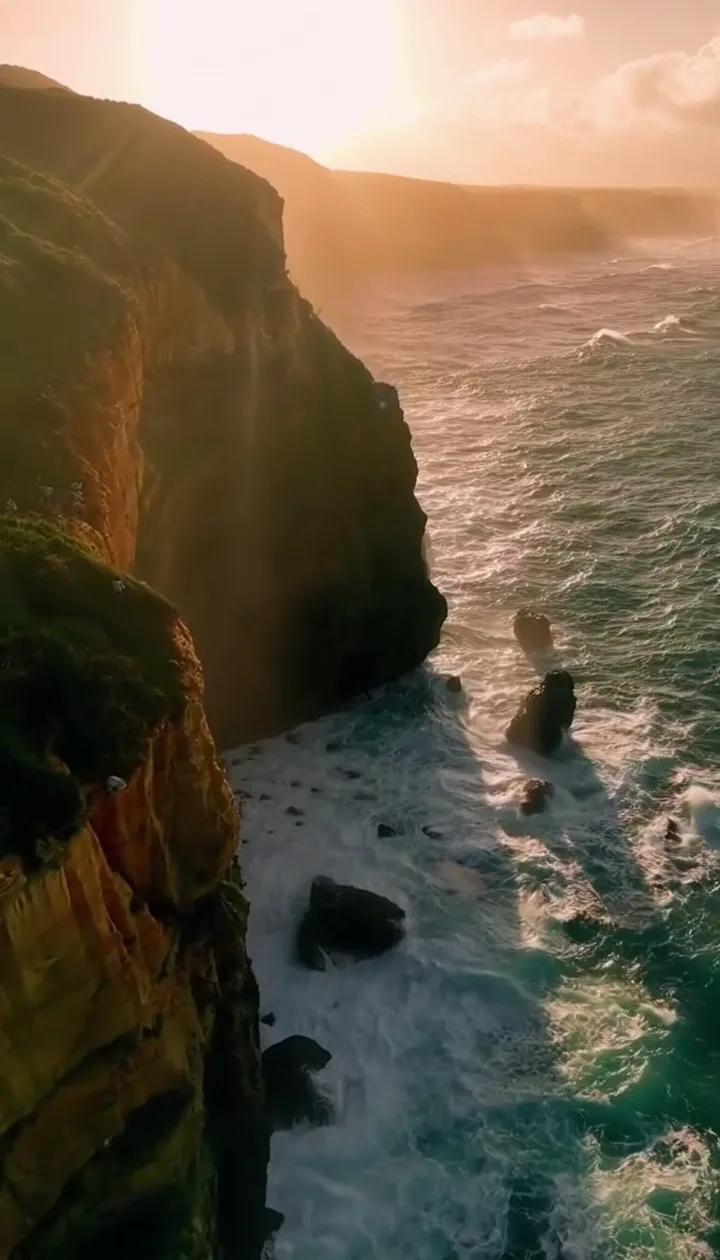
Aerial cinematic
Sora 2 Pro, 8s
Synced sound
Sora 2, 8s with audio
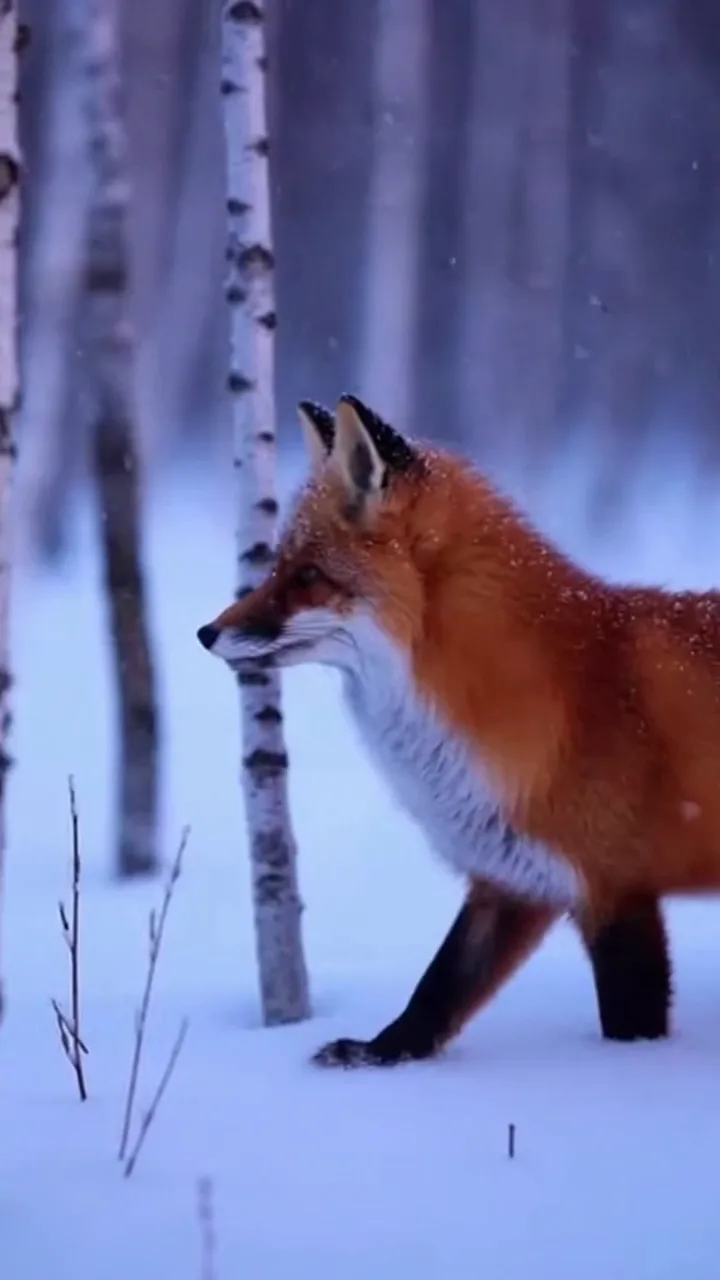
Wildlife realism
Sora 2, 8s

Craft
Latte pour beat
Physics that survive slow motion
The tell of weak video models is contact: wheels that float, shadows that slide, landings that never land.
This strip freezes three beats of one Sora 2 take — takeoff, air, landing — and the weight reads true in every frame.
That is what makes Sora 2 usable for product demos and action b-roll, not just mood loops.
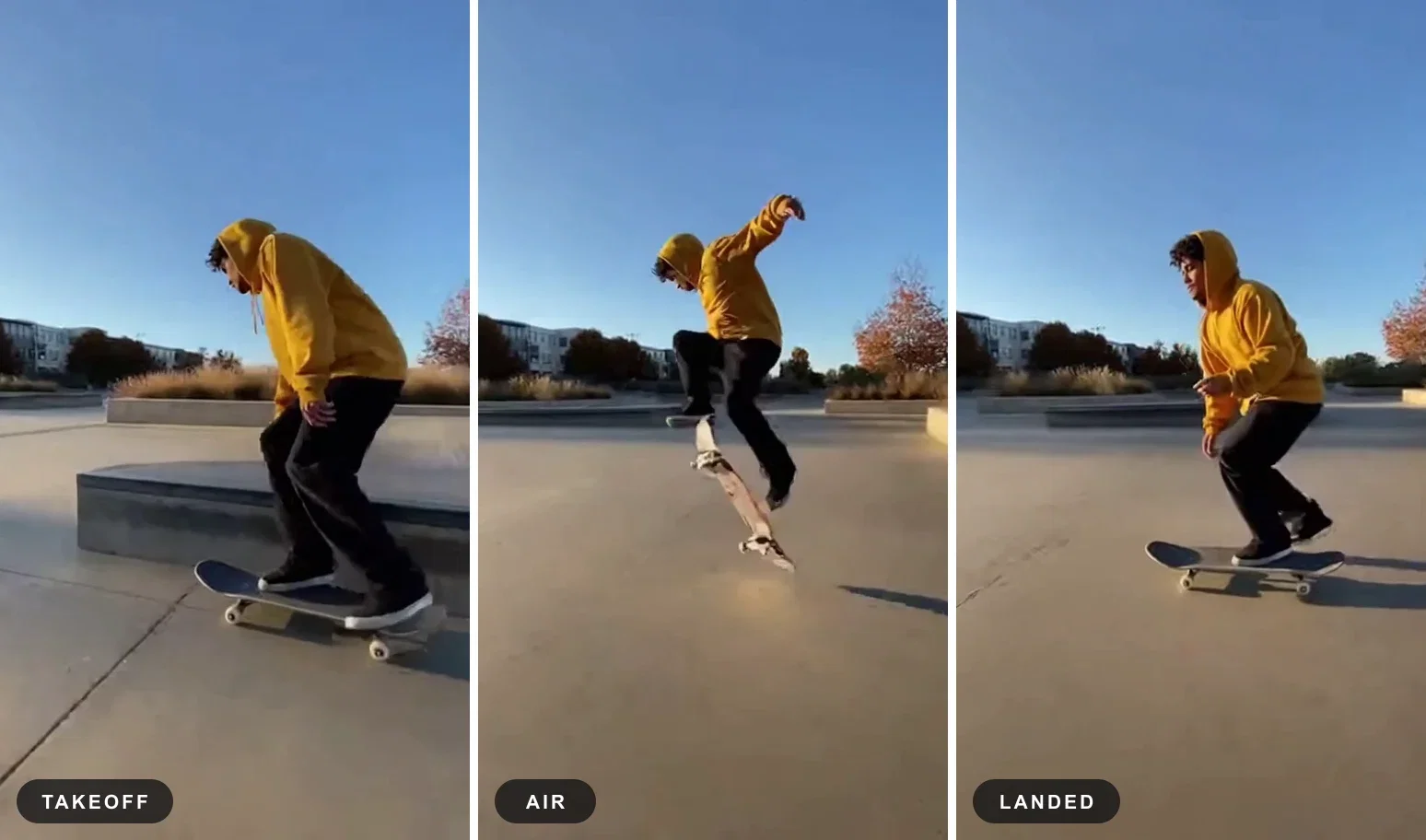
Motion, frozen
Three beats of one take
Pro, when the shot must hold up
Sora 2 Pro raises resolution and detail for hero placements — the aerial up top is a Pro take at full vertical resolution.
Standard Sora 2 covers social cuts and drafts; Pro covers the shot your campaign leads with.
On FluxoKit both tiers sit in one picker, next to Veo, Kling, and the rest of the field for the same prompt.
Wildlife realism
Sora 2, 8s
One canvas, every engine
135+
AI models in one canvas
2
Sora tiers on this page
14,500+
real generations delivered
Real Sora 2 generations
Beat frames pulled straight from the clips on this page — no cherry-picked renders, the actual takes.
Aerial cinematic
Sora 2 Pro, 8s
Synced sound
Sora 2, 8s with audio
Wildlife realism
Sora 2, 8s
How to use Sora 2 on FluxoKit
Direct the shot
Subject, camera move, light, and the sound you want under it — written like a shot list, in plain language.
Pick the tier
Sora 2 for social cuts and drafts, Sora 2 Pro for hero shots. Compare against Veo or Kling on the same prompt.
Cut and keep going
Extract stills, remix the take, or hand the clip to the next step — captions, thumbnails, or the ad itself.
Sora 2 is OpenAI's video model with synchronized sound and physics that read true — and Sora 2 Pro is its hero-shot tier. FluxoKit runs both on one canvas next to Veo 3.1, Kling, and Seedance, with no invite code and no separate app. Every clip on this page is a real Sora 2 generation, tier named in the caption.
When people search for sora 2 or sora ai, they want one of three things: to understand what the model actually does, to use it without the invite dance, or to know whether it beats Veo and Kling for their work. This page answers all three with live takes.
Direct Answer
Use Sora 2 when the take needs to feel filmed: synchronized audio, believable contact physics, coherent camera moves. Use it on FluxoKit when you want that without setup friction — no waitlist, no app switching — and when the honest answer to "Sora or Veo?" is "run both on the same prompt and keep the winner."
Pick the tier by job:
- Sora 2 — social cuts, drafts, iteration volume.
- Sora 2 Pro — hero placements, campaign leads, anything that gets watched full-screen.
What Sora 2 Is Best At
Three strengths carry the family. Synchronized sound: scenes arrive with their own ambience, so a cut can ship without a foley pass. Contact physics: wheels land, shadows track, weight reads — the failure mode of casual video models is exactly what Sora 2 got right. Direction-following: shot-list language (subject, move, light, sound) translates into the take you described.
The feature blocks above show all three from live generations: a latte pour with its own cafe sound, a three-beat ollie strip where the landing lands, and a Pro-tier aerial.
How to Use Sora 2 on FluxoKit
- Open the canvas and pick Sora 2 or Sora 2 Pro from the model picker.
- Write the shot like a director: subject, camera move, light, and the sound under it.
- Generate, then run the same prompt through Veo 3.1 or Kling for comparison.
- Remix the best take — tighter framing, slower move — until it is the cut you ship.
- Pull beat frames for thumbnails and captions on the same canvas.
Sora 2 vs the Field
Sora 2 leads on synchronized audio and physics credibility. Veo 3.1 answers with cinematic polish and long coherent moves. Kling is the action-motion specialist, and Seedance the fast vertical-social engine. Production teams rarely commit to one — which is the argument for a canvas that runs all of them against the same brief.
Related workflows
- AI Video Generator — every video engine on one page.
- Text to Video AI — the prompt-to-video workflow in depth.
- Sora 2 model reference — specs, tiers, and technical notes.
Why run Sora 2 on FluxoKit
The model is OpenAI's. The workflow — tiers, comparison, stills, iteration — is what FluxoKit adds.
No invite, no separate app
Skip the waitlist dance. Open the canvas, pick Sora 2, and the first take is minutes away.
Both tiers, one picker
Sora 2 and Sora 2 Pro side by side — draft cheap, then rerun the winner on Pro for the hero slot.
Audio arrives with the take
Scenes come back with synchronized sound, so a social cut can ship without a sound pass.
Compare against the field
Same prompt through Veo 3.1, Kling, and Seedance next to Sora — keep whichever take sells the idea.
From clip to campaign
Pull beat frames for thumbnails, caption the cut, and version it per channel without leaving the project.
30-day guarantee
Generate real work for 30 days. Refund requests are governed by the first-subscription guarantee and Refund Policy.
23 models available in the canvas
Every model below is live in the FluxoKit studio. Each link opens its technical page with parameters, limits, and real generation examples.
- 01

Grok Imagine Video (Text to Video)
xAI · Video generation
- 02
Grok Imagine Video 1.5 (Reference)
xAI · Video generation
- 03

Veo 3.1 Text to Video
Google AI · Video generation
- 04
Gemini Omni Flash T2V
Google AI · Video generation
- 05
Gemini Omni 1.1 Flash Text to Video
Google AI · Video generation
- 06

Wan 3.0 Text to Video
Alibaba Cloud · Video generation
- 07
Wan 2.5 Text to Video
Alibaba Cloud · Video generation
- 08
Wan 2.6 Text to Video
Alibaba Cloud · Video generation
- 09
Wan 2.7 Text to Video
Alibaba Cloud · Video generation
- 10
HappyHorse 1.1 Text to Video
Alibaba Cloud · Video generation
- 11
HappyHorse Text to Video
Alibaba Cloud · Video generation
- 12

Sora 2
OpenAI · Video generation
- 13
Sora 2 Pro
OpenAI · Video generation
- 14

FLUX 3 Text to Video
Black Forest Labs · Video generation
- 15

MiniMax H3 T2V
MiniMax · Video generation
- 16
MiniMax Hailuo T2V
MiniMax · Video generation
- 17
Kling 2.6 Pro T2V
Kling · Video generation
- 18
Kling 3 T2V
fal.ai · Video generation
- 19

Seedance 2.0 T2V
ByteDance · Video generation
- 20

Seedance 2.5 Text to Video
Higgsfield AI · Video generation
- 21
Seedance 2.0 Fast T2V
ByteDance · Video generation
- 22
Seedance v1.5 Pro T2V
fal.ai · Video generation
- 23
Pixverse v6 T2V
fal.ai · Video generation
Frequently asked questions
What is Sora 2?
Sora 2 is OpenAI's video generation model — the follow-up to the original Sora — known for synchronized audio and physics that hold up under scrutiny. It generates short cinematic takes from a text description or an image, with the scene's own sound built into the same generation. Sora 2 Pro is the higher-resolution tier for hero-grade shots.
What is the difference between Sora 2 and Sora 2 Pro?
Sora 2 is the fast tier for drafts, social cuts, and iteration. Sora 2 Pro raises resolution and detail for the shot a campaign leads with. On FluxoKit both sit in the same model picker, so the usual workflow is draft on Sora 2, then rerun the winning prompt on Pro.
How do I use Sora 2 without an invite code?
On FluxoKit there is no waitlist and no separate Sora app: open the canvas, pick Sora 2 or Sora 2 Pro, and describe the shot. The same canvas runs Veo 3.1, Kling, and Seedance, so you can compare takes from different engines on one prompt.
Does Sora 2 generate sound?
Yes — that is its signature. Takes arrive with synchronized ambience and effects: the pour hits the cup, the street hums, the snow is quiet. For many social cuts that means no separate sound pass at all.
Is Sora 2 free to use?
FluxoKit does not sell a free trial. Sora 2 runs inside the platform plan from $14/month with monthly credits, backed by a 30-day first-subscription satisfaction guarantee, subject to the Refund Policy: direct real takes for a month, and refund requests are governed by the first-subscription guarantee and Refund Policy.
Next step
Access 135 AIs in one canvas, without subscribing to each one.
Monthly credits with no separate subscription per model. New purchases are temporarily unavailable; contact support for billing help.
SORA 2 ON FLUXOKIT
Direct your first Sora 2 take
Both Sora tiers, synchronized sound, and the rest of the video field — one canvas, one plan.