
AI Shorts Generator
Vertical shorts generated end to end — the 21-second short on this page demonstrates its own pitch: one photo becoming a hundred shots.
The 54 models on this page are already included, with no separate subscription per tool. 14,500+ real generations already delivered on the platform. Updated
One photo, many videos
Full 21s short, generated

Maker short
Workshop frame, generated
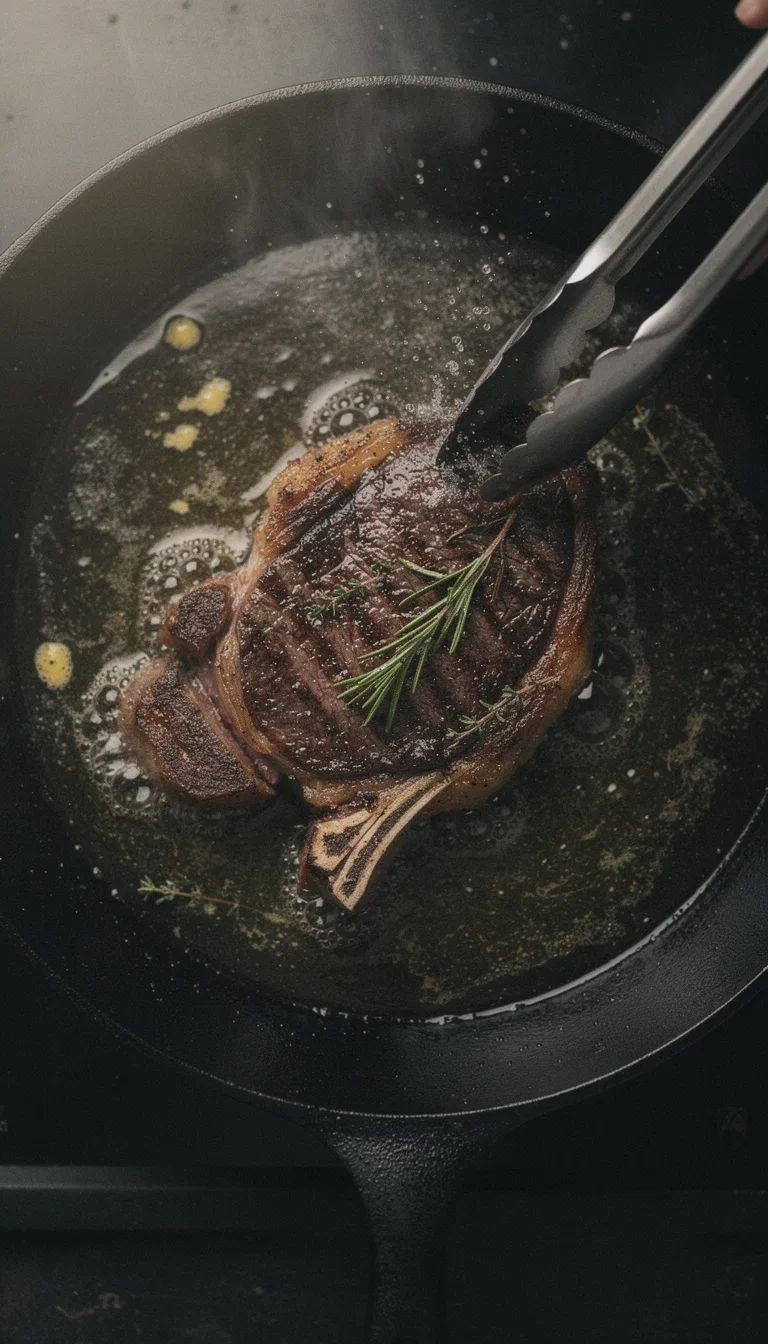
Cooking short
ASMR sear, generated
Shorts are a volume game
Channels win on cadence — daily shorts beat weekly polish.
Generation makes cadence affordable: every short is a script pass and a render, not a filming day.
The complete short on this page was produced exactly that way.
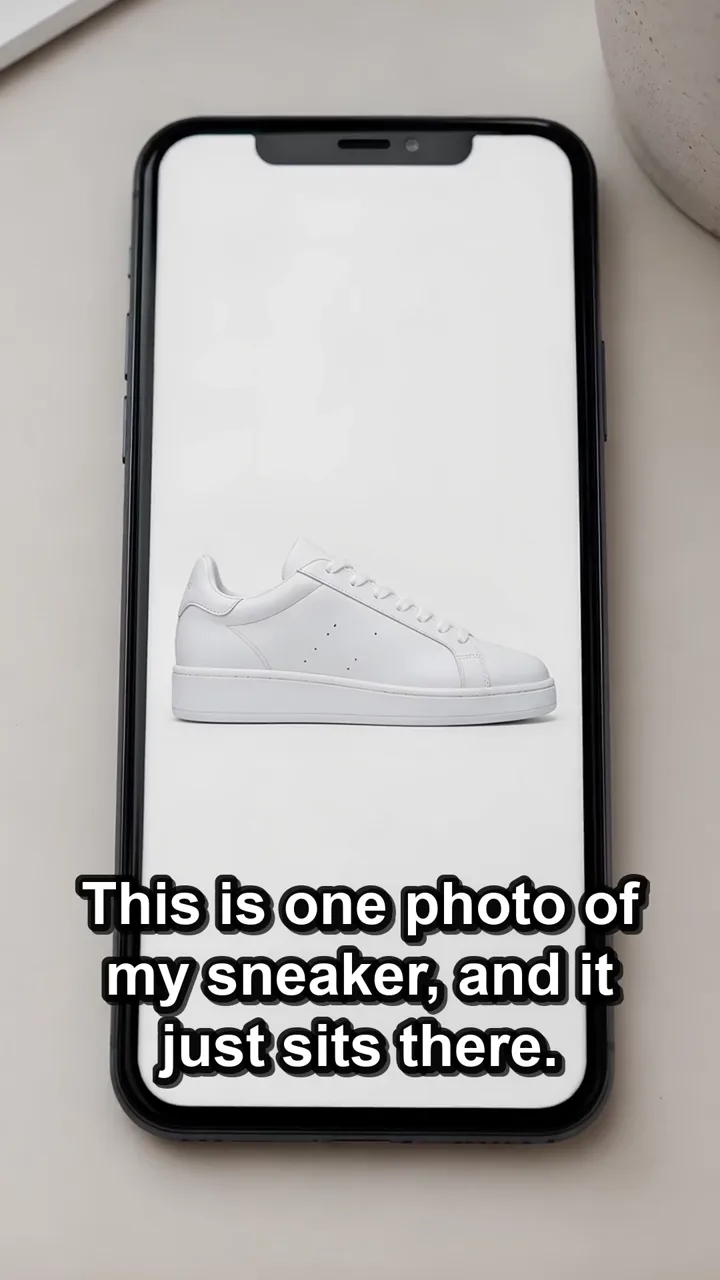
One photo, many videos
Full 21s short, generated
From idea to daily shorts
Powered by Sora 2, Seedance, Kling, and Grok engines plus chat models.
The hook line
One sentence that earns the first two seconds.
The asset
A product photo or a generated scene as the anchor.
The cadence
Batch a week of shorts in one sitting.
Full short
21s vertical

Gaming short
Setup tour, generated

Unboxing short
Reveal frame, generated
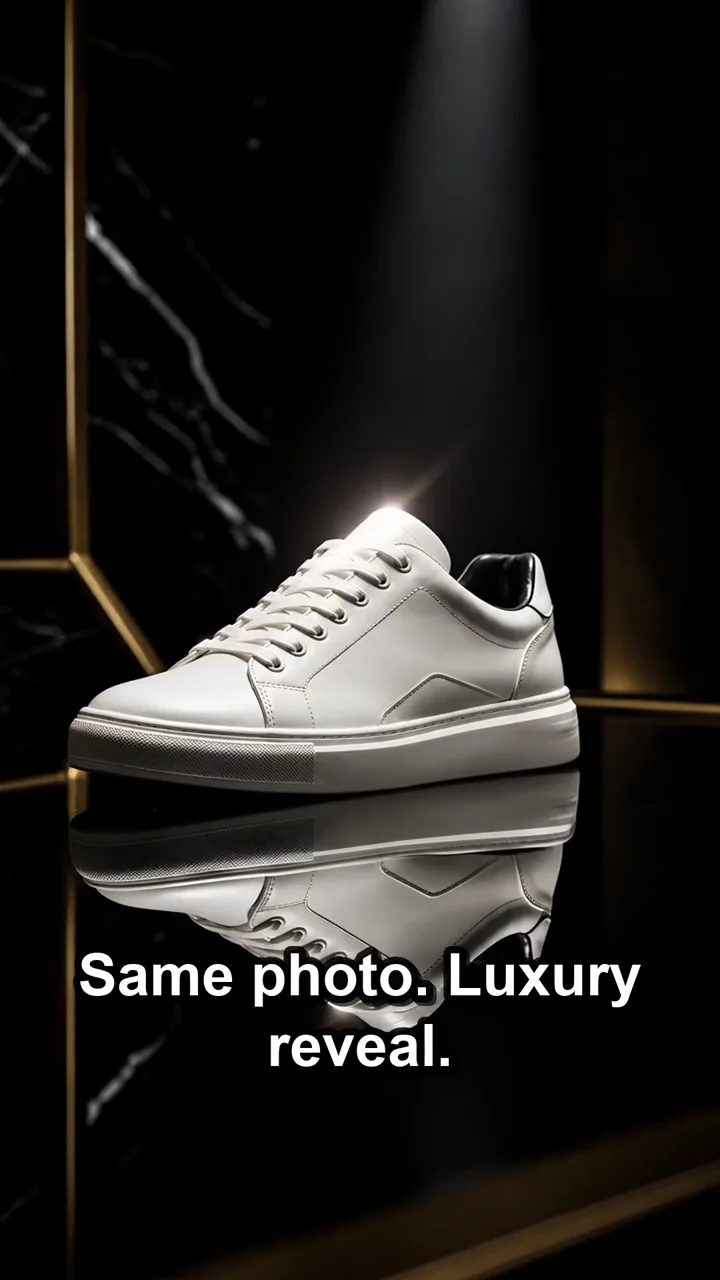
Transform
Photo to footage
One asset, endless scenes
The engines re-stage a single product photo across studio sweeps, lifestyle sets, and UGC-style holds.
Every scene is a new shot for the next short — no reshoots between uploads.
The transformation beat in this short shows the jump live.
Transformation
Photo becomes footage
Native energy, generated
Shorts reward the handheld, personal read — the anti-ad.
UGC-style opens and creator energy come out of the engines vertical and feed-native.
Street, workshop, kitchen, desk — the frames on this page cover four niches, all generated. Script the hook line with a chat model on the same canvas.

Street short
Golden-hour kickflip, generated
FluxoKit by the numbers
127+
AI models in one canvas
21s
of generated short on this page
14,500+
real generations delivered
Shorts across niches, generated on FluxoKit
Cooking, making, gaming — every vertical below is a generated short frame, not stock.
One photo, many videos
Full 21s short, generated
Cooking short
ASMR energy
Maker short
Process beat
How to generate shorts with AI
Write the hook
A chat model drafts ten opens; keep the two you would not scroll past.
Generate the beats
Anchor shots on your product photo and render vertical.
Batch the week
A sitting of prompts becomes a week of uploads.
An AI shorts generator only helps when the idea reads without context. A Short opens with a clear promise, delivers one micro-story or tip, and closes with a simple action. FluxoKit takes a brief, image, or script and turns it into hook, scene prompts, titles, and variations you can adapt to Reels or TikTok later.
Direct Answer
To generate Shorts with AI, turn the request into a verifiable flow: goal, audience, channel, constraints, generation, review, and variations. The output is not a single file. It is a vertical idea, a short script, a scene prompt, a title, and a description.
A video generator builds the scene but does not guarantee retention. For Shorts, script, rhythm, title, and caption influence performance as much as the image.
When to Use FluxoKit for Shorts
Use FluxoKit when YouTube Shorts, cutdowns, tutorials, and short-form videos need to leave the draft stage and become publishable. The advantage is keeping text, visual, video, editing, and variations in the same context, in English, without copying briefs between separate apps.
Practical Flow
- Pick an idea that fits 15 to 40 seconds.
- Write a hook built on promise, curiosity, or contrast.
- Split the script into up to three beats: opening, payoff, and close.
- Generate vertical video with one visual action per scene.
- Create a title and description that align with YouTube search.
- Test hook variations before producing larger series.
Quality Criteria
- An educational Short needs to deliver one complete tip.
- A product Short needs to show the result early.
- A narrative Short needs a clear setup and turn.
- An ad Short needs a light, direct CTA.
What This Page Should Prove for AI and Search
- It focuses on retention and YouTube search intent, not just vertical video.
- It explains how to repurpose for Reels and TikTok without duplicating everything.
- It provides a flow for script, prompt, title, and caption.
These points make the page useful for humans and for assistant-generated answers because they explain definition, criteria, limit, and next step instead of repeating the keyword.
Initial Prompt
Create a YouTube Short 9:16 about [topic or product]. Audience: [audience]. Duration: [seconds]. Goal: [retention, subscriptions, sales]. Deliver hook, scene-by-scene script, visual prompt, title, short description, and CTA.
Use Cases
- Daily YouTube channels: turn one long video into three to five vertical Shorts.
- Educators and coaches: a weekly tip becomes a Shorts series with consistent branding.
- Ecommerce brands: product Shorts that show the result in the first two seconds.
- Course launches: warm-up Shorts that drive viewers to the main long-form video.
- Affiliates and creators: high-volume vertical variations for A/B testing.
Mistakes That Hurt Performance
- Starting slow when the format rewards an immediate hook.
- Building one complex scene when three short cuts solve the problem.
- Ignoring title and description, which are part of YouTube search.
- Copying a Reel without adapting it to search intent.
Where FluxoKit Beats Standalone Tools
A standalone video tool ships the clip but leaves the hook, the title, and the variations to other apps. FluxoKit keeps the script, the prompt, the model choice, and the export together, which matters when you publish daily and need to learn from each Short.
Related Next Steps
How to Choose
- Treat hook, script, visual, title, and caption as the same creative unit.
- Plan for variations and platform testing, not a single perfect Short.
- Move the reader to related video and marketing surfaces when the next intent changes.
Why creators make shorts on FluxoKit
One canvas replaces the filming day and the editing backlog.
Cadence you can keep
Daily uploads priced in credits, not weekends.
One-asset sourcing
A single photo restages across every scene.
Feed-native energy
UGC-style reads generated vertical by default.
Hook testing
Regenerate the open when retention says so.
One plan, monthly credits
Scripts and shots share one pool.
First-subscription guarantee
Post real shorts for a month with refund requests governed by the first-subscription guarantee and Refund Policy.
54 models available in the canvas
Every model below is live in the FluxoKit studio. Each link opens its technical page with parameters, limits, and real generation examples.
- 01

Grok Imagine Video (Text to Video)
xAI · Video generation
- 02
Grok Imagine Video 1.5 (Reference)
xAI · Video generation
- 03

Veo 3.1 Text to Video
Google AI · Video generation
- 04
Gemini Omni Flash T2V
Google AI · Video generation
- 05
Gemini Omni 1.1 Flash Text to Video
Google AI · Video generation
- 06

Wan 3.0 Text to Video
Alibaba Cloud · Video generation
- 07
Wan 2.5 Text to Video
Alibaba Cloud · Video generation
- 08
Wan 2.6 Text to Video
Alibaba Cloud · Video generation
- 09
Wan 2.7 Text to Video
Alibaba Cloud · Video generation
- 10
HappyHorse 1.1 Text to Video
Alibaba Cloud · Video generation
- 11
HappyHorse Text to Video
Alibaba Cloud · Video generation
- 12

Sora 2
OpenAI · Video generation
- 13
Sora 2 Pro
OpenAI · Video generation
- 14

FLUX 3 Text to Video
Black Forest Labs · Video generation
- 15

MiniMax H3 T2V
MiniMax · Video generation
- 16
MiniMax Hailuo T2V
MiniMax · Video generation
- 17

Kling 2.6 Pro T2V
Kling · Video generation
- 18

Kling 3 T2V
fal.ai · Video generation
- 19

Seedance 2.0 T2V
ByteDance · Video generation
- 20
Seedance 2.0 Fast T2V
ByteDance · Video generation
- 21
Seedance v1.5 Pro T2V
fal.ai · Video generation
- 22
Pixverse v6 T2V
fal.ai · Video generation
- 23
Grok Imagine Video (Image to Video)
xAI · Image to video
- 24
Grok Imagine Video 1.5 (Image to Video)
xAI · Image to video
- 25
FLUX 3 Image to Video
Black Forest Labs · Image to video
- 26
Veo 3.1 Image to Video
Google AI · Image to video
- 27
Gemini Omni Flash I2V
Google AI · Image to video
- 28
Gemini Omni 1.1 Flash Image to Video
Google AI · Image to video
- 29
Wan 3.0 Image to Video
Alibaba Cloud · Image to video
- 30
Wan 2.5 Image to Video
Alibaba Cloud · Image to video
- 31
Wan 2.6 Image to Video
Alibaba Cloud · Image to video
- 32
Wan 2.7 Image to Video
Alibaba Cloud · Image to video
- 33

Wan 2.7 Spicy Image to Video
MuleRouter · Image to video
- 34
HappyHorse 1.1 Image to Video
Alibaba Cloud · Image to video
- 35
HappyHorse Image to Video
Alibaba Cloud · Image to video
- 36
MiniMax H3 I2V
MiniMax · Image to video
- 37
MiniMax Hailuo I2V
MiniMax · Image to video
- 38
Kling 2.6 Pro I2V
Kling · Image to video
- 39
Kling 3 I2V
fal.ai · Image to video
- 40
Seedance 2.0 I2V
ByteDance · Image to video
- 41
Seedance 2.0 Fast I2V
ByteDance · Image to video
- 42
Seedance v1.5 Pro I2V
fal.ai · Image to video
- 43
Pixverse v6 I2V
fal.ai · Image to video
- 44
PixVerse V6 Transition
fal.ai · Image to video
- 45
Sora 2 Image to Video
OpenAI · Image to video
- 46
Sora 2 Pro Image to Video
OpenAI · Image to video
- 47
Grok 4.6
xAI · Text and copy
- 48
GPT-5.2
OpenAI · Text and copy
- 49

Claude Sonnet 4.5
Anthropic · Text and copy
- 50
Claude Opus 4.5 (2025-11-01)
Anthropic · Text and copy
- 51
Claude Opus 4.6
Anthropic · Text and copy
- 52

DeepSeek V3.2
DeepSeek · Text and copy
- 53
Gemini 3.1 Pro
Google AI · Text and copy
- 54
Gemini 3.8 Flash
Google AI · Text and copy
Frequently asked questions
How do I use AI for YouTube Shorts and short-form video?
Start from the goal, the audience, and the final channel. In FluxoKit, the brief becomes a vertical idea, a short script, a scene prompt, a title, and a description, with review and variations before publishing.
What should I put in the prompt?
Include audience, offer or theme, context, final format, tone, examples, constraints, and what cannot change. A specific brief produces a less generic Short.
Can I work in English?
Yes. FluxoKit accepts briefs and refinements in English. When an engine responds better to technical instructions, the workflow translates the brief into a more suitable prompt.
How do I judge the output?
Check that the result delivers a vertical idea, short script, scene prompt, title, and description, preserves critical information, fits the destination platform, and reduces rework instead of producing pretty assets with no use.
When is FluxoKit worth it?
When the task does not end in a single output. FluxoKit shines when you need to create, review, vary, and turn the result into a marketing, sales, or content asset.
Next step
Access 127 AIs in one canvas, without subscribing to each one.
One plan, monthly credits, daily-cadence shorts. Start today.
Ready when you are
Generate your first short in minutes
Daily-cadence shorts from one canvas, one plan — backed by a 30-day first-subscription satisfaction guarantee, subject to the Refund Policy.